
Alexa Text Shopping Explained: How to Text Amazon’s AI Agent to Shop (2026 Guide)
Alexa text shopping is Amazon’s newest way to buy things without ever opening an app. From 6 November 2026, a small group of invited customers in the United States can send an ordinary text message to a contact called “Alexa Shopping” and ask it to find products, compare options, fill a cart and complete a purchase. The assistant is the same Alexa for Shopping agent that already lives inside the Amazon app and website — the difference is that it now lives in your messaging inbox, next to your friends and family.
The timing is no accident. Amazon switched the feature on three weeks before Black Friday, at the start of the busiest shopping season of the year, and less than two months after it blocked Meta’s Muse agent from shopping on Amazon.com. One company, two moves: keep outside agents out, then offer its own agent in exactly the channel those rivals use. For shoppers, the question is simpler and more practical: what can you actually do by texting Alexa, how do you get in, and is it worth joining the queue?
This guide answers all three. It explains how Alexa text shopping works, lists the twelve kinds of request Amazon says the Alexa text shopping assistant can handle, walks through the invite and waitlist process, and sets out the honest limits — including what Amazon has not said about approvals, advertising and your messages. Everything below is based on Amazon’s own announcement of 6 November 2026 and same-day reporting from TechCrunch, with company claims clearly marked as Amazon’s own words rather than independently verified facts.
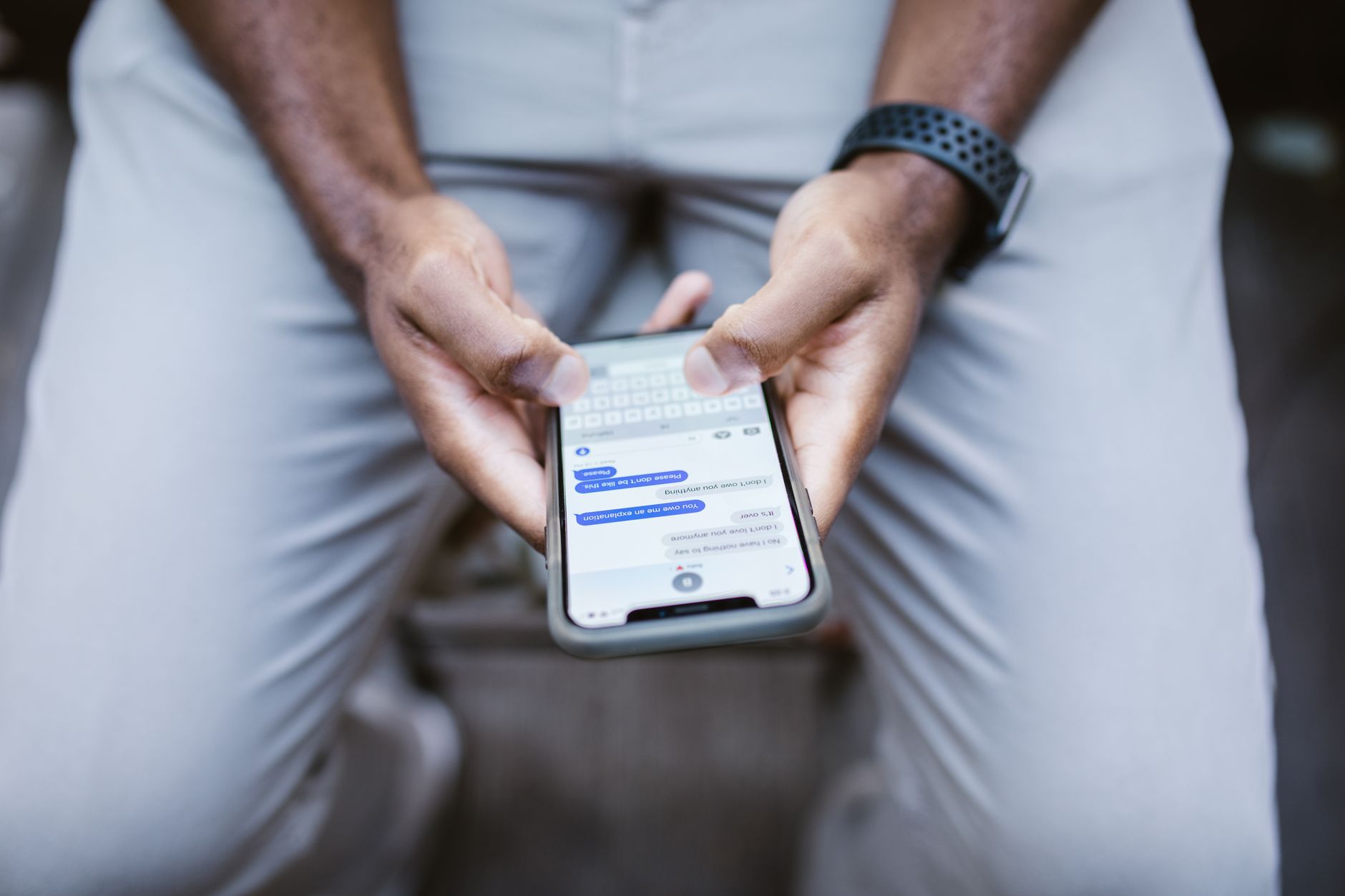
Table of Contents
- What Is Alexa Text Shopping?
- How Alexa Text Shopping Works
- What You Can Ask Alexa to Do by Text
- How to Get Access: Invites and the Waitlist
- Alexa Text Shopping vs the Amazon App
- Why Amazon Blocked Muse — and Built Its Own Text Agent
- The Race to Text-Based Shopping Agents
- The Numbers Behind Alexa for Shopping
- Privacy, Payments and Control: What to Watch
- Alexa Text Shopping and Holiday Shopping 2026
- Is Alexa Text Shopping Worth Trying?
- Frequently Asked Questions
What Is Alexa Text Shopping?
Alexa text shopping is a text-message version of Alexa for Shopping, Amazon’s AI shopping assistant. Instead of speaking to an Echo speaker or tapping through the Amazon Shopping app, you type a normal message — “I’m out of dog food”, “reorder the detergent”, “tell me when AirPods go on sale” — and the Alexa text shopping assistant replies in the same thread with product suggestions, prices and, when you are ready, a completed order.
Alexa for Shopping itself is not new. Amazon launched it on 13 May 2026 by combining two things it already owned: Rufus, the shopping chatbot that had been answering product questions inside the Amazon app, and Alexa+, the smarter version of its voice assistant. The result was a single shopping agent that could search the catalogue, remember your preferences, track prices and, in Amazon’s words, act on your behalf. What changed on 6 November 2026 is the front door. The same agent now has a phone contact, so the conversation can start in the messaging app you already use dozens of times a day.
That small change matters more than it sounds. A shopping app has to be downloaded, kept updated, opened and navigated. A text thread needs none of that. Amazon’s own framing makes the point: its announcement notes that customers often write down what they need “the moment they think of it — in their notes, in their messages, in their group chats”. A text to Alexa turns that passing thought into a shopping action without breaking the flow of whatever you were doing.
Rajiv Mehta, Amazon’s vice president of Conversational Shopping, put it this way in the launch announcement: “Now with Alexa for Shopping, your personal shopping agent is just a text away. Message it what you need, and Alexa goes to work on your behalf — searching, comparing, and buying so you can get on with your day.”
It is worth being precise about what Amazon has actually launched, because the rollout is deliberately narrow. Alexa text shopping is live only in the United States, only for a small group of customers invited by text message, and only as the first stage of a wider rollout Amazon says will reach “millions more customers in the coming weeks”. Nobody outside that first group can use it yet, and Amazon has given no firm date for general availability. If you have not received an invitation, the only route in is the waitlist at amazon.com/text-alexa-shopping — and even that, as we explain below, signs you up for Amazon’s marketing texts as well.
There is also no extra charge for Alexa text shopping itself. Amazon has not announced any fee for texting Alexa, and Alexa for Shopping has required no Prime membership for its core features since its May launch. What you pay for is what you buy: the products themselves, at Amazon’s usual prices, plus any delivery charges that would apply to the same order placed in the app. That makes the cost question simple — the real questions are about access, control and what the Alexa text shopping assistant does with your data, and we cover those in full later in this guide.

How Alexa Text Shopping Works
Using Alexa text shopping takes three steps, and Amazon describes all of them in its announcement. First, you receive a text message from Amazon inviting you to try the experience. Second, you accept the terms and link your phone number to your Amazon account. Third, a contact named “Alexa Shopping” appears on your phone, and you start messaging it like any other contact. From that point on, there is no app to open and no wake word to say — you type, and the Alexa text shopping assistant answers.
Behind that simple surface sits a fairly capable agent. When you send a request, Alexa for Shopping searches Amazon’s catalogue, and in some cases the wider web, then replies with a short list of suggestions rather than a full search-results page. A text message has room for only a few products, so the Alexa text shopping assistant’s choice of which items to name becomes the decision that matters most. Amazon has said nothing about how it picks those few items in a text reply, or whether sponsored products can appear there — a gap that matters for brands and for shoppers who want to know whether they are seeing the best match or the best-paying one.
Once the Alexa text shopping assistant suggests products, the conversation can go several ways. You can ask it to compare two or three options, showing key details, reviews and prices side by side in text form. You can tell it to add something to your cart. You can ask it to buy, and — depending on the feature — it can complete the purchase on your behalf.
You can also change your mind mid-conversation: Amazon’s example is a message reading “add broccoli to my last order”, which amends an order that is already placed. And because the Alexa text shopping assistant remembers context, a single message can carry several jobs at once. Amazon’s own example packs three into one text: “I’m out of dog food, need a birthday gift for my sister, and we’re low on paper towels.” The assistant, Amazon says, works on all three and “messages back with product suggestions as it finds them”.
One of the more useful design choices is that a conversation does not have to stay in the text thread. Amazon says it is rolling out the ability for a request started over text to carry over to Alexa for Shopping in the Amazon Shopping app, on Amazon.com and on Alexa-enabled devices, and back again. Start a gift search by text on the train, finish it on your laptop at home, and the Alexa text shopping assistant keeps the thread. That continuity is described as a rollout in progress rather than a finished feature, so early users should expect it to arrive gradually rather than all at once.
The assistant also learns as you use it. Amazon says that over time Alexa will learn your preferences and suggest items accordingly. The memory behind that is not new: Rufus gained memory, price tracking and auto-buying in November 2025, and by April 2026 a “Tell us about you” prompt was saving persistent shopper profiles covering family members, pets, interests and dietary needs. The text launch adds fresh examples of that memory at work.
“Tell it you only want to see vegan products, and it remembers,” Amazon writes, and a customer who mentions marathon training will find the Alexa text shopping assistant “factors that into future recommendations”. Useful, certainly — and, as the privacy section below explains, worth understanding before you share personal details with it.
Finally, the same thread will carry more than conversation. “Over time, your Alexa Shopping contact will also include your Amazon order updates, delivery notifications, and deals — all in the same thread as your shopping conversations,” Amazon says. Order updates are service messages. Deals are promotions. Amazon has not said how the deals in the thread will be selected, how often they will arrive, or whether brands will be able to pay to appear among them — three questions that will matter a lot once the thread becomes a regular part of shoppers’ messaging.
What You Can Ask Alexa to Do by Text
Amazon’s announcement lists twelve categories of request for Alexa text shopping, each with an example written the way a customer might actually type it. Together they show that this is not a single trick — searching — but a whole shopping workflow moved into a chat thread. Here is what each category covers, in plain terms.
1. Everyday searches and multi-task requests
The simplest use is also the most natural: type what you need, in your own words. “I’m out of dog food” is enough to start. The assistant can also handle several needs in one message, as in Amazon’s triple example — dog food, a birthday gift and paper towels in a single text — and works through them one by one, messaging back with suggestions as it finds them.
2. Grocery orders, including weekly shops
Grocery requests can set up a weekly order, so the same staples arrive on a regular schedule. You can also turn a photo of a recipe into a cart — send a picture of the dish you want to cook and the Alexa text shopping assistant works out the ingredients — or ask for delivery against the clock. Amazon’s example is “deliver eggs, bacon, pancake mix, and maple syrup in 30 minutes”, a quick-commerce promise, although Amazon did not say in which areas a 30-minute window is actually available.
3. Reorders
If you have bought something before, you can reorder it by describing it: “reorder the laundry detergent I bought last month”. The assistant finds the previous purchase and buys it again — with your approval, according to Amazon’s wording for this example. This is the feature most likely to become a daily habit, because it removes the two things people dislike about reordering: finding the product page and re-entering the details.
4. Standing preferences
You can set rules that apply to every future request. Examples from Amazon include “add items to my cart automatically”, “only show me organic options” and “give me nutritional information whenever I ask about food”. Set once, these preferences shape every later suggestion — which is convenient, and also why it is worth reading the privacy section before handing over dietary or health-related preferences.
5. Photo search
Share a picture of an item, or of someone wearing an outfit, and the Alexa text shopping assistant searches for similar listings on Amazon. This builds on Lens Live, the camera-search feature Amazon launched on 2 September 2025, with Rufus suggesting questions beneath the matches. In a text thread the flow is even simpler: send the photo, get the matches, buy the one you want.
6. Deal and price tracking
Ask the Alexa text shopping assistant to watch a price for you — “let me know when AirPods go on sale” is Amazon’s example — and it will message you when the price drops. Combined with the price-history feature below, this turns the Alexa text shopping assistant into a patient bargain-hunter that works while you do other things.
7. List management
The assistant can manage grocery lists and a new holiday gift list. Lists are where the text format really helps: you add items the moment you think of them, in the same app where you message your family, and the list is ready whenever you want to check out.
8. Order status
A text asking “where’s my package?” returns an update “without opening the app”, in Amazon’s words. Order tracking is, according to an August 2026 Adobe survey of 1,000 US consumers, the AI feature most likely to keep a shopping app on a phone — cited by 65% of respondents. Moving it into a text thread removes the app entirely from that job.
9. Products from other stores
Through a programme called Shop Direct, the Alexa text shopping assistant “can surface options from stores across the web” in a text conversation. Amazon opened Shop Direct to third-party feeds on 11 March 2026 and says it now covers more than 100 million products from more than 400,000 merchants. Two days before the text announcement, on 4 November, Amazon also launched a free self-service portal through which eligible US stores can list products in Amazon search and in Alexa for Shopping without selling on Amazon. Amazon has not said how products from outside stores are ranked against items sold on Amazon in a reply that may name only a handful of options.
10. New-release alerts
Ask to be told when something launches — Amazon’s example is “update me when Nike drops new running shoes” — and the Alexa text shopping assistant monitors “Amazon and the broader web” for it. This is one of the few features that explicitly looks beyond Amazon’s own catalogue.
11. Comparisons
“Compare the top-rated robot vacuums” is Amazon’s example. The assistant draws on key details, reviews and pricing to lay out the differences in text form. Comparison is where an AI agent earns its keep: reading dozens of reviews and condensing them into a short answer is exactly the kind of work people do not want to do on a phone screen.
12. Price history
For any product, the Alexa text shopping assistant can show “up to a full year of pricing”, so you can see whether today’s price is a genuine deal or the usual price dressed up as one. Used together with deal tracking, this is a practical defence against fake discounts — especially useful in the weeks before Black Friday, when inflated “was” prices are at their worst.
Two features sit across several of those categories and deserve a mention of their own. The first is auto-buy: Amazon says the Alexa text shopping assistant will “complete a purchase when the price is right”, buying automatically once a product you are watching hits your target price. The second is dinner suggestions: the Alexa text shopping assistant can suggest meal ideas based on your recent purchases, tying the grocery and recipe features together. Both show how far Amazon wants the Alexa text shopping assistant to go — from answering questions to taking action on your behalf, without you asking twice.
How to Get Access: Invites and the Waitlist
For now, Alexa text shopping is invitation-only. Amazon began texting invitations to a subset of US customers on 6 November 2026, and it has not said how large that first group is. If you receive one, the process is short: accept the terms, link your phone number to your Amazon account, and the “Alexa Shopping” contact appears on your phone. From then on, you simply message it.
If you have not been invited, the route in is the waitlist at amazon.com/text-alexa-shopping. Signing up there puts you in line for the next wave of invitations, which Amazon says will reach “millions more customers in the coming weeks”. But there is a detail worth knowing before you sign up. According to Amazon, the waitlist page signs you up “to get news and offers from Amazon by text”, and those customers “will be among the first to know when more invites are sent”.
In other words, the waitlist doubles as a sign-up for Amazon’s marketing texts, and the announcement does not say whether you can join the queue for the Alexa text shopping assistant without also agreeing to receive offers. If marketing messages bother you, that is a real trade-off to weigh.
A few other practical points. The feature is US-only for now, and Amazon has given no date for other countries. Amazon has not said whether the service runs over SMS, RCS or Apple’s iMessage, or whether standard carrier messaging rates apply — so if you are on a limited texting plan, that is worth checking with your carrier.
And the rollout language in Amazon’s own announcement is deliberately vague: one line says the option is “rolling out to customers across the U.S. in the coming weeks”, another says a small group gets it by invitation only with expansion “over the coming weeks”, and a third says it “will roll out to millions more customers in the coming weeks”. None of the three gives a date for general availability, and none gives a number for the group invited on day one. The honest summary is: invited users have it now, everyone else is waiting, and “coming weeks” is the only timetable Amazon has offered.
Alexa Text Shopping vs the Amazon App
If the same assistant already exists in the Amazon Shopping app, why would anyone use Alexa text shopping? The answer is friction — or rather, the removal of it. Here is how the two ways of shopping with Alexa for Shopping compare.
| What you do | In the Amazon app | By text message |
|---|---|---|
| Start shopping | Open the app, find the assistant | Open your messaging app, text “Alexa Shopping” |
| Ask for something | Type or speak in the app | Type a normal message |
| See results | Full results page with dozens of products | A short list of a few named products |
| Compare products | Side-by-side product pages | Text summary of key details, reviews and prices |
| Check an order | Open the app, go to orders | Text “where’s my package?” |
| Continue later | Reopen the app | Pick up the same thread on the app, website or Echo |
| Install needed | Amazon Shopping app installed and updated | None — messaging app you already use |
The trade-off is clear. The text version is faster and more convenient for simple jobs — a reorder, a price check, a “where’s my package?” — because it meets you where you already are. The app is better when you want to browse, compare many products visually, or read long reviews. Amazon seems to understand this: the text assistant deliberately returns only a few products per reply, which keeps the conversation readable but gives you less to compare than a results page would.
There is also a behavioural reason Amazon is pushing text. In that August 2026 Adobe survey of 1,000 US consumers, 72% said they had installed a retail app for a single discount or purchase and then deleted it.
An app is a commitment — storage space, notifications, updates — and most shoppers only tolerate it when they have to. A messaging contact needs no install and no storage, and it cannot be deleted in the same casual way an app can, because it sits in the same inbox as your personal messages. For Amazon, that is a durable advantage: once the assistant is in your messages, it is always one tap away, and it never gets uninstalled in a storage clear-out.
None of this means the app is going away. Amazon is connecting the two, not replacing one with the other — a request started over text can carry over to the app, the website and Echo devices. The text channel is best understood as a new front door to the same house, one that happens to be the door most people walk through most often.

Why Amazon Blocked Muse — and Built Its Own Text Agent
You cannot understand Alexa text shopping without the fight that came just before it. On 8 September 2026, Meta released Muse, an AI agent people can use in a dedicated app or directly in WhatsApp, with an agent that can buy things for US users. The agent works by text message — the same channel Amazon has now adopted. Twelve days later, on 20 September, Amazon cut Muse off from buying on Amazon.com.
According to TechCrunch, Amazon blocked Muse from querying its site after Meta declined to leave Amazon out of the agent’s reach. Amazon’s complaint, as reported, was that Muse had not announced itself as an AI and that Amazon had never authorised the access; shoppers who tried to use Muse on Amazon saw a pop-up saying that continued access by an unauthorised AI agent violates Amazon’s Conditions of Use. Meta’s position was that its agent was acting on the shopper’s behalf, like a personal assistant. The two companies never resolved the disagreement — and seven weeks later, Amazon launched its own agent in the same text-message style.
Amazon’s own announcement does not mention Muse at all. That silence is worth noting, because it means the connection between the two events is TechCrunch’s reporting, not Amazon’s admission.
But the sequence is hard to ignore, and it fits a pattern this site has tracked all year. In October, we reported on why major websites are blocking AI agents — Yelp, Delta, JPMorgan Chase and Charles Schwab all closing their doors to agents from OpenAI, Meta and xAI, while Amazon sued Perplexity over its agentic shopping. The question then was whether agents would be treated as user proxies or blocked as bots. Amazon’s answer, now clear, is: blocked as bots when they belong to someone else, welcomed as a feature when they belong to Amazon.
Alexa Text Shopping vs Meta Muse: the key differences
The two agents now compete directly, but they are built on opposite ideas of who controls the shopping trip. Muse is a general-purpose agent: it works across many stores and services, and it reaches Amazon only by reading Amazon’s public pages — which is exactly what Amazon blocked. Alexa text shopping is a first-party agent: it lives inside Amazon’s own systems, with direct access to the catalogue, your order history, your lists and your payment methods. That gives it real advantages — it can complete purchases, amend orders and track deliveries in ways an outside agent cannot — but only inside Amazon’s world.
Muse can shop anywhere its makers allow; Alexa text shopping can shop on Amazon, and through Shop Direct, on other stores Amazon chooses to surface. The trade-off for shoppers is between an agent that goes everywhere with limits, and an agent that goes deep in one place with none.
Amazon’s chief executive, Andy Jassy, made the company’s expectation plain on the 29 October earnings call: he said Amazon expects Alexa for Shopping to be the primary agent customers use to shop on Amazon, even as it anticipates working with general-purpose agents built by others. That is a careful formulation — cooperation in principle, primacy in practice. For now, the practical result is simple: if you want an AI agent to shop on Amazon for you, Amazon would like it to be Alexa, reached by text.
The Race to Text-Based Shopping Agents
Amazon is not the only company that has decided the future of shopping agents is a text thread. The same idea is spreading across the industry, and Alexa text shopping is best understood as the biggest entry in a race that is now running on several tracks at once.
Walmart took a different route with its own assistant, Sparky. Rather than blocking outside agents outright, Walmart set out rules for them: in October 2026 it published terms for outside AI agents, including customer-set spending limits of $50, $100 or $200, and launched its Agent Gateway so assistants from OpenAI, Google and Meta can connect directly to Walmart’s systems.
At the same time it kept building Sparky: its 30 October update gave the assistant the ability to turn photos of handwritten lists into carts, along with image input and recipe planning inside Walmart’s app, with voice expected chainwide by the end of the year. We covered Walmart’s system in detail in our guide to Walmart AI shopping agents — and the contrast with Amazon is instructive. Walmart is trying to be a platform that outside agents can plug into, under its rules. Amazon is trying to be the agent itself.
Google has moved more cautiously. Its agentic checkout, launched on 13 November 2025, lets US users have Google buy a tracked product from an eligible merchant once it meets their budget — but with explicit confirmation required, a much tighter leash than Amazon’s auto-buy. Its store-calling feature returns results by email or text rather than taking orders in the thread.
And on the advertising side, messaging threads are opening up as a channel in their own right: on 28 October 2026, Invoca released AI agents, in beta, that hold conversations started from Google Search over Google’s RCS for Business channel. Google’s approach so far is to use text to deliver results, not to take orders — Amazon has gone a step further.
DoorDash offers a cautionary note about how small this market still is. Last month the delivery company said that third-party agents had so far placed only hundreds of orders in total on its platform, and that it plans to concentrate on developing its own text-based agent, launched in September, instead. Hundreds of orders is a tiny number against the scale of online shopping — a reminder that, for all the excitement, agent shopping is still an experiment that most shoppers have not tried yet. Amazon’s bet is that putting the agent in the text inbox, where shoppers already live, is what turns the experiment into a habit.
The common thread is that every major platform has now decided shopping agents are real, and each is trying to make sure the agent shoppers use is its own. Amazon blocked Muse and built Alexa text shopping. Walmart wrote rules and built Sparky. Google built checkout with confirmation. DoorDash gave up on third-party agents and built its own. For shoppers, the result in the next year will be several different agents, each tied to a different store, each reachable by text — and the practical question will be which one you trust with your money.
The Numbers Behind Alexa for Shopping
Amazon’s announcement repeats a set of figures that show how big this assistant already is — and how fast its agentic features are growing. All of them come from Amazon itself, so treat them as the company’s own account of its scale rather than independent measurement.
- More than 400 million customers have used Alexa for Shopping in the last 12 months, a figure Amazon’s chief executive Andy Jassy gave on the 29 October earnings call and the announcement repeats.
- US customers who use the assistant spend 50% more per order than those who do not, according to Jassy on the same call — a number Amazon will be keen to grow, and one that explains why it is investing so heavily in the feature.
- Customer interactions with the assistant have risen 570% year over year, again from the earnings call — a sign that people who try it keep coming back to it.
- Use of Alexa for Shopping’s agentic features has grown more than eight times since the start of the year, a new figure in the announcement. Amazon gives no starting count and does not list which features it counts as agentic, so without a base, an eightfold rise could describe a large audience or a small one. It is a direction, not a measurement.
- Buy for Me, Amazon’s agent that completes purchases on other retailers’ websites, has grown from 65,000 products at launch to more than half a million, Amazon said in November 2025 — the clearest evidence that the company is serious about agents that buy beyond its own shelves.
Those numbers also explain the timing. An assistant used by 400 million people, whose users spend half as much again per order, is worth putting in front of shoppers as often as possible — and the text inbox is the most frequently visited screen most people own. The holiday season, when order volumes spike, is the moment when a faster way to shop pays off fastest for Amazon and, if the assistant works well, for shoppers too.
Privacy, Payments and Control: What to Watch
Alexa text shopping is convenient by design — and that convenience comes with trade-offs that are worth understanding before you hand the assistant your phone number, your preferences and your payment details. Here are the honest questions, with what Amazon has and has not said about each.
Who approves a purchase?
Amazon’s announcement is not consistent about when a purchase needs your say-so. The reorder example states that Alexa for Shopping “finds it and buys it with your approval”. Elsewhere, the assistant “can add items to your cart and seamlessly complete the purchase on your behalf” once you are ready, and customers can instruct it to add items to their cart automatically. Auto-buy, which Amazon describes in the same post, will “complete a purchase when the price is right”.
Those are different levels of autonomy, and the announcement does not explain how approval is given in a text thread: whether a reply such as “yes” is enough, whether a code or a link to the app is required, or how Amazon confirms that a message comes from the account holder. Linking a phone number is the only setup step described. Until Amazon clarifies this, the safe approach is to treat every instruction as potentially final — do not tell the assistant to buy something you would not want bought, and check your orders after any auto-buy is set up.
What does the assistant remember — and for how long?
The assistant’s memory is a genuine benefit: it remembers that you only want vegan products, that you are training for a marathon, that your household has a dog. But Amazon’s announcement does not say how long text conversations, or the photos you send, are retained, or whether they can be deleted separately from other Alexa data. The May launch of Alexa for Shopping listed stored attributes such as family members, pets, interests and dietary needs, and by April 2026 the “Tell us about you” prompt was saving persistent shopper profiles — yet Amazon has not disclosed retention periods or whether profile data feeds ad targeting.
If you are uncomfortable with a shopping assistant holding dietary, health or family details indefinitely, share them sparingly and check Amazon’s privacy settings for deletion options.
Will there be adverts in the thread?
Amazon has said nothing about whether advertising will appear in the text conversations, and nothing about how the deals that will arrive in the thread are selected. This matters because Amazon already sells placements inside the assistant: Sponsored Products and Sponsored Brands prompts launched as a free beta in November 2025 and became billable on 25 March 2026 in the United States under existing cost-per-click bids.
If those prompts reach text threads, advertisers would be paying for a format they cannot see in the same way as a results page. If they do not, a growing share of assistant shopping could take place in a channel where Amazon’s retail media network has no visible inventory, apart from whatever deals Amazon chooses to send. Either way, shoppers should know that a short list of “suggested” products in a text reply may not be a neutral ranking — and Amazon has not said how it chooses what to name.
Is it secure?
Text messages are a well-known target for scams, and a new “Alexa Shopping” contact creates a new opportunity for impersonation. Genuine invitations come from Amazon to customers it has selected, and the setup involves accepting terms and linking your phone number through Amazon’s own flow.
Be wary of any message claiming to be Alexa Shopping that asks you to click an unfamiliar link, share a password or a one-time code, or send payment outside Amazon. Amazon has not published a guide to spotting fake Alexa Shopping texts, so the usual rules apply: never share account passwords or verification codes by text, and go to Amazon’s own site or app to check anything that looks suspicious. Payments themselves go through your Amazon account and its usual protections — the assistant does not ask for card details in the chat.
What about the waitlist and marketing texts?
As noted above, joining the waitlist at amazon.com/text-alexa-shopping also signs you up “to get news and offers from Amazon by text”. Amazon does not say whether you can join the queue without agreeing to receive offers, so expect marketing messages as part of the deal. You can presumably opt out of marketing texts later through Amazon’s notification settings, but the announcement does not confirm that either.

Alexa Text Shopping and Holiday Shopping 2026
The launch date tells you who Amazon is aiming at first: holiday shoppers. Alexa text shopping went live on 6 November 2026, three weeks before Black Friday on 27 November, and the features Amazon chose to highlight read like a holiday checklist. The assistant can manage a new holiday gift list, suggest dinner ideas based on recent purchases, track prices on gifts you are watching, and show up to a full year of price history so you can tell a real Black Friday deal from a fake one.
A single text can even cover a whole household’s needs at once — dog food, a birthday gift and paper towels in Amazon’s example — which is the shape of most real holiday shopping: several jobs, one tired shopper, no time to browse.
That is also why the invite-only start matters. Only a small group of customers will have Alexa text shopping during the peak itself; most shoppers will be watching from the waitlist while the first users test it through Black Friday and the weeks after. If the rollout goes as Amazon describes — “millions more customers in the coming weeks” — the feature should reach a much wider audience before the season ends.
But “coming weeks” is not a date, and anyone planning their holiday shopping around it should not count on having access in time. The practical move is to join the waitlist now, use the app version of Alexa for Shopping in the meantime, and treat Alexa text shopping as a bonus if your invitation arrives before the big shopping days.
One feature deserves special attention in a holiday context: price history. Retailers have a long habit of raising prices in October and then “cutting” them for Black Friday, and a tool that shows a full year of pricing is the simplest way to see through it. Ask the assistant for the price history of anything on your gift list before you buy, and compare it with the deal price. It is a small habit that can save real money across a season of purchases — and it works whether you reach the assistant by text or in the app.
Is Alexa Text Shopping Worth Trying?
For most US shoppers, the answer is yes — with your eyes open. The feature costs nothing extra, needs no Prime membership, and does jobs that are genuinely useful: reordering household staples, tracking prices, checking where a parcel is, and turning a passing thought (“we’re out of milk”) into an order without opening an app.
The underlying assistant is already used by more than 400 million customers, so this is not an untested experiment; it is a proven tool in a new, more convenient wrapper. And the way agent payments are developing across the industry — with systems such as Mastercard Agent Pay giving AI agents a secure way to pay on your behalf — suggests that texting an agent to buy things will soon feel as normal as tapping “buy now” does today.
That said, three cautions should shape how you use it. First, keep control of approvals: until Amazon explains exactly how a purchase is confirmed in a text thread, do not set up auto-buy on anything expensive, and check your orders after the assistant acts.
Second, share personal details thoughtfully: the memory that makes the assistant helpful — your diet, your pets, your training plans — is data that Amazon keeps for an undisclosed period, so give it what it needs to help you and not much more. Third, remember that a short list of suggestions in a text is a curated list, not a complete one: ask for alternatives and check prices yourself on anything that costs real money.
Who benefits most? Busy households that reorder the same staples, gift buyers juggling several lists at once, and anyone who finds the Amazon app a chore to open for small jobs. Who should wait? Anyone who likes to browse widely before buying, anyone uncomfortable with an assistant that remembers personal details, and anyone outside the United States — for whom the feature simply does not exist yet.
Frequently Asked Questions
What is Alexa text shopping?
Alexa text shopping is Amazon’s text-message version of Alexa for Shopping, its AI shopping assistant. Invited US customers can text a contact called “Alexa Shopping” to search for products, compare options, manage lists, track prices and complete purchases, all in natural language and without opening the Amazon app.
When did Alexa text shopping launch?
Amazon launched it on 6 November 2026, starting with a small group of invited US customers. The company says it will expand to millions more customers in the coming weeks, but has given no firm date for general availability.
How do I get Alexa text shopping?
There are two routes: receive an invitation text from Amazon, then accept the terms and link your phone number — or join the waitlist at amazon.com/text-alexa-shopping. Note that the waitlist also signs you up to receive news and offers from Amazon by text.
Does Alexa text shopping cost anything?
Amazon has announced no fee for the feature, and Alexa for Shopping needs no Prime membership for its core features. You pay only for the products you buy, at Amazon’s usual prices. Amazon has not said whether standard carrier messaging rates apply to the texts themselves.
Can Alexa buy things without asking me?
It depends on the feature. Amazon says reorders happen “with your approval”, but its auto-buy feature “completes a purchase when the price is right”, and customers can allow items to be added to their cart automatically. Amazon has not explained how approval works inside a text thread, so check your orders and be careful with auto-buy settings.
Does Alexa text shopping work outside the US?
Not yet. The launch is US-only, and Amazon has announced no dates for other countries.
Can I text Alexa a photo?
Yes. Share a picture of an item or an outfit and the assistant searches for similar listings on Amazon, building on the Lens Live camera-search feature launched in September 2025.
How is Alexa text shopping different from Meta Muse?
Muse is a general-purpose agent that works across many stores but was blocked by Amazon from shopping on Amazon.com on 20 September 2026. Alexa text shopping is Amazon’s own first-party agent, with direct access to Amazon’s catalogue, your order history and your payment methods — deeper inside Amazon, but limited to Amazon and the outside stores Amazon surfaces through Shop Direct.
Will adverts appear in my Alexa Shopping texts?
Amazon has not said. It already sells sponsored placements inside the assistant, and it says order updates and deals will arrive in the same thread as your shopping conversations — but it has not explained how deals are selected or whether brands can pay to appear.
Conclusion
Alexa text shopping is a small change with large consequences. Moving Amazon’s shopping agent into the text inbox removes the last bit of friction between thinking of something you need and buying it — no app, no search page, no wake word, just a message. The launch on 6 November 2026, weeks before Black Friday and weeks after Amazon blocked Meta’s Muse, shows exactly what Amazon intends: the agent shoppers use to buy on Amazon will be Amazon’s own, reached the way people already communicate.
For shoppers, the feature is worth joining the waitlist for — provided you keep control of approvals, share personal details thoughtfully, and remember that a short list of suggestions is a curated one. The assistant is already used by more than 400 million customers, and its agentic features have grown eightfold this year; Alexa text shopping is where that growth is now heading. Whether it becomes a daily habit or a holiday novelty will depend on how well it works in the hands of its first invited users over the next few weeks — and on whether Amazon answers the open questions about approvals, adverts and data before millions more customers join the thread.
Sources: Amazon’s announcement, “Text, shop, done: Alexa for Shopping is now just a text away” (6 November 2026); TechCrunch, “After blocking Muse, Amazon now lets users text Alexa to help them shop” (6 November 2026). Figures for usage, spending and growth are Amazon’s own, as reported on its 29 October 2026 earnings call and in its announcement; the September 2026 block of Meta’s Muse is as TechCrunch reported it.