
On October 8, 2026, Anthropic quietly made one of the most practical AI launches of the year — and most people missed the real story. Claude Motion is a new feature inside Claude that turns a boring report, a chart, or a few paragraphs of text into a short animated explainer video. Not an AI-generated video in the Sora-or-Veo sense. Something smarter: an animation built from editable code, so every number stays accurate and every change takes seconds instead of a full re-render.
It launched on the same day as Claude Dashboards — Anthropic’s tool that turns plain-language questions about company data into live dashboards — and, in a coincidence that tells you where the industry is heading, on the exact same day Google unveiled its universal Gemini agent for work. Two of the biggest AI companies in the world made the same bet on the same day: the future of AI at work is not a chatbot that answers questions, but a system that produces finished work.
Photo: a presenter sharing results with colleagues — the exact moment Motion is built for. Credit: Vecteezy.
In this guide, we explain exactly what Motion is, how the /motion command works, who gets access during the beta, what it costs, and how it compares to Google’s new Gemini agent. We also cover the honest caveats — because beta software always has them — so you can decide whether it deserves a place in your workflow this year.
What Is Claude Motion?
Motion is one of two new “artifact templates” Anthropic added to Claude on October 8, 2026. (An artifact is the finished thing Claude produces inside a chat — a document, a slide deck, a design — that you keep editing.) While Claude Dashboards answers “what do our numbers say right now?”, Motion answers a different question: “how do I explain this so people actually get it in 30 seconds?”
Here is the simple version. You give Claude a report, a chart, a diagram, or just an idea in plain text. Motion builds a short animated explainer that plays like a video: text slides in, charts build themselves, diagrams assemble step by step. You can tweak the result in an editor or simply ask Claude to change it in words — “make the chart blue,” “slow down the intro” — and when it looks right, you download it as an MP4 file.
Anthropic’s own examples tell you who this is for: a quarterly business report turned into a 30-second explainer for the team, or a chart in a board deck that moves instead of sitting there. If you have ever sat through a meeting where someone read bullet points off a static slide, you already understand the problem Motion is solving.
How Claude Motion Works: The /motion Command
Using Motion starts with a single command. You type /motion in the Claude message box, describe what you want animated, and Claude builds it. You can start from scratch (“animate our Q3 sales story for the all-hands”) or from existing material — paste in a report, attach a chart, or point it at a diagram.
What happens next is where Motion gets interesting. Instead of rendering pixels the way AI video generators do, Claude writes code that animates your own text, charts, shapes, and images. The result plays like a video, but underneath it is a precise, editable program. That single design decision is responsible for almost everything that makes the tool useful:
- Numbers never hallucinate. A code-based animation draws your actual data. The chart says 83 because your data says 83 — it cannot “dream up” a 38 the way a pixel-based video model might.
- Edits are surgical. Change one value, one label, or one color without regenerating the whole video. Fix the typo in frame three; frames one and two stay exactly as they were.
- Everything stays consistent. Fonts, colors, and chart styles do not drift between scenes, because the same code draws every frame.
- The output is a real MP4. Download it, drop it into a slide deck, email it, or post it — no special player required.
Think of Motion less like a video generator and more like a motion-graphics designer who works at the speed of a chatbot and never misspells your numbers.
Claude Motion Is Not AI Video Generation
This is the point most launch-week coverage gets wrong, so let us be blunt: Motion is not Anthropic’s answer to Sora or Veo, and it is not trying to compete on how realistic the pictures look. Anthropic says so explicitly — Motion does not use a video generation model at all. It creates no generated footage and no AI-generated people.
That limitation is actually the feature. Anyone who has tried to fix one wrong number in an AI-generated video knows the pain: you ask the tool to fix it, it regenerates everything, and now the chart looks different, the colors shifted, and the new number might be wrong in a brand-new way. With Motion, the animation is deterministic — the same code produces the same frames every time — so a correction is a correction, not a gamble.
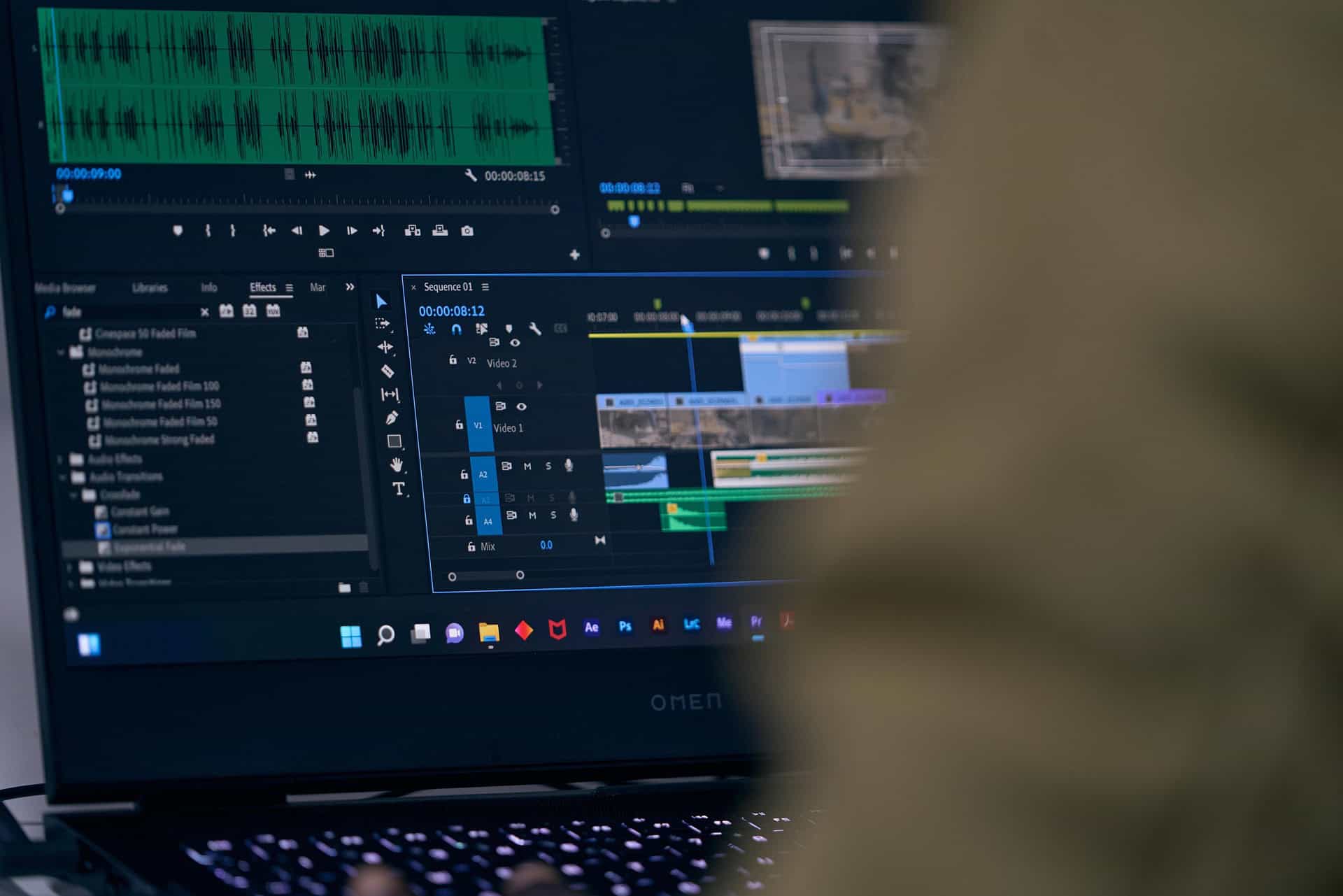
The trade-off is honest and worth stating plainly. Motion will not give you cinematic footage, photorealistic scenes, or a talking AI avatar. If you need a product commercial with sweeping drone shots, you still want a real video generator. But if you need to explain quarterly results, walk through a process diagram, or turn a dense report into something a busy executive will actually watch — code-based animation is the better tool for the job, and it is not close.
What Is Claude Dashboards?
Motion launched alongside a sibling product, and understanding both matters — they are designed to work as a pair. Claude Dashboards connects Claude to where your company keeps its data and builds a dashboard from a question you type in plain language. No SQL, no BI tool, no waiting three weeks for the data team.

Ask something like “how did signups this week compare to last month?” or “show me our open Salesforce opportunities by stage,” and Claude pulls the answers from your connected data, builds the dashboard, and keeps it current as the data changes. Each chart shows the query behind it and exactly when its data was last refreshed — click any number and you can inspect the query or ask Claude to explain it in plain English.
Data Connectors and Where Dashboards Can Go
At launch, Claude Dashboards connects natively to Amazon Redshift, Google BigQuery, ClickHouse, Databricks, and Snowflake, plus connected business apps such as Salesforce. That connector list is the serious-enterprise signal: this is not a toy demo, it is aimed at companies whose data already lives in a warehouse.
Equally telling is where a dashboard can travel afterward. When a question needs deeper analysis, you can send a dashboard from Claude into Amplitude, Grafana, Hex, Mixpanel, Omni, Perplexity, PostHog, or Sigma, with the analysis continuing there — and Anthropic says Looker, monday.com, and Tableau are coming soon. In other words, Anthropic is positioning Claude as the starting point for data work, not a walled garden that traps it.
Claude Motion vs Claude Dashboards: Which One Do You Need?
The two tools answer two different questions, and most teams will eventually use both. Here is the quick way to choose:
| Motion | Claude Dashboards | |
|---|---|---|
| Answers | “How do I explain this clearly?” | “What do our numbers say right now?” |
| Input | Text, reports, charts, diagrams, images | Connected data warehouses and apps |
| Output | Editable animated explainer, MP4 download | Live, refreshable dashboard |
| Key strength | Accurate, editable storytelling | Always-current numbers with visible queries |
| Beta access | Team and Enterprise plans | Paid plans |
The natural workflow writes itself: use Claude Dashboards to find the story in your data on Monday morning, then use Motion to turn that story into a 30-second explainer for the team meeting on Monday afternoon.
Pricing and Beta Access for Claude Motion
Let us get the practical questions out of the way. Motion is in beta, and Anthropic has been specific about who gets in: Motion is available in beta on Claude Team and Enterprise plans, while Claude Dashboards is in beta on paid plans more broadly. On Enterprise, administrators control whether Dashboards and Motion are enabled for their organisation — so if you are on a company plan and do not see the features, your admin is the person to ask.
Anthropic has not announced any separate per-feature price for Motion; it arrives as part of the plans above. That is worth noting because the pattern in 2026 has been AI companies charging extra for every new capability — here, at least during beta, the new tools come with the subscription you already have.
Who Gets Claude Motion Right Now
- Claude Team and Enterprise users: Motion beta should be available (Enterprise may need admin enablement).
- Claude Pro and other paid users: Claude Dashboards beta is available; Motion is not on your plan tier during this beta.
- Claude Free users: neither beta is available — but keep reading, because the same announcement brought genuinely good news for the free tier.
The Bigger News: Docs, Slides, and Design Leave Beta
Buried in the same October 8 announcement was something arguably bigger than either beta: Claude Docs, Slides, and Design are now out of beta and available on every Claude plan, including Free. Anthropic says users have already created more than 45 million documents, decks, and designs with these tools — and now anyone with a free account can use them.
One deadline to put in your calendar: the standalone Claude Design site closes on December 14, 2026 and will redirect to Claude. If you have projects living there, download them as a .zip before that date.
The Same-Day Rival: Google’s Gemini Agent for Work
Motion did not launch in a vacuum. On the very same day — October 8, 2026 — Google Cloud held its Gemini at Work 2026 event, where CEO Thomas Kurian unveiled the Gemini agent: what Google calls “a single, universal agent for work” that answers questions, handles knowledge work, creates images and media, and writes and runs code.
The pitch is a mirror image of Anthropic’s, aimed at a bigger canvas. Where Motion produces a finished artifact (an animation), the Gemini agent pursues objectives. You do not give it step-by-step instructions; you assign it a goal — “prepare the Q3 board briefing” — and it plans the work.
It then spins up temporary sub-agents that run in parallel or in sequence, and keeps going for hours or even days. Because it runs persistently in the cloud, the work continues after you close your laptop. Your progress shows up in a tasks inbox that displays the agent’s reasoning, its delegated sub-tasks, the skills it loaded, and any code it wrote.

Coworker Agents With Their Own Email Address
The headline feature of Google’s launch is genuinely new: persistent coworker agents with their own digital identity. A manager describes a role — say, a finance analyst — and the system creates an agent that holds its own Workspace account, complete with an @agents.company.com email address, its own calendar, its own Drive storage, and a seat in the company directory.
Colleagues can add the agent to a Chat space, @mention it, or tag it in a Doc comment — and its edits appear under the agent’s own name in version history. It sees only what people explicitly share with it, and every action is logged against the agent’s cryptographically attested identity rather than a human user’s. That last detail matters enormously for regulated industries: there is an audit trail, and it points at the agent, not at whichever employee happened to prompt it.
Memory, Sub-Agents, and 200+ Models
Under the hood, Google says the Gemini agent maintains four kinds of memory: session memory for the task in front of it (even across days), semantic memory for knowledge it gathers, procedural memory for how jobs get done, and episodic memory for what it did before. It connects to Google Workspace, Microsoft 365, Slack, Salesforce, ServiceNow, Jira, Confluence, Git, BigQuery, Snowflake, Databricks, Postgres, and any MCP server — plus a registry of reusable workflow “skills.”
Perhaps the most surprising detail: the agent is model-agnostic. Google says it runs each job on the model that fits best, orchestrating across the Gemini family and Anthropic’s Claude today, with other private and open models planned — administrators can route individual jobs across more than 200 models. Google also paired the agent with enterprise governance: cryptographically attested agent identity, OAuth-propagated permissions, an Agent Sandbox, an “Agent Gateway” it describes as an AI network firewall, and real-time per-project spend caps that pause an agent when triggered.
Sundar Pichai added the strategic context at the event: Gemini now has more than 1 billion monthly active users, and Google will bring the agent to businesses before consumers. The agent is currently in private preview, expected to reach Workspace customers on select Business and Enterprise plans “soon,” with early access already running for some small and midsize businesses. Google has not publicly disclosed pricing.
Claude Motion vs the Gemini Agent: Two Visions of AI at Work
So we have two launches, one day, one thesis — AI that does work, not just chat. But the visions differ in an important way:
| Motion (+ Dashboards) | Google Gemini Agent | |
|---|---|---|
| Philosophy | Produce a perfect artifact — an animation, a dashboard | Pursue an objective for hours or days |
| Unit of work | One polished deliverable | A multi-step project with sub-agents |
| Accuracy model | Code-based, deterministic, editable | Agent-verified, audit-trailed |
| Identity | Runs inside your Claude chat | Own email, calendar, Drive, directory seat |
| Availability | Beta now (Team/Enterprise for Motion) | Private preview, GA “soon” |
| Pricing | Included in plan during beta | Not disclosed |
They are less competitors than complements. A plausible 2027 workflow: the Gemini agent spends Tuesday assembling your board briefing from a dozen sources, Claude Dashboards keeps the numbers live, and Motion turns the whole thing into the 30-second opener your CEO actually watches. If you want a broader look at where workplace AI agents are heading, we also reviewed IrisGo, the desktop AI that learns your workflows by watching you — a very different, consumer-friendly take on the same idea.
How to Try Claude Motion Today
If you are on a Claude Team or Enterprise plan, getting started with Motion takes about a minute:
- Open Claude and start a new conversation.
- Type
/motionin the message box, followed by what you want animated — a prompt, a pasted report, or an attached chart or image. - Review the first draft. Claude builds the animation as editable code, so describe changes in plain words: “make the second chart bigger,” “use our brand blue,” “slow the ending.”
- Download the MP4 when it looks right, and drop it into your deck, email, or team chat.
A few tips from how the tool is designed: start with your data or message first, not with visual instructions — Motion is best at structuring a story, less magical at inventing one. Keep the first version short (30-60 seconds plays best in meetings), and remember that because the animation is code, you can iterate fearlessly — nothing you change breaks anything else.
On Enterprise, one administrative note: your workspace owner may need to enable Motion before it appears. And if you are on a paid plan without Motion access, Claude Dashboards is still worth exploring — pair it with our guide to the best AI meeting assistants of 2026 and you have a solid AI-assisted reporting stack for under the cost of one software seat.
The Honest Caveats
We like Motion, but a new beta deserves honest scrutiny. Here is what to keep in mind:
- It is a beta. Expect rough edges, occasional misfires, and features that change without warning. Do not build a client-facing process on it this month.
- Access is tiered. Motion sits behind Team and Enterprise plans during beta — Free and Pro users cannot try it yet, though the newly-free Docs, Slides, and Design tools soften that considerably.
- It is not a video generator. Worth repeating: if you need photorealistic footage or AI presenters, Motion is the wrong tool. Its strength is precise, editable explanation — not cinema.
- Enterprise admins hold the keys. On company plans, both Motion and Dashboards may need to be switched on by an administrator.
- Independent verification is early. The benchmark-style claims around these launches come from the vendors; third-party testing of real-world agent reliability is still catching up. Treat launch-week superlatives accordingly — a healthy habit for every AI launch, including Google’s Gemini 4 Argon and every model release we cover.
Should You Try Claude Motion? Our Verdict
If your work involves explaining numbers to humans — and whose doesn’t — Motion is one of the most immediately useful AI launches of October 2026. It solves a real, daily pain (death by static slide deck) with a genuinely clever technical approach (code instead of pixels), and it arrives with transparent beta terms rather than a surprise price tag.
The bigger picture matters too. October 8, 2026 may be remembered as the day AI at work stopped being a chatbot demo and started being infrastructure: Anthropic shipping finished artifacts, Google shipping a coworker with an email address. Motion is the most usable-today piece of that future — a tool you can open this afternoon and use in tomorrow’s meeting.
Try the /motion command on your next report. Your colleagues will notice the difference before the first slide finishes.
Frequently Asked Questions
What is Claude Motion?
Motion is a Claude feature launched in beta on October 8, 2026, that turns text, reports, charts, diagrams, and images into short animated explainer videos. The animations are built from editable code — not AI video generation — so numbers stay accurate and edits are easy, and the result downloads as an MP4.
How much does Claude Motion cost?
Anthropic has not announced a separate price for Motion. During the beta it is included with Claude Team and Enterprise plans. Claude Dashboards, launched the same day, is in beta on paid plans more broadly.
Is Claude Motion the same as AI video generation?
No. Motion does not use a video generation model and creates no generated footage or AI-generated people. It writes code that animates your own content, which keeps data accurate and makes edits surgical — but it cannot produce cinematic or photorealistic footage.
Can I use Claude Motion on the free plan?
Not during the beta — Motion requires a Team or Enterprise plan. However, the same October 8 announcement took Claude Docs, Slides, and Design out of beta on every plan including Free, so free users still gained three powerful creation tools.
How is Claude Motion different from Google’s Gemini agent?
Motion produces a finished artifact — an animated explainer — from your content. Google’s Gemini agent, announced the same day, pursues longer objectives over hours or days using sub-agents, persistent memory, and even its own Workspace email address. They complement each other more than they compete.
The Bottom Line
Claude Motion turns the most boring part of office life — the static report — into something people actually watch, without the hallucinations and re-render roulette of AI video generators. Launched October 8, 2026 alongside Claude Dashboards and on the same day as Google’s Gemini agent for work, it is part of the biggest single week for workplace AI this year.
If you have Team or Enterprise access, the /motion command is worth trying today; everyone else should watch this space — and grab the newly-free Docs, Slides, and Design tools in the meantime.
For deeper context on the announcements behind this guide, see Unite.AI’s coverage of the Claude Dashboards and Motion launch and Futurum’s analysis of Google’s Gemini agent announcement.
The bottom line on Claude Motion: if your team lives in reports and decks, Claude Motion is worth requesting beta access for. Claude Motion will not replace your analyst, but Claude Motion makes their work impossible to ignore — and that is a genuine superpower for any team.