
Microsoft Copilot Workspaces Explained: The Bold New Team Hub for AI Agents
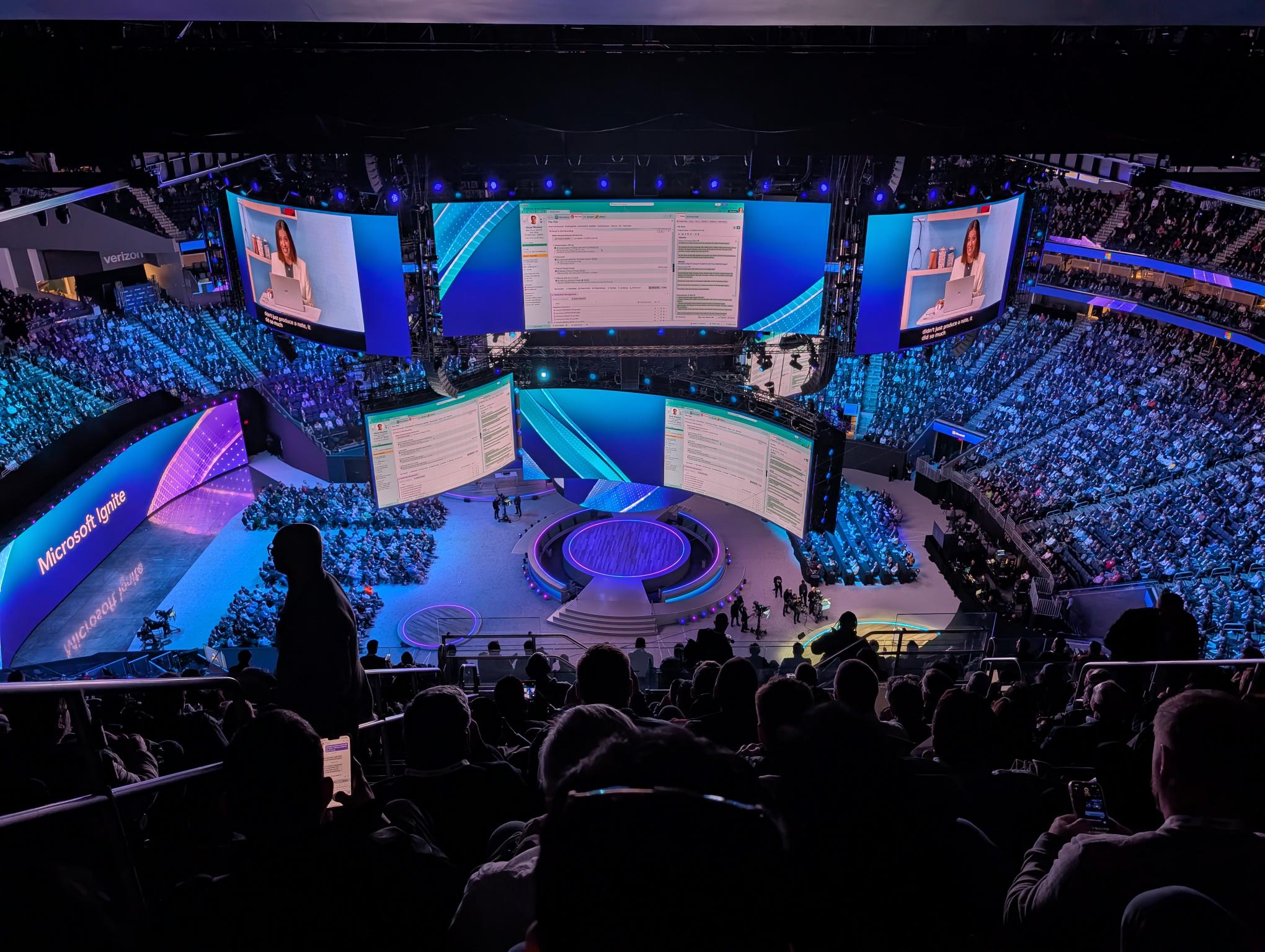
Microsoft Copilot Workspaces is Microsoft’s answer to a problem every team using AI has quietly run into: the chatbot knows what you asked, but it has no idea what your team is doing. Announced on November 17, 2026, at Microsoft Ignite in San Francisco, Copilot Workspaces turns Copilot from a one-person assistant into a shared room where people and their AI agents work on the same project, from the same files, toward the same goal. Microsoft calls it the evolution of Copilot Notebooks, and chief executive Satya Nadella framed it as the moment AI stops being single-player.
In this guide, we explain what Microsoft Copilot Workspaces actually is, how it works day to day, what it costs, who can access it right now, and whether your team should join the waitlist or wait for general availability. We also cover the seven new MAI models Microsoft launched alongside it, because the pricing of those models changes the economics of using Copilot at work.
Table of Contents
- What Is Microsoft Copilot Workspaces?
- How Microsoft Copilot Workspaces Works
- Microsoft Copilot Workspaces vs Copilot Notebooks
- What Else Microsoft Announced at Ignite 2026
- Microsoft Copilot Workspaces Pricing and Availability
- How to Get Access to Microsoft Copilot Workspaces
- Who Should Try It, and Who Should Wait
- What Microsoft Copilot Workspaces Means for the AI Agent Race
- Frequently Asked Questions
- The Bottom Line
What Is Microsoft Copilot Workspaces?
Microsoft Copilot Workspaces is a shared space inside the Microsoft Copilot app where a team keeps the context, the people, and the working files for one ongoing piece of work in a single place. Instead of each person opening their own private Copilot chat and re-explaining the project from scratch, everyone — and every agent they use — works from the same shared understanding.
Microsoft describes the change in one sentence: until now, AI interactions have mostly been single-player, and Workspaces makes them a truly multiplayer experience. In Nadella’s Ignite keynote, he put it more plainly still: “the time has come for a true multiplayer form factor, where people, their agents and other people are all driving towards a common goal, with shared context.” That is the idea in a nutshell. Copilot Workspaces is not a new chatbot. It is a shared room with a memory.
Here is the everyday picture Microsoft is selling. A product launch, a budget review, or a sales proposal lives in a workspace. The documents, spreadsheets, and meeting notes for that project sit inside it. Copilot can see all of them, so when someone asks a question, it answers from the project’s real material rather than from a single chat thread. When an agent drafts a section of a document, a person reviews it. When a person leaves a comment, an agent picks it up. And when the work moves into a meeting, the collaboration continues in Microsoft Teams.
Three details from the announcement matter for anyone deciding whether to care. First, Microsoft Copilot Workspaces replaces Copilot Notebooks for team collaboration — existing notebooks convert automatically, so nobody has to rebuild their material. Second, it is available now only through Frontier, Microsoft’s early-access programme, which means most organisations will see it only after an administrator opts in. Third, it arrives alongside a much bigger Copilot rebuild: a new Home screen that brings Chat and Cowork together, Office apps running inside Copilot, and a long-running agent called Autopilot that can be brought into a workspace.
How Microsoft Copilot Workspaces Works
Microsoft has not published a full feature manual yet, and the details will shift while the product is in Frontier preview. But the Ignite announcements and the company’s Book of News describe four behaviours that define how Microsoft Copilot Workspaces works in practice.
Microsoft Copilot Workspaces keeps shared context in one place
Every workspace gathers the documents, data, and people connected to one piece of work. Copilot suggests workspaces based on what you are already working on, so a team does not have to set up a new space for every project by hand. Once the material is in, Copilot answers questions grounded in those files, and everyone sees the same answers. That shared grounding is the whole point: it stops the familiar situation where two colleagues ask the same AI the same question and get two different answers because each of them gave it different background.
Live presence shows who is working on what
Microsoft Copilot Workspaces supports collaboration across multiple documents with live presence, so you can see what your teammates are working on inside the space. It is the same idea as watching a colleague’s cursor move in a shared Word document, extended to the AI layer: you can see which documents are being edited, which questions Copilot is answering, and where the work stands. For a manager, that visibility replaces a status meeting. For a team member, it replaces the message asking whether anyone has started the draft yet.
Copilot tracks what changed, what is unresolved, and what needs attention
This is the feature that separates Microsoft Copilot Workspaces from a shared folder. Copilot watches the workspace and keeps a running account of what changed, what is still unresolved, and which actions need attention. In practice, that means the workspace can tell you that the pricing section of a proposal was rewritten yesterday, that three open questions from last week’s meeting still have no owner, and that the legal review is the next thing blocking the launch. It is a small shift — from an assistant that answers when asked to one that keeps track while you work — and it is the feature most likely to change how teams actually use Copilot.

Autopilot brings a long-running agent into the workspace
Autopilot is Microsoft’s most ambitious agent so far. It is a cloud-based agent with its own mailbox, files, and computer that works toward goals while you are away and asks for approval before taking major actions. Microsoft says you will soon be able to bring your personal Autopilot agent into a workspace, where it can take on recurring tasks and move projects forward without being prompted at every step. Autopilot began rolling out to Frontier customers on the same day as Workspaces, and it is the clearest sign of where Microsoft thinks this is heading: the workspace is not just where people chat with AI, it is where agents keep working after people log off.
Microsoft Copilot Workspaces vs Copilot Notebooks
If your team already uses Copilot Notebooks, the change is straightforward to understand. Notebooks were personal: you added a project’s files and Copilot answered only from them. Microsoft Copilot Workspaces takes that same idea and makes it shared, live, and agent-aware. Microsoft calls Workspaces “the evolution of Copilot Notebooks” in its Book of News, and the message to existing users is reassuring — your notebooks keep working, and they convert automatically.
| Feature | Copilot Notebooks | Microsoft Copilot Workspaces |
|---|---|---|
| Who it is for | One person and their files | A whole team plus their agents |
| Shared context | Personal project files only | Team documents, people, and goals in one space |
| Live collaboration | No live presence | Live presence across multiple documents |
| Agent participation | Copilot answers questions | Agents draft, review, and pick up comments |
| Autopilot | Not available | Coming soon — bring your agent into the space |
| Availability | Available in Copilot Chat | Frontier early access only |
| Office files inside | Files referenced from chat | Word, Excel, and PowerPoint editing inside Workspaces from January 2027 |
The comparison that matters most for buyers is the last row. Creating and editing Word, Excel, and PowerPoint files directly inside a workspace arrives in January 2027, according to Microsoft’s November update. Until then, Workspaces is a collaboration and tracking layer on top of files that still live elsewhere. That is not a reason to dismiss it, but it is a reason to set expectations honestly: the full vision lands in stages.
What Else Microsoft Announced at Ignite 2026
Microsoft Copilot Workspaces was the headline of the Copilot story, but Ignite 2026 was a much larger announcement. Nadella framed the event around three priorities — keeping human ambition at the centre, letting enterprises keep ownership of their organisational intelligence, and building systemic trust — and the product news followed that shape. Here is what else launched, and why each piece matters to the workspace story.
Seven new MAI models built for price, not just performance
Microsoft’s AI unit launched a family of seven models at Ignite, and the pitch was deliberately about economics. Microsoft’s AI chief has said token spending is climbing so fast that the maths no longer works at frontier prices, and these models are the answer. The two that matter most are MAI Code 2, a coding model, and MAI Cyber 2 Flash, a security model.
Microsoft says MAI Code 2 delivers about 98% of the performance of OpenAI’s GPT-6.1 Sol on everyday enterprise coding tasks, at roughly 40% of the cost — averaged across four benchmarks (DeepSWE 1.1, Terminal Bench 2.1, SWE Atlas, and FrontierCode v1.1). It also claims 96% of Claude Opus 5.5’s performance at about 5% of the price. Those are Microsoft’s own numbers, and no independent benchmark has verified them yet, so treat them as a claim to test rather than a fact.
There is also an important footnote: the price comparison uses a 50% promotional price, so at full price the model would cost about 80% of GPT-6.1 Sol. The promotional rate is $0.50 per million input tokens and $2.50 per million output tokens until May 17, 2027, when it doubles. The smaller MAI Code 2 Flash costs $0.05 and $0.25 per million tokens on the same promotional schedule, and Microsoft says it matches GPT-6 Luna at 65% of the cost and Claude Haiku 5.5 at 20%. Both models are live in GitHub Copilot, with Code 2 Flash also in limited-access preview in Microsoft Foundry.

MAI Cyber 2 Flash is the more striking number. Microsoft says it completed 92.3% of tasks on CyberGym-E2E, a benchmark of real-world vulnerability discovery, against 91.5% for OpenAI’s GPT-6 Astra, using half the reasoning budget and less than 2% of the cost per task. Unlike the Code 2 comparison, this one is priced at list: $0.10 per million input tokens and $0.50 per million output tokens, against $10 and $50 for GPT-6 Astra.
One caveat matters: Microsoft excluded 92 of the benchmark’s 905 tasks because they overlapped with its training data, and the model is coming exclusively to Microsoft security products — it replaces the existing model in eligible MDASH profiles from mid-December — so most readers will never call it directly.
The rest of the family fills out the picture: MAI Image 2.7 for image generation and editing, in public preview on Foundry at about $35 and $10 per 1,000 images for the full and Flash versions; MAI Realtime 1 for live speech-to-speech interaction; Dragon Copilot Transcribe, built on MAI Transcribe 2; and Decision 1.1, a router model Microsoft says is 50 times faster and 79 times cheaper than GPT-6.1 Sol, now generally available. Microsoft also introduced MAI Licensed Weights, which lets selected enterprises tune an MAI model on their own data and run it inside their own Azure environment — access is by agreement, with no published prices or licence terms.
Copilot Home, Office in Copilot, and Copilot Code
The workspace sits inside a rebuilt Copilot app. Home is the new starting point, where Chat and Cowork come together in a single input field, and it is now generally available and rolling out worldwide. Office in Copilot — Word, Excel, and PowerPoint running inside the Copilot app — is also generally available. Copilot Code, which builds dashboards, trackers, and apps from plain-language descriptions, becomes generally available in the coming weeks, and Copilot Managed Runtime, for securely hosting the apps a company builds inside its tenant, is generally available now. A Today view, which surfaces what needs your attention, is in Frontier private preview in the Copilot app and Outlook.
Agent 365 Business Analytics and Microsoft Perception
Two enterprise announcements round out the picture. Agent 365 Business Analytics is what Nadella called an ERP system for AI: it maps AI spending directly against business outcomes, so a company can see what its agents cost and what they return.
And Microsoft Perception is now generally available — it coordinates red, blue, and green AI agent teams to run machine-speed threat defence under human oversight. Microsoft also announced HorizonDB on Azure, a distributed PostgreSQL database it says delivers up to eight times the performance of self-managed PostgreSQL, with Fabric integration so agents can reason across live transactions and historical data in real time. Finally, Microsoft confirmed that OpenAI’s GPT-6.2 and Meta’s latest models are being integrated into its Foundry platform, giving corporate customers multi-model choice in one place.
Role-based Copilot and the Salesforce partnership
Microsoft is also organising Copilot by job role, with skills, connectors, and plugins for sales, legal, finance, and service teams. New plugins cover Dynamics 365 Sales, Service, and Finance and Operations, and Microsoft announced Salesforce in Copilot — a plugin in preview with more than 38 pre-built sales skills. Agent 365 now supports agents built on Salesforce, Google, and Amazon platforms, and Microsoft says Agent 365 has passed 50 million agents. The scale of adoption is already visible in the customer numbers Microsoft quoted: Volkswagen Group is equipping more than 330,000 employees with Copilot, and The Estée Lauder Companies has expanded it to more than 14,000 people.

Microsoft Copilot Workspaces Pricing and Availability
The honest answer to “what does Microsoft Copilot Workspaces cost?” is that Microsoft has not published a standalone price, because there is not one — yet. Workspaces is a feature of Copilot, not a separate product, and its cost follows the Copilot licensing and usage model. Here is what we know for certain, and what is still unclear.
Availability today: Microsoft Copilot Workspaces is available only through the Frontier programme, Microsoft’s early-access track. It is not generally available, and Microsoft has not announced a date for wider release. Business users need a Microsoft 365 Copilot licence and an administrator who has opted the organisation into Frontier. Individuals on Microsoft 365 Personal, Family, and Premium can also opt in from their own accounts. The admin opt-in is tenant-level, the default is no access, and propagation can take up to three hours.
Licensing: a Microsoft 365 Copilot licence is the entry ticket for business users. Copilot itself is an add-on to an eligible base plan such as Business Premium, E3, or E5. If your organisation does not already pay for Copilot licences, Workspaces is not a free trial — it is a feature you reach by buying into the Copilot stack first.
Usage billing: since September 2026, Microsoft has charged for Cowork, Code, and Autopilot through Copilot Credits, based on usage, rather than a fixed per-user licence. For enterprise tenants, that billing stays switched off until an administrator sets a spending policy — so nothing is charged by surprise, but equally nothing is free. Some Frontier features may be paid or billed in Copilot Credits, and Microsoft warns that features in Frontier can change or stop, and are not covered by general-availability service agreements.
The HIPAA warning: Microsoft’s Frontier guidance states plainly that HIPAA Business Associate Agreement coverage does not include Frontier features. If your organisation works under HIPAA — a clinic, a hospital, a health insurer — do not put patient data into a workspace until Workspaces leaves Frontier. That single sentence is the most important line in the fine print for regulated teams.
What the models cost inside the stack: the MAI models that power the coding and security work have published promotional prices, which we listed above. MAI Code 2 at $0.50 per million input tokens and $2.50 per million output tokens, and MAI Cyber 2 Flash at $0.10 and $0.50, are genuinely cheap next to frontier pricing — but remember the Code 2 price doubles on May 17, 2027, when the promotion ends. Any cost model your team builds should use the full price, not the promotional one.

How to Get Access to Microsoft Copilot Workspaces
If you want to try Microsoft Copilot Workspaces now, the path depends on whether you use a work account or a personal one. The steps below follow Microsoft’s own Frontier guidance.
- Check your licence. Business users need a Microsoft 365 Copilot licence assigned to their account. Personal users need a Microsoft 365 Personal, Family, or Premium subscription. Without the matching licence, Frontier features simply do not appear.
- Ask your administrator to opt the organisation in. For work accounts, an admin with the AI Admin, Security Admin, or Office Apps Admin role switches the tenant’s Frontier setting from the default of no access to all users or specific users and groups. The admin account itself also needs a Copilot licence, or some settings stay hidden.
- Wait for propagation. Microsoft says Frontier changes can take up to three hours to reach every account. If the feature is missing after that, check with your administrator before assuming something is broken or buying a new plan.
- Open the Copilot app and look for Workspaces. Workspaces appears in the Copilot app as the successor to Notebooks. Your existing notebooks convert automatically — you should not need to rebuild them.
- Start with one real project, not a demo. Pick a project with real documents, real deadlines, and at least two people. A workspace only shows its value when Copilot has genuine material to track and genuine open questions to surface.
- Set a spending policy before turning on Autopilot. For enterprise tenants, usage billing for Cowork, Code, and Autopilot stays off until an administrator sets a spending policy. Decide the budget first, then let the agents run.
If you are on a personal subscription, the process is simpler: opt in from your own account settings. But remember that the personal route is still Frontier — the same preview caveats, the same possibility that features change or disappear, and the same absence of a general-availability service agreement.
Who Should Try It, and Who Should Wait
Microsoft Copilot Workspaces is not for everyone on day one. The right call depends on what your team already pays for, how it works, and how much risk it can tolerate from a preview product.
Try it now if: your organisation already pays for Microsoft 365 Copilot licences and your administrator is willing to opt into Frontier; your team runs projects that live in Word, Excel, and Teams already, so the workspace adds a layer rather than a new home; you have a project with several people and several documents, where the “what changed and what is still open” tracking would replace a weekly status meeting; or you are a developer team already in GitHub Copilot, where MAI Code 2 is available today and the price difference is immediately measurable.
Wait for general availability if: your organisation works under HIPAA or another regime where preview features fall outside your compliance coverage; you do not already hold Copilot licences and would be buying them just for this feature; your team is small enough that a shared folder and a group chat already solve the coordination problem; or you need Word, Excel, and PowerPoint editing inside the workspace itself, which does not arrive until January 2027. In that case, keep using Copilot Notebooks in Copilot Chat — they are still what most teams have, and they keep working.
Watch it closely if: you are choosing between Microsoft’s stack and a rival. The comparison is no longer Copilot against one chatbot; it is Copilot’s shared workspace against the shared spaces every other vendor is building at the same time. Anthropic shipped shared workspaces of its own this month — read our guide to Claude Sheets, which turns Claude into an office suite — and OpenAI is moving the same direction with business profiles and agents inside ChatGPT. The winner will be decided by which shared space teams actually live in, not by which model scores highest on a benchmark.
What Microsoft Copilot Workspaces Means for the AI Agent Race
Step back from the feature list, and Ignite 2026 tells a clear story about where the AI industry is heading. The model race is becoming a price race. OpenAI cut the price of its new GPT-6.2 Astra by 20% on the same day Microsoft launched its cheaper MAI family — see our GPT-6.2 explainer for the details — and every vendor is now competing on cost per task rather than raw capability.
Microsoft’s pitch is explicit: the problem is no longer whether the model is smart enough, but whether the bill is sustainable. MAI Code 2 at a fraction of frontier prices, Decision 1.1 routing simple questions to cheap models, and Agent 365 Business Analytics measuring return on intelligence are all parts of the same argument.
The second shift is from single-player to multiplayer. Every major vendor is building shared spaces where people and agents work together: Microsoft with Copilot Workspaces, Anthropic with its shared workspaces, OpenAI with business agents in ChatGPT, and Cognition with Devin Bots, an AI manager that runs coding teams. The pattern is the same everywhere — the chatbot was the first act, and the shared workspace with a memory is the second. Microsoft’s advantage is distribution: Copilot already sits inside the Office apps, Teams, and Windows environments where most office work happens, and Volkswagen’s 330,000-seat deployment shows how quickly that distribution converts into users.
The third shift is the hardest to see and the most important: governance is becoming a feature, not an afterthought. Agent 365 Business Analytics, Microsoft Perception’s red-blue-green agent teams, and the explicit warning that Frontier features sit outside HIPAA coverage all point the same way.
As agents gain mailboxes, files, and computers of their own, the question is no longer “can the agent do it?” but “who approved it, who paid for it, and who can see what it did?” Microsoft is building the audit trail into the product. Teams that adopt early should build their own approval habits at the same time — Autopilot asks before major actions, but only if the team has decided what counts as major.
None of this makes Microsoft Copilot Workspaces a finished product. It is a Frontier preview with a January 2027 feature still missing, priced through a credit system many administrators have not yet configured, and carrying benchmark claims nobody outside Microsoft has reproduced. But the direction is unmistakable, and the teams that learn the shared-workspace pattern now will be the ones who know how to use it when it becomes the default way office work happens.
Frequently Asked Questions
What is Microsoft Copilot Workspaces?
Microsoft Copilot Workspaces is a shared space in the Microsoft Copilot app where a team and its AI agents work on one project from the same documents, context, and goals. It is the evolution of Copilot Notebooks, announced at Microsoft Ignite on November 17, 2026, and it is available only through the Frontier early-access programme for now.
Is Microsoft Copilot Workspaces free?
No. Business users need a Microsoft 365 Copilot licence, and usage of Cowork, Code, and Autopilot is billed through Copilot Credits based on usage. Enterprise tenants are not charged until an administrator sets a spending policy. There is no published standalone price for Workspaces itself, because it is a feature of Copilot rather than a separate product.
How is Microsoft Copilot Workspaces different from Copilot Notebooks?
Notebooks were personal — one person, their files, and Copilot answering from them. Microsoft Copilot Workspaces is shared: the whole team and its agents work in the same space, with live presence, multi-document collaboration, and Copilot tracking what changed and what is still unresolved. Existing notebooks convert automatically.
When will Microsoft Copilot Workspaces be generally available?
Microsoft has not announced a general-availability date. It is available now only through Frontier, and Microsoft has not said when it will leave the programme. Creating and editing Word, Excel, and PowerPoint files inside Workspaces arrives in January 2027.
Does Microsoft Copilot Workspaces work with Teams?
Yes. Microsoft says the collaboration that starts in a workspace continues in Microsoft Teams, so a team can move from the shared space into a meeting without losing context.
What is Autopilot in Microsoft Copilot Workspaces?
Autopilot is a long-running cloud agent with its own mailbox, files, and computer. It works toward goals while you are away and asks for approval before major actions. Microsoft says you will soon be able to bring your personal Autopilot agent into a workspace. It began rolling out to Frontier customers on November 17, 2026.
Is Microsoft Copilot Workspaces safe for healthcare data?
Not yet. Microsoft states that HIPAA Business Associate Agreement coverage does not include Frontier features. Healthcare organisations should not put patient data into a workspace until Workspaces leaves Frontier and the coverage question is resolved.
What are MAI Code 2 and MAI Cyber 2 Flash?
They are two of the seven MAI models Microsoft launched at Ignite 2026. MAI Code 2 is a coding model Microsoft says reaches about 98% of GPT-6.1 Sol’s performance at roughly 40% of the cost, on a promotional price that doubles on May 17, 2027. MAI Cyber 2 Flash is a security model Microsoft says beats GPT-6 Astra on CyberGym-E2E at less than 2% of the cost per task. Both claims are Microsoft’s own and have not been independently verified.
The Bottom Line
Microsoft Copilot Workspaces is Microsoft’s bet that the next era of AI at work is not a smarter chatbot but a shared room where people and agents build on each other’s work. The announcement at Ignite 2026 is genuinely significant: a multiplayer workspace, a long-running Autopilot agent, seven cheaper MAI models, and an analytics layer that finally ties AI spending to business outcomes. The execution, for now, is a Frontier preview with a missing Office-editing feature, a credit-based billing model, and benchmark claims that deserve independent testing.
If your organisation already holds Microsoft 365 Copilot licences, joining Frontier and trying one real project in a workspace is a low-risk way to learn the pattern early. If you are buying licences just for this, or you work under HIPAA, the sensible move is to watch, keep using Notebooks, and wait for general availability. Either way, the direction of travel is now clear — and the teams that understand shared AI workspaces in 2026 will be the ones running them in 2027.
Sources: Microsoft’s official Ignite 2026 announcements, including the Ignite 2026 keynote post and the Copilot at Ignite blog; pricing and availability details from Microsoft’s Frontier programme guidance and GitHub’s published MAI pricing. Benchmark and cost figures are Microsoft’s own claims and have not been independently verified.