
Best AI Video Generator in 2026: 8 Tools Tested, Compared and Ranked
Finding the best AI video generator in 2026 is harder than it looks — not because there are too few options, but because the whole category reshuffled itself this year. OpenAI walked away from Sora, Kling shipped a model that generates full 30-second takes in one pass, Google’s Veo 3.1 made synchronized sound the new baseline, and a wave of Chinese models quietly rewrote the price charts. The tool that was “the best” twelve months ago may not even exist today.
That is exactly why this guide exists. We spent weeks reading launch notes, pricing pages, tester reports and benchmark boards, then distilled everything into one honest ranking of the best AI video generators of 2026 — with real US pricing, honest per-second cost math, and clear picks for every kind of creator. No hype, no affiliate-flavored “they’re all great” hedging. Just the tool you should actually pay for.
Table of Contents
- How This Best AI Video Generator 2026 Ranking Works
- The 8 Best AI Video Generators at a Glance
- 1. Google Veo 3.1 — Best Overall AI Video Generator
- 2. Kling 4.0 — Best Value and Longest Takes
- 3. Runway Gen-4.5 — Best for Editing and Creative Control
- 4. Luma Dream Machine (Ray 3.2) — Best Image-to-Video Generator
- 5. Pika 2.5 — Best for Social Clips and Effects
- 6. MiniMax Hailuo (H3) — Best Budget AI Video Generator
- 7. Adobe Firefly Video — Best Commercially Safe Option
- 8. HeyGen — Best AI Avatar Talking-Head Generator
- Why Sora Isn’t on This List
- What AI Video Generators Actually Cost: The Per-Second Truth
- Free AI Video Generators: How Far $0 Takes You
- How to Pick the Best AI Video Generator for Your Project
- The Verdict
- FAQs About AI Video Generators
How This Best AI Video Generator 2026 Ranking Works
Before the rankings, a word on method — because “tested” means something specific here. We did not run a lab benchmark farm. Instead, we built this ranking the way a working creator would: by reading every current pricing page and plan document, cross-checking third-party tester reports published in September and October 2026, tracking blind-vote leaderboards like the Artificial Analysis text-to-video board, and reading community A/B comparisons of the newest models. Where sources disagreed on a price or a spec, we said so instead of picking the flattering number.
Every tool below is scored on the same five axes: output quality (realism, motion consistency, prompt accuracy), native audio (dialogue and sound generated with the picture, not bolted on after), control (keyframes, references, editing tools), price honesty (what a minute of finished video really costs you), and free-tier generosity (how much you can make before paying). A tool can win its category without winning overall — which is why this list has eight picks and only one overall winner.
The 8 Best AI Video Generators at a Glance
Short on time? Here is the entire field on one screen. Prices are the cheapest monthly paid plan in USD; per-second figures are the published API or credit math, which is the only honest way to compare tools that all hide behind “credits.”
| Rank | Tool | Best for | Max clip per generation | Native audio | Free tier | From |
|---|---|---|---|---|---|---|
| 1 | Google Veo 3.1 | Best overall | 8 s (extendable) | Yes | 50 Flow credits/day | $4.99/mo (Google AI Plus) |
| 2 | Kling 4.0 | Best value, long takes | 30 s | Yes | Daily login credits | ~$8–10/mo |
| 3 | Runway Gen-4.5 | Editing and control | ~10 s | Model-dependent | 125 one-time credits | $15/mo |
| 4 | Luma Dream Machine (Ray 3.2) | Image-to-video | ~20 s | Via add-ons | Limited | $30/mo |
| 5 | Pika 2.5 | Social clips, effects | ~10 s (extendable) | Limited | Yes, watermarked | ~$8–10/mo |
| 6 | MiniMax Hailuo (H3) | Budget pick | 15 s | Yes | Yes, watermarked | $14.99/mo |
| 7 | Adobe Firefly Video | Commercially safe | 5 s | Separate tools | Daily generations | $9.99/mo |
| 8 | HeyGen | Avatar talking heads | Long-form | Voiceover, 175+ languages | Yes, limited | ~$24/mo |
The table above is the short version. Below, each contender for the best AI video generator 2026 title gets a full review — what it does best, what it costs, and who should skip it.
1. Google Veo 3.1 (via Flow and Gemini) — Best Overall AI Video Generator
If you only learn one name from this list, make it Veo 3.1. Google’s flagship model is the consensus pick across nearly every 2026 roundup we read, and the reason is simple: it is the only mainstream model that bundles everything that matters into a single generation. Native audio — dialogue, ambient sound, music — arrives with the picture instead of as an afterthought. It handles native 9:16 vertical for TikTok and Reels, image-to-video with first-frame anchoring so your subject stays consistent, and motion physics on human bodies, vehicles and fluids that reviewers consistently call the most believable in the category.
The numbers behind the crown: Veo 3.1 generates in 1080p and 4K, in text-to-video and image-to-video modes, and you reach it through the Gemini app, Google’s Flow filmmaking tool (which adds camera controls and editing), Google AI Studio and the Gemini API. Independent testers who ran identical audio prompts through the surviving 2026 field kept landing on the same verdict — Veo wins on dialogue realism and tight lip-sync, the two things that make an AI clip feel “real” to a viewer in the first three seconds.
The honest catches, because there are two. First, it is the most expensive mainstream option at roughly $0.40 per second for the Standard tier with audio — a one-minute finished scene costs about $24 in raw generation before a single re-roll, and you will re-roll. Second, every Veo clip carries an imperceptible SynthID watermark from Google DeepMind that survives cropping and re-encoding and cannot be removed; paid tiers only drop the visible corner logo, not the watermark. If traceability bothers you, look elsewhere. If you want the best-looking, best-sounding AI video money can buy, this is the best AI video generator in 2026 for the job.
Pricing: free tier via Google Flow (50 daily credits, roughly five Veo 3.1 Lite clips a day); Google AI Plus at $4.99/month adds 200 monthly credits, Pro at $19.99/month adds 1,000, and Ultra tiers run $99.99–$199.99/month. A detailed breakdown of Flow credit math is worth reading before you subscribe — one source that keeps its Veo 3 pricing page current is FaceLoom’s Veo 3 pricing explainer, which re-verified the $0.40/sec Standard figure in October 2026.
2. Kling 4.0 — Best Value and Longest Takes
Kling 4.0 is the freshness story of this entire ranking — it went fully live on October 15, 2026, just days before this guide was written — and it changes the value math of the category. The headline: native 30-second clips in a single generation, double the 15-second ceiling of Kling 3.0 and far beyond Veo 3.1’s per-clip length. For anyone making narrative shorts, product demos or faceless YouTube content, that single spec eliminates an enormous amount of stitching work.
The control story is just as strong. Kling 4.0 ships with Multi-Keyframe Control (up to 10 keyframes, so you can actually direct a shot instead of praying), an Omni Reference system that accepts up to 15 multimodal references for character and style consistency, and 8,000-token prompt depth. Early community testers describe steadier large-scale motion and more believable complex camera moves than the 3.0 generation, and Kling has long been the reviewer’s pick for physical realism — fabric drapes, hair responds to wind, faces hold identity across scenes.
What to know before you commit: a few headline features are still marked “coming soon,” including 10-bit HDR output, the two-minute video extension and Kling’s own developer API. And official per-second pricing had not been published at launch — third-party testers report roughly 15 credits per second at 1080p, which would make a 30-second clip cost about 450 credits, but treat that as a reference, not a promise. Paid tiers have historically started around the $7–$10/month mark with daily login credits on the free tier. For the deep dive, see our full Kling 4.0 review, and the official product site is klingai.com.
Bottom line: if Veo 3.1 is the quality king, Kling 4.0 is the value king — the best AI video generator in 2026 for creators who need long, controllable takes without paying Veo prices.
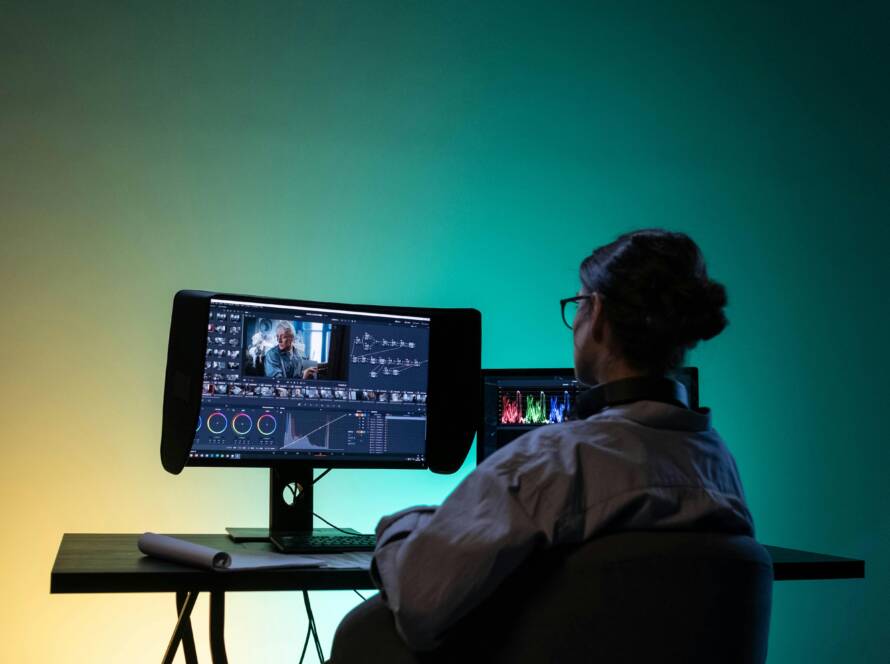
3. Runway Gen-4.5 — Best for Editing and Creative Control
Runway is the odd one out on this list, and proudly so. Where every other entry is fundamentally a generator — you prompt, it renders — Runway is a studio. Gen-4.5 sits inside a workspace with green-screen replacement, motion brushes that paint which parts of a still image should move, frame interpolation, lip-sync and a real timeline editor. For agencies, filmmakers and anyone whose workflow is “generate, then actually finish the thing,” no competitor offers the same control surface.
That control comes with the steepest learning curve on this list and a credit system that rewards planning. Paid plans start at $15/month, with a 125-credit one-time free allowance to learn the ropes. Generation eats credits quickly, but editing features cost less than generation — so if you are here to edit and composite rather than mass-generate, the math is friendlier than it looks.
Runway’s position quietly strengthened this year: with Sora discontinued, it inherited a chunk of the “serious creators who want one maintained platform” audience almost by default. It is not the cheapest way to make a clip, and it is not the simplest. But if your question is “which AI video generator gives a director the most control,” the answer is Runway Gen-4.5.
4. Luma Dream Machine (Ray 3.2) — Best Image-to-Video Generator
Every tool on this list does image-to-video. Luma’s Dream Machine, powered by the Ray 3.2 model family, does it best. Start from a still photograph — a product shot, a portrait, a landscape — and Luma’s pipeline produces the cleanest, least drifty motion in the category, with HDR photorealism that holds up on large screens. Reviewers consistently single out its image-to-video path as the one to beat, which matters because most real creator workflows start from an existing image, not a blank prompt box.
Clips run up to about 20 seconds, and the model family keeps iterating (Ray 3.14 builds were already circulating in October 2026). The tradeoff is price and packaging: paid plans start around $30/month, the highest entry price on this list, and native audio comes via add-on models rather than baked in. That makes Luma a specialist’s tool — the best AI video generator in 2026 for animating stills, and an expensive one for everything else.
Workflow tip: Luma’s output quality tracks your input image quality. Generating strong start frames with a top image model first — see our guide to FLUX 3, one of the sharpest image generators of the year — then animating them in Luma is a combination working creators swear by.
5. Pika 2.5 — Best for Social Clips and Effects
Pika does not try to win the cinematic realism race, and that focus is its superpower. Pika 2.5 owns the trend-effects market: Pikaffects (the viral “melt it,” “explode it,” crush-and-inflate effects) and Pikaformance-style motion transfers are unmatched for short-form content engineered to stop thumbs. If your destination is TikTok, Reels or Shorts, Pika’s effects library is a distribution strategy disguised as a feature list.
Under the hood, Pika has quietly become a multi-model workspace — recent builds route to Seedance 2.5, Wan 3.0 and MiniMax H3 alongside its own Pika 2.5 model — so you are buying optionality, not just one engine. Clips run about 10 seconds, extendable to around 25, with limited native audio. The free tier is genuinely usable for testing (watermarked), and paid plans start around $8–$10/month, making it one of the cheapest entries here.
Pick Pika if: you make social-first content and want the effect that is trending this week, today — not a film studio in a browser tab.
6. MiniMax Hailuo (H3) — Best Budget AI Video Generator
The quiet giant of this ranking. MiniMax’s Hailuo (now on the H3 model) is the tool price-sensitive creators mention when you ask what they actually pay for. It generates up to 15-second clips with native audio, offers one of the most generous free tiers in the category (watermarked, with a daily reset), and paid plans start at $14.99/month — with API pricing reported as low as roughly $0.08 per second, a fraction of Veo’s rate.
Hailuo’s motion quality punches well above its price: dynamic, energetic clips with strong subject consistency, particularly good at the stylized and anime-adjacent looks where Western models sometimes feel stiff. It also sits at the center of the October 2026 benchmark conversation — as of mid-October, MiniMax’s H3 led the Artificial Analysis image-to-video blind-vote board, which is about as close to an objective quality signal as this industry gets.
The honest tradeoff: the interface and documentation lean Chinese-first, English-language tutorial coverage is thinner than for Veo or Runway, and advanced control features lag the top tier. But on pure “minutes of good video per dollar,” Hailuo is the best AI video generator in 2026 for creators on a budget — full stop.
7. Adobe Firefly Video — Best Commercially Safe Option
Adobe Firefly Video will never win a spec war, and it is not trying to. Its pitch is a different one: every frame is generated from commercially safe training data, wrapped in Adobe’s IP indemnification, inside the Creative Cloud workflow millions of teams already pay for. For brands, agencies and in-house marketing teams, “will our legal department approve this?” outranks “does the fabric drape realistically” — and Firefly is the only tool on this list that answers that question with a contract.
The product itself is competent rather than thrilling: 5-second clips on the plan page, partner models available for variety, separate audio tools rather than native synchronized sound, and free daily generations with paid plans from $9.99/month. If you live in Premiere and After Effects, the integration alone may justify it. Everyone else should treat Firefly as the safe corporate pick, not the creative one.
8. HeyGen — Best AI Avatar Talking-Head Generator
HeyGen solves a completely different problem from everything above: turning text into a lip-synced human presenter. No sets, no cameras, no actors — type a script, pick or clone an avatar, and get a talking-head video in over 175 languages with translation and localization built in. For course creators, marketers localizing ad creative, and teams producing training content at volume, it replaces a production pipeline, not just a camera.
This is a different category from cinematic generation, so judge it on its own terms: avatar realism and voice quality are best-in-class, the free tier lets you test the pipeline, and paid plans start around $24/month scaling with usage. Pair it with a voice-and-music tool for the audio bed — our Suno Speech review covers a strong option for narration plus original background music in one track — and a one-person team can ship localized video in a dozen languages before lunch.
Note: if your use case is corporate training specifically, Synthesia remains the enterprise standard with brand kits and custom avatars — but for marketing and creator workflows, HeyGen is the more flexible pick.
Why Sora Isn’t on This List
You may have noticed the most famous name in AI video is missing. That is deliberate. OpenAI discontinued the Sora web and app experiences on April 26, 2026, and shut down the Sora API on September 24, 2026. A discontinued product is not a buyer’s-guide answer — we do not recommend building a new pipeline on a tool with no future, no support and no new generations.
If you were a Sora user looking for a new home, the migration paths are clear: Runway Gen-4.5 is the maintained platform with a real editing suite, Google Veo 3.1 is the quality-and-audio upgrade, and Kling 4.0 is the value play with longer takes. Every pick on this list is actively supported and shipping updates in October 2026. That filter alone eliminated several once-popular tools from consideration.
What AI Video Generators Actually Cost: The Per-Second Truth
Every contender for the best AI video generator 2026 crown prices in “credits,” and every credit system is designed to make comparison hard. So here is the honest math, converted to the only unit that matters: dollars per finished minute of video, before re-rolls.
- Google Veo 3.1 (Standard with audio): ~$0.40/sec → about $24 per minute. The premium tier in every sense.
- Google Veo 3.1 (Fast/Lite tiers): roughly $0.10–$0.15/sec via API equivalents → about $6–$9 per minute.
- Kling 4.0: ~15 credits/sec at 1080p (third-party reports; official pricing unconfirmed at launch) → a 30-second clip costs ~450 credits, roughly $16 at one tester’s membership rate. Expect $25–$35 per finished minute once official pricing lands, before re-rolls.
- MiniMax Hailuo (API): ~$0.08/sec reported → about $5 per minute, the cheapest premium-quality path.
- Runway Gen-4.5: credit-bundled at $15/month; heavy generators burn through a plan fast, so budget $15–$30 per finished minute depending on iteration count.
- Luma / Pika / Firefly / HeyGen: plan-bundled; effective per-minute cost depends entirely on how much of your monthly allowance you actually use — light users pay more per minute, heavy users less.
Two rules of thumb from working creators. First, budget 3–5 generations per finished clip — the first generation is rarely the one you ship, and every comparison above assumes one perfect take, which does not exist. Second, the practical split most professionals use: generate broadly on a cheap tool like Kling or Hailuo, then move only the winning concept to Veo 3.1 if the brief genuinely needs the extra polish. That workflow gets you 90% of Veo’s quality at a fraction of the spend.
Free AI Video Generators: How Far $0 Takes You
Can you make AI video without paying? Yes — with limits you should understand upfront. Here is what “free” actually buys in October 2026:
- Google Flow: 50 free credits every day, no subscription required — roughly five Veo 3.1 Lite clips or two Fast clips daily. The most generous free path to top-tier quality, though peak-hour generation (roughly 2–5 PM UTC) can be restricted for free users.
- Kling: daily login credits on the free tier, no credit card required — enough to test prompts and make a handful of clips a week.
- MiniMax Hailuo: watermarked free use with a daily reset — the best free option for volume testing.
- Pika: free watermarked generations — ideal for trying effects before committing.
- Runway: 125 one-time credits — a real trial, but it does not renew.
- Adobe Firefly: free daily generations inside the Adobe ecosystem.
The honest summary: free tiers are excellent for learning and testing, and thin for shipping. Watermarks, daily caps and queue priority mean any serious publishing cadence — a weekly YouTube short, a client ad pipeline — needs a paid plan. Start free on two or three tools, find the one whose output style matches your eye, then pay for exactly that one.
How to Pick the Best AI Video Generator for Your Project
Forget the overall ranking for a moment. The best AI video generator in 2026 for you depends on what you are making — the overall crown goes to one tool, but your project has its own winner. Match your use case:
- You want the single best-looking clip, money no object → Google Veo 3.1. Nothing else bundles realism, audio and lip-sync this well.
- You make narrative shorts, ads or faceless YouTube content → Kling 4.0. Thirty-second takes and 10 keyframes change what one person can direct.
- You edit, composite and finish professionally → Runway Gen-4.5. It is the only true studio on the list.
- You animate still images — products, portraits, thumbnails → Luma Dream Machine. Cleanest image-to-video pipeline available.
- You chase trends on TikTok and Reels → Pika 2.5. Effects win attention; Pika has the effects.
- You need maximum minutes per dollar → MiniMax Hailuo. The budget crown is not close.
- Legal needs to sign off → Adobe Firefly Video. Commercial safety is the whole product.
- You need a presenter, not a scene → HeyGen. Text in, talking human out, in 175+ languages.
And three questions to ask before you subscribe to anything. One: does it generate audio natively, or will you be syncing sound yourself? (Veo 3.1, Kling 4.0 and Hailuo do; Luma and Firefly largely do not.) Two: what does one finished minute cost you, at your iteration rate — not the marketing rate? Three: is the tool still being developed? (Ask Sora users how that question ages.) Answer those three and the right pick is usually obvious.
The Verdict
The best AI video generator in 2026 is Google Veo 3.1 — the strongest all-round model for cinematic clips with synchronized audio, and the default answer for most working teams. But “best overall” is not “best for you.” Kling 4.0’s 30-second takes make it the value pick and the most exciting launch of the quarter; Runway Gen-4.5 remains the director’s choice; Hailuo is the budget king; and Pika, Luma, Firefly and HeyGen each own a niche the others cannot touch.
The category will look different again in six months — it always does. The tools that survive are the ones shipping updates, publishing honest pricing and respecting your workflow. Every pick on this list clears that bar today. Start with the free tiers, test with real briefs, and pay for the one whose output you would proudly put your name on.
FAQs About AI Video Generators
Quick answers to the questions readers ask most about the best AI video generator 2026 landscape.
What is the best AI video generator in 2026?
Google Veo 3.1 is the best overall AI video generator in 2026, combining the strongest realism, prompt accuracy and native synchronized audio in one model. Kling 4.0 is the best value pick with 30-second native clips, Runway Gen-4.5 is best for editing control, and MiniMax Hailuo is the best budget option.
What is the best free AI video generator?
Google Flow offers the most generous free path to premium quality — 50 free credits daily, enough for about five Veo 3.1 Lite clips a day. MiniMax Hailuo’s watermarked free tier with daily reset is the best free option for volume, and Kling and Pika both offer usable free tiers for testing.
How much does AI video generation cost per minute?
It ranges widely: roughly $5 per finished minute on MiniMax Hailuo’s API pricing, $6–$9 on Veo 3.1’s cheaper tiers, about $24 per minute on Veo 3.1 Standard with audio, and $25–$35 on Kling 4.0 at reported credit rates — all before re-rolls, which typically multiply the cost 3–5x per shipped clip.
Is Sora still available in 2026?
No. OpenAI discontinued the Sora web and app experiences on April 26, 2026, and shut down the Sora API on September 24, 2026. Former Sora users should look at Runway Gen-4.5, Google Veo 3.1 or Kling 4.0 as maintained alternatives.
Which AI video generator is best for YouTube Shorts and TikTok?
Pika 2.5 is purpose-built for short-form social content with its viral effects library, while Kling 4.0’s 30-second native takes and 9:16 support make it excellent for Shorts and Reels workflows. Veo 3.1 also generates native vertical video with synchronized audio for maximum polish.