
GPT-6.1 Terra is OpenAI’s newest everyday workhorse: a fast, efficient AI model built for the jobs that fill a normal workday, released on October 26, 2026 at half the API price of its bigger sibling. It reads what is on your screen, takes action inside applications, understands drawings and documents, and writes in a clearer, more natural style than the model it replaces. If you have ever wished your AI assistant could actually do the form, the spreadsheet, or the invoice run instead of just describing how to do it, GPT-6.1 Terra is aimed squarely at you.
The headline is the price. Through OpenAI’s API, Terra costs $1 per million input tokens and $5 per million output tokens, with cached input at just $0.05 per million. Those standard rates are 50% lower than GPT-6.1 Sol, OpenAI’s larger model, and roughly half what the previous Terra generation charged. For businesses that run thousands of small AI tasks a day — reading invoices, filling forms, triaging documents — that difference is not a rounding error. It is the difference between an automation project that pays for itself and one that never leaves the pilot stage.
But price alone does not make a model worth switching to. What makes Terra interesting is that OpenAI claims it is not merely cheaper, but genuinely better at the work it is built for: sharper visual reasoning, more precise computer use, and far fewer errors than GPT-5.6 Terra, the model it succeeds. On OpenAI’s own professional computer-use benchmark, it even matches the flagship GPT-6 Astra at a fraction of the cost per task. As with every launch claim, those numbers come from OpenAI itself and have not yet been independently reproduced — this guide says so wherever it matters, and shows you how to test the model on your own work before committing to it.
In this guide, you will learn what GPT-6.1 Terra is, how its pricing really works (including the long-prompt surcharge that catches many buyers out), what the benchmarks do and do not prove, where it fits in OpenAI’s lineup, who should switch to it today, and who should stay with a bigger model. Whether you are a developer choosing an API model, a small business owner weighing automation, or simply a ChatGPT user wondering whether this new name in the model picker matters to you, you will finish with a clear answer.
Table of Contents
- What Is GPT-6.1 Terra?
- GPT-6.1 Terra at a Glance
- GPT-6.1 Terra Pricing: The Half-Price Promise in Detail
- GPT-6.1 Terra Benchmarks: What OpenAI Claims
- Computer Use: What GPT-6.1 Terra Actually Does at Work
- Visual Reasoning: Reading Drawings, Screens, and Documents
- Coding With GPT-6.1 Terra: Stronger, With an Honest Limit
- Fewer Errors: The Factuality Improvement That Matters Most
- GPT-6.1 Terra vs Sol vs Astra vs Luna: Which Model for Which Job
- How to Access GPT-6.1 Terra Today
- Who Should Switch to GPT-6.1 Terra — and Who Should Not
- The Cost Math: Three Worked Examples
- Limitations and Honest Caveats
- The Verdict: Is GPT-6.1 Terra Worth It?
- Frequently Asked Questions About GPT-6.1 Terra
What Is GPT-6.1 Terra?
Terra is the middle tier of OpenAI’s current model family. Think of OpenAI’s lineup as a ladder. At the top sits GPT-6 Astra, the flagship for the hardest reasoning and research. Just below it is GPT-6.1 Sol, a large, capable all-rounder. GPT-6.1 Terra sits one rung below Sol: smaller, faster, and much cheaper, designed for high-volume everyday work rather than the single hardest problem in the building. Below Terra, GPT-6 Luna covers the lightest, cheapest tasks. OpenAI describes GPT-6.1 Terra as a significant step up from GPT-5.6 Terra, the previous generation of the same tier, and positions it as the default choice for routine professional work.
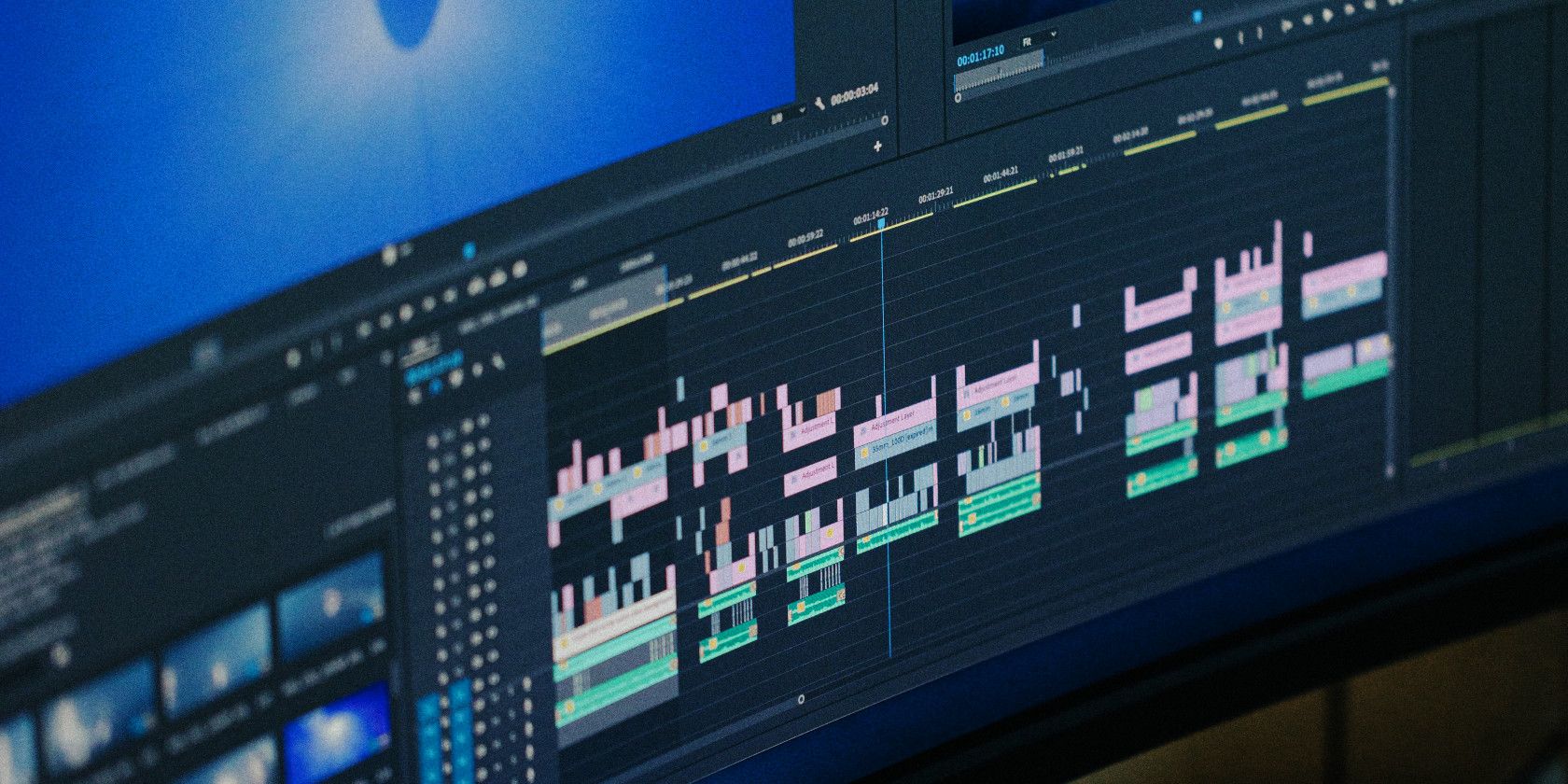
What does “everyday work” mean in practice? OpenAI’s launch material lists drafting proposals, interpreting technical drawings, filling out forms, editing videos, reading invoices, and entering information into accounting software. The common thread is that these tasks combine seeing and doing: the model must look at something — a screen, a drawing, a scanned form — understand it, and then take the next step inside a piece of software. That combination is called computer use, and it is the capability GPT-6.1 Terra was built to deliver at scale.
It is also worth being precise about what GPT-6.1 Terra is not. Terra is not a chatbot for casual conversation in the regular ChatGPT window. OpenAI has made it available in ChatGPT Work and Codex — the products built for longer, multi-step professional work — and through the API for developers. It is not a free model, and it is not an open-weight model you can download and run yourself. If you want a model you can host on your own servers, you will need to look elsewhere in the open-weight market; GPT-6.1 Terra is a hosted OpenAI service, billed by the token.

GPT-6.1 Terra at a Glance
Here are the key facts about Terra in one place, so you can compare it against anything else you are considering:
- Released: October 26, 2026, by OpenAI
- API model ID: gpt-6.1-terra
- Standard API pricing: $1 per million input tokens, $5 per million output tokens, $0.05 per million cached input tokens
- Context window: 1,050,000 tokens, with up to 128,000 output tokens per response
- Knowledge cutoff: June 1, 2026
- Inputs: text and images; output is text
- Available in: ChatGPT Work and Codex for Plus, Pro, Enterprise, and Edu users; API for developers; Codex CLI version 0.159.0 or later
- Built for: visual reasoning, precise computer use, clearer writing, and high-volume professional tasks
- Not built for: the most complex coding or frontier research, where OpenAI still points users to Sol or Astra
The 1.05-million-token context window deserves a moment of attention, because it is genuinely large. In practical terms, it means GPT-6.1 Terra can hold an enormous amount of material in a single conversation — long documents, large codebases, or lengthy screen-based workflows — without you having to chop everything into pieces and hope the model remembers the earlier parts. That matters for exactly the kind of work Terra targets: a whole invoice run, a full set of drawings, or a long multi-step task inside an application.
GPT-6.1 Terra Pricing: The Half-Price Promise in Detail
Let us start with the number everyone quotes, then look at the fine print that determines what you will actually pay. The standard API rates for Terra are $1 per million input tokens and $5 per million output tokens. Cached input — text the model has already seen in the conversation and can reuse cheaply — costs $0.05 per million. OpenAI says those standard rates are 50% lower than GPT-6.1 Sol and 50% lower than GPT-5.6 Terra. Independent coverage has put it slightly differently, noting that output in particular fell sharply, from $12 per million on GPT-5.6 Terra to $5 — a cut of about 58% on the output side, which is where agent workloads spend most of their money, because agents write long answers and long code.
Why does the output price matter so much? A token is roughly three-quarters of a word, and most of the cost of an agentic task is not the question you ask but the long answer the model produces: the filled form, the generated code, the rewritten document, the step-by-step reasoning it works through before acting. A model that is cheap to ask but expensive to answer is a poor fit for automation. GPT-6.1 Terra’s cut lands hardest exactly where high-volume users feel it.
Now the fine print. The standard rates above apply to prompts of up to 272,000 input tokens. For longer prompts, OpenAI charges double the input and cache rates and 1.5 times the output rate for the entire request. That is a meaningful jump, and it matters because Terra’s huge context window invites very long prompts. If your workflow routinely sends 300,000 tokens at once, you are not paying the headline rate — you are paying $2 per million input and $7.50 per million output. Cache writes and some tools carry separate charges as well. None of this makes GPT-6.1 Terra expensive compared with its siblings, but it does mean you should budget on your real prompt sizes, not on the marketing number.
For ChatGPT users, the picture is different and simpler: GPT-6.1 Terra arrives inside existing Plus, Pro, Enterprise, and Edu plans through ChatGPT Work and Codex, rather than as a separate purchase. If you already pay for one of those plans, Terra is a new option inside the tools you already have, not a new bill. OpenAI’s documentation lists no support for a free API tier for this model, so developers testing it should expect to use a paid API account.
GPT-6.1 Terra Benchmarks: What OpenAI Claims
Every number in this section comes from OpenAI’s own launch tests. No independent lab had published GPT-6.1 Terra results at the time of writing, and OpenAI’s cost-per-task figures are its own estimates. Treat them as a strong signal about where the model is aimed, not as a guarantee of what it will do on your data. The honest way to use benchmarks is to see which questions they answer, then run your own small trial on the tasks you actually care about.
GPT-6.1 Terra on Agents’ Last Exam
The headline test is Agents’ Last Exam, a set of professional computer-use tasks. The examples OpenAI gives are vivid: turning architectural drawings into a 3D model, and reviewing an animated film shot by shot to build a time-coded log for a restoration team. These are not quiz questions. They require the model to look at visual material, reason about it, and produce a structured result — the exact shape of real professional work.
At medium reasoning effort, OpenAI reports that Terra scores 57.6%, up 15 percentage points from GPT-5.6 Terra’s 42.6%, at about one-third of the cost per task ($0.29 against $0.84). At the same medium effort, Terra ties GPT-6 Astra’s 57.6% — but Astra’s estimated cost per task is $4.82, more than sixteen times higher. At maximum effort, Terra reaches 60.0% at an estimated $1.01 per task, against Astra’s 59.3% at $7.24 and Claude Opus 5.5’s higher 63.2% at $8.82. In other words, on this test Terra gets flagship-adjacent results for roughly a ninth of the flagship’s cost per task. That is the core of OpenAI’s pitch, and it is why this model matters even to teams that could afford the bigger models: at high volume, the savings compound fast.
OpenAI also says Terra completes these tasks more than three times faster than both GPT-6 Astra and GPT-6.1 Sol, based on its own timing runs. Speed claims are the hardest to verify from outside, because they depend on the hardware, the task mix, and how much reasoning effort is used. Treat the “three times faster” figure as a direction — this is a fast model — rather than a precise promise for your workload.
GPT-6.1 Terra on OSWorld 2.1 Desktop Tasks
OSWorld 2.1 tests something different: multistep work inside real desktop applications. Can the model open the right app, click the right controls, handle the error dialog, and finish the job? OpenAI reports that at medium effort, Terra’s 66.7% beats GPT-5.6 Terra’s best score of 57.1% at a lower cost per task. At maximum effort, Terra reaches 74.2%, which trails Sol’s 78.0%, Astra’s 80.9%, and Claude Opus 5.5’s 83.9%. That ordering is informative: Terra is a big upgrade over its predecessor for desktop work, but it is not the best desktop agent on the market. If your entire business is desktop automation at the highest difficulty, the bigger models still win on accuracy — the question is whether the extra accuracy is worth several times the cost.
There is also a useful caution hidden in the OSWorld numbers. At maximum effort on this test, the displayed task cost for Terra is $1.19 against Sol’s $1.15 — Terra is actually slightly more expensive on that particular run, because it used more tokens or more steps. Lower token prices do not automatically mean a lower bill. How many steps a model takes matters as much as the price beside its name, which is why the cost-math section below works through real examples instead of just quoting rates.
GPT-6.1 Terra on Visual and Coding Benchmarks
On MMMU-Pro, a visual-reasoning benchmark, OpenAI reports that Terra beats GPT-5.6 Terra at every reasoning setting and comes close to Astra and Sol: Terra reaches 85.5% at maximum effort against Sol’s 86.3% and Astra’s 86.7%, with Terra already at 84.6% at medium effort. On Terminal-Bench 4.0, which tests command-line problem solving, Terra solves 50.3% of tasks at maximum effort — more than double GPT-5.6 Terra’s 21.5%. On Terminal-Bench-Science 0.1, where agents run code for research tasks such as tracking cell divisions in a time-lapse video, Terra beats GPT-6.1 Sol at lower cost and comes within five points of Claude Opus 5.5 at less than one-fifth of the estimated cost. Independent analysts reading OpenAI’s charts have noted the same pattern across all of these tests: Terra is close to the big models on most measures, clearly ahead of its own predecessor on all of them, and dramatically cheaper per task in most cases.
Computer Use: What GPT-6.1 Terra Actually Does at Work
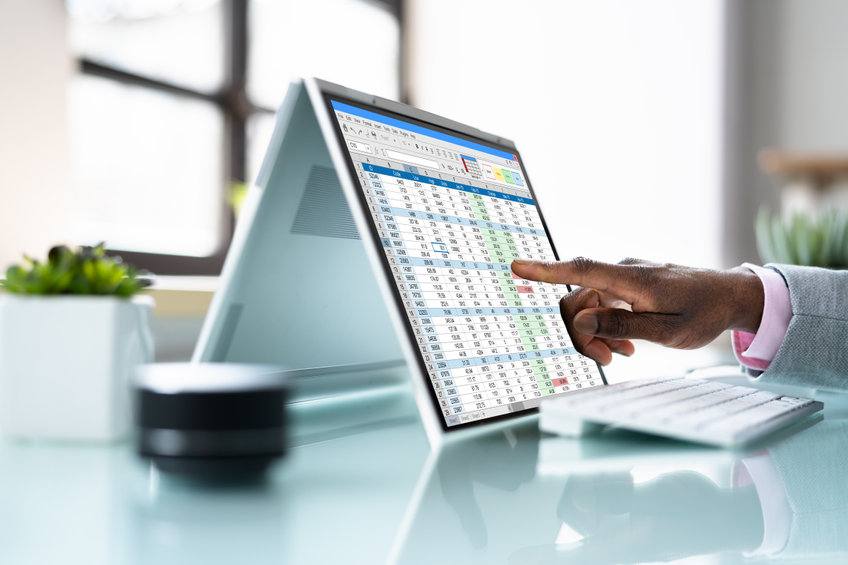
Computer use is the least understood and most important idea in this launch, so let us make it concrete. A traditional chatbot answers questions. A computer-use model looks at a screen and acts on it: it reads the form, finds the right fields, types the values, checks the result, and moves to the next item. OpenAI’s examples for GPT-6.1 Terra include reading what is on a computer screen, clicking through applications, navigating websites, drafting messages, filling out forms, working inside spreadsheets, and editing videos. The model is designed to handle the routine, repetitive, screen-bound work that eats up staff hours in offices everywhere.
Consider invoice processing, the example OpenAI and its enterprise coverage both highlight. A typical flow looks like this: an invoice arrives as a PDF or an image, the model reads the vendor, the date, the line items, and the total, checks them against a purchase order, enters the data into accounting software, and flags anything that does not match. Before models like Terra, each step needed either a human or a brittle piece of custom software built for one invoice format. A model that can genuinely read varied formats and act inside varied software turns that whole pipeline into one configurable workflow. The same pattern applies to form filling, data entry, document triage, and report drafting — anywhere the work is “look at this, then do that, then check it.”
That said, computer use is not magic, and it is not unsupervised autonomy. A model that clicks buttons can also click the wrong button. The sensible way to deploy GPT-6.1 Terra for computer use is with guardrails: human approval for payments and irreversible actions, clear logs of every action taken, limits on which applications and accounts the agent can touch, and a trial period on low-risk tasks before it touches anything financial. OpenAI’s own enterprise framing — ChatGPT Work as an agent that can spend hours on a project across a user’s apps and files — makes these guardrails more important, not less. The model is more capable than its predecessor; your controls should be, too.
Visual Reasoning: Reading Drawings, Screens, and Documents
Visual reasoning is the other half of Terra’s pitch, and it is what separates it from a purely text-based model. Terra accepts image input alongside text, and OpenAI says it pairs sharper visual reasoning with its computer use. In practice, that means it can interpret a technical drawing, make sense of a dense diagram, read a screenshot, or work through a sequence of images — not just describe what is in a picture, but use what it sees to do the next step of a job.
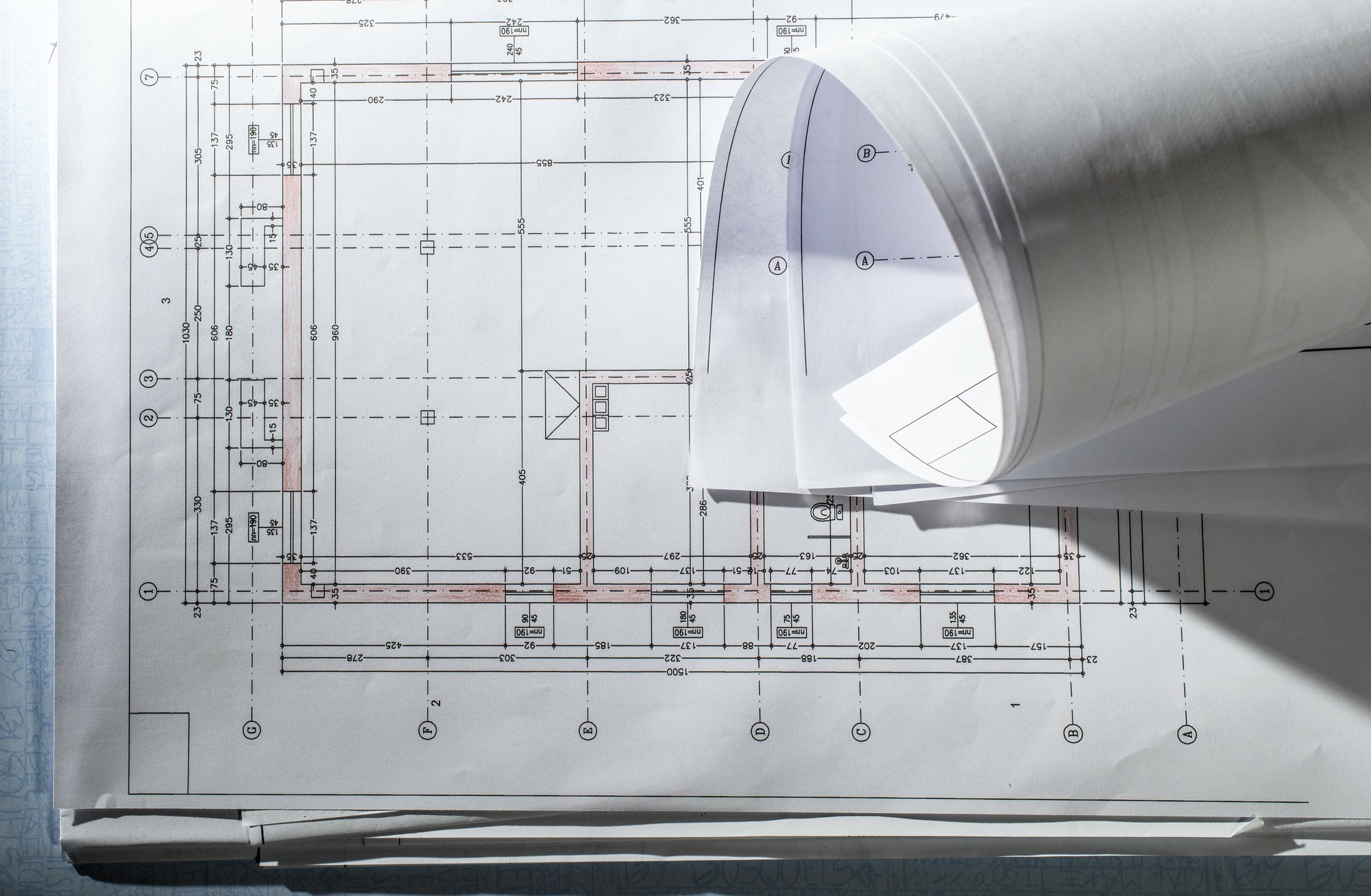
The architectural-drawing example is the clearest illustration. Turning a drawing into a 3D model requires reading dimensions, recognizing symbols, understanding spatial relationships, and then producing structured output a designer can use. A model that merely captions the drawing (“this is a floor plan”) is useless for that job. A model that extracts the measurements and the structure is genuinely productive. The same logic applies to reviewing a film shot by shot, checking a scanned form against a database, or reading a chart inside a report. Visual reasoning turns pictures from something a human must interpret into something a workflow can process.
Two cautions belong here. First, a benchmark score is not a guarantee for your specific images: tiny labels, ambiguous diagrams, and high-stakes interpretations still need human verification, especially in engineering, medical, or legal contexts. Second, visual reasoning is only as good as the image you give it. Blurry scans, low-resolution screenshots, and cropped diagrams will degrade any model’s performance. If you plan to build a visual workflow on GPT-6.1 Terra, invest in clean input — good scans, full-page captures, legible drawings — before you blame the model for mistakes.
Coding With GPT-6.1 Terra: Stronger, With an Honest Limit
For developers, the coding story is encouraging with one clear boundary. Terra more than doubles its predecessor’s score on Terminal-Bench 4.0, from 21.5% to 50.3% at maximum effort, and it beats GPT-6.1 Sol on the science-flavoured Terminal-Bench-Science test at lower cost. For everyday development work — writing and fixing routine code, working from the command line, running research-style coding tasks, and powering Codex workflows — Terra is a strong, economical choice, and OpenAI has made it available in Codex precisely for that audience.
The boundary is equally clear, and it is refreshing that OpenAI states it openly: for the most complex coding work, GPT-6.1 Sol and GPT-6 Astra remain the better choices. If your hardest problems involve deep architectural reasoning, intricate debugging across a large codebase, or novel algorithm design, the bigger models still earn their higher price. The practical rule for engineering teams is to route by difficulty: let GPT-6.1 Terra handle the high-volume, routine coding tasks where its price and speed shine, and reserve Sol or Astra for the problems where a few extra points of accuracy are worth several times the cost. Most teams will find that the routine category is much larger than they expected.
Fewer Errors: The Factuality Improvement That Matters Most
If there is one number in this launch that should change a buyer’s mind, it may be the error rate. On OpenAI’s internal set of prompts designed to induce mistakes, Terra’s error rate at low reasoning effort falls from 53.6% with GPT-5.6 Terra to 16.7% — a drop of nearly 37 percentage points. At maximum effort, it falls to 4.3%, close to the rates for Astra and Sol. Why does low effort matter so much? Because low effort is where cheap, high-volume automation actually runs. A business processing thousands of documents a day does not run every item at maximum reasoning effort; it runs at low or medium effort to keep costs down. At low effort, the old Terra was wrong more than half the time on these adversarial prompts. The new Terra is wrong roughly one time in six. That is still not perfect — and on adversarial prompts, it is worse than on ordinary work — but it is the difference between a pipeline that needs constant human rescue and one that can run with spot checks.
Clearer writing is part of the same improvement. OpenAI says Terra writes more naturally and clearly than its predecessor, and that matters for the same reason: the output of these models increasingly goes directly to customers, colleagues, and records. A proposal draft, a customer message, or a report summary that needs heavy rewriting has not saved anyone time. A model that writes cleanly the first time is, in effect, cheaper than its token price suggests, because it saves the human editing pass.
GPT-6.1 Terra vs Sol vs Astra vs Luna: Which Model for Which Job
OpenAI’s lineup only makes sense when you see the models side by side. The table below uses OpenAI’s published figures and the independent readings of its launch charts. Prices are standard API rates per million tokens; benchmark figures are OpenAI’s own runs on Agents’ Last Exam at the stated effort.
| Model | Best for | Input / Output price | Agents’ Last Exam (medium / max) |
|---|---|---|---|
| GPT-6.1 Terra | Everyday professional work, computer use, high-volume automation | $1 / $5 | 57.6% ($0.29/task) / 60.0% ($1.01/task) |
| GPT-6.1 Sol | Harder all-round work, complex coding | About double Terra (standard rates 2x) | 53.8% ($1.31/task) / 58.6% ($2.00/task) |
| GPT-6 Astra | Frontier reasoning and research | About 10x Terra per token | 57.6% ($4.82/task) / 59.3% ($7.24/task) |
| GPT-6 Luna | Lightest, cheapest tasks | Below Terra | 50.9% at max ($0.14/task) |
| GPT-5.6 Terra (previous) | Superseded by GPT-6.1 Terra | About double the new Terra | 42.6% ($0.84/task) / 50.7% ($3.58/task) |
The striking row is the comparison between Terra and Sol on this particular test: Terra scores higher than Sol at every effort level and costs less per task at low and medium effort. That does not make Sol obsolete — Sol remains the recommendation for the hardest coding and the broadest reasoning — but it does mean that teams defaulting to the bigger model out of habit are probably overpaying for routine work. The equally striking row is Luna: at maximum effort it scores 50.9% for just $0.14 per task, which makes it worth testing for the very lightest jobs before reaching for Terra at all.
If you already read our earlier guides, this lineup will feel familiar: we covered GPT-6.1 Sol and GPT-6 Luna when they launched, and GPT-6 with its Intelligent UI when OpenAI reshaped ChatGPT around work. GPT-6.1 Terra slots into that story as the model that makes the work vision affordable at volume.
How to Access GPT-6.1 Terra Today
Access depends on who you are. If you are a ChatGPT subscriber on a Plus, Pro, Enterprise, or Edu plan, Terra is available to you in ChatGPT Work and Codex — the products designed for longer professional projects and coding work — rather than in the regular ChatGPT conversation window. OpenAI’s help material draws that distinction deliberately: Work and Codex are where the model can spend longer on a task, work across your apps and files, and produce finished materials such as sheets, slides, documents, and web apps. If you open regular Chat and cannot find Terra, that is expected; switch to Work or Codex.
If you are a developer, call the model in the API as gpt-6.1-terra. The context window is 1,050,000 tokens with up to 128,000 output tokens, text and image input, and a June 1, 2026 knowledge cutoff. If you use Codex from the command line, you will need Codex CLI version 0.159.0 or later. As with any new model, start with a small, representative test set before migrating a production workload: ten of your real invoices, ten of your real forms, ten of your real coding tasks, scored against the model you use today. That one afternoon of testing is worth more than every benchmark in this article, because it measures your work, not OpenAI’s.
For US readers, one practical note: Terra is available in the United States through the standard OpenAI channels above, with USD API pricing as listed. There is no separate US-only edition and no regional surcharge in the published rates. If you are buying through an enterprise agreement, your effective rates may differ from the public list prices — check with your OpenAI account team before budgeting on the headline numbers.
Who Should Switch to GPT-6.1 Terra — and Who Should Not
Switch, or at least trial, if you: run high-volume document, form, or invoice workflows; use AI inside Codex for routine development work; need a model that can see screens and drawings as well as read text; are currently paying Sol or Astra prices for tasks that are mostly routine; or are migrating off GPT-5.6 Terra, where the upgrade is better on every published measure and roughly half the price. Small businesses are the clearest winners here: the combination of lower price, lower error rate, and computer use turns automation projects that were marginal at flagship prices into projects that pay for themselves quickly.
Stay with a bigger model if you: work on the hardest coding problems, frontier research, or tasks where a few extra points of accuracy are worth several times the cost; need the highest desktop-automation scores on the most difficult tasks, where Sol and Astra still lead; or have a workload that is already well-served by Luna at a lower price, where Terra would be an unnecessary upgrade. And if you need a model you can download and run on your own hardware, GPT-6.1 Terra is not that model at all — it is a hosted service, and the open-weight market is where you should look instead.
The Cost Math: Three Worked Examples
Benchmark percentages are abstract. Bills are not. Here are three worked examples using OpenAI’s own per-task estimates, so you can see what GPT-6.1 Terra means in dollars.
Example 1: A professional computer-use task. At medium effort on Agents’ Last Exam, Terra costs an estimated $0.29 per task against Astra’s $4.82. Run 1,000 such tasks a month and the difference is $290 against $4,820 — a saving of $4,530 a month, or more than $54,000 a year, for the same score on this test. Even against Sol at $1.31 per task, 1,000 tasks cost $290 against $1,310. This is why enterprises care about mid-tier models: at volume, the model choice is a budget line, not a preference.
Example 2: An invoice run. Suppose each invoice needs roughly 3,000 input tokens and 1,000 output tokens at standard rates. That costs about $0.008 per invoice on Terra (3,000 × $1/1M + 1,000 × $5/1M = $0.003 + $0.005). Ten thousand invoices a month cost about $80. The same run on a model charging double would cost about $160, and on a flagship charging ten times per token, about $800 — before counting the human time saved. Cached input, at $0.05 per million, pushes the cost lower still when invoices share templates and instructions.
Example 3: The cautionary case. Remember the OSWorld result where Terra at maximum effort cost $1.19 per task against Sol’s $1.15. If your workload forces maximum effort on every task — very hard tasks, very long prompts, many retries — the price advantage can disappear, and the long-prompt surcharge (double input, 1.5x output beyond 272,000 tokens) can reverse it. The lesson is to measure your real workload at your real effort settings, and to design workflows that keep prompts lean and cacheable, rather than assuming the headline rate applies to every request.
Limitations and Honest Caveats
Terra is a strong launch, but a useful guide must say what it does not do. First, all benchmark figures here are OpenAI’s own, and no independent evaluation had been published at the time of writing. Independent analysts have already noted that the numbers come from OpenAI’s charts and its own cost estimates, and that outside verification is still to come. Second, speed claims rest on OpenAI’s own timing runs; your speed will depend on your tasks, your effort settings, and your infrastructure. Third, the long-prompt surcharge means very long prompts cost substantially more than the headline rate. Fourth, Terra is not the best choice for the hardest coding, the hardest desktop tasks, or frontier research — OpenAI says so itself, and the benchmark ordering agrees. Fifth, computer use needs guardrails: a model that acts inside applications needs approval steps, logging, and access limits before it touches anything financial or irreversible. Finally, Terra is a hosted, token-billed service with no free API tier listed; teams that need offline or self-hosted deployment must look elsewhere.
None of these caveats cancels the launch. They define where Terra is genuinely strong — high-volume, everyday professional work with vision and computer use — and where a bigger model, a smaller model, or a different kind of product is the better tool. Buying the right tier for each job, rather than one model for everything, is the whole point of a lineup like OpenAI’s, and Terra is the tier most routine work has been waiting for.
The Verdict: Is GPT-6.1 Terra Worth It?
Yes, for the job it was built for. Terra takes the model tier that used to be a compromise — cheaper, but noticeably weaker — and turns it into the rational default for everyday professional AI work. It is roughly half the price of Sol, dramatically cheaper per task than Astra on OpenAI’s professional tests, far more accurate than its predecessor where it matters most, and fast enough to run at the volume modern automation demands. Its visual reasoning and computer use are not futuristic promises; they are the capabilities that let it fill out the form, read the drawing, and process the invoice rather than merely describing them.
The right move for most readers is a trial, not a blind migration: pick your ten most common tasks, run them on GPT-6.1 Terra and on your current model, score accuracy and cost honestly, and then route by difficulty — Terra for the routine bulk, Sol or Astra for the hardest few percent, Luna for the lightest work. That routing is how you capture the savings without giving up accuracy where it counts. For further reading, see the launch coverage from SiliconANGLE and PYMNTS, both reporting OpenAI’s October 26, 2026 announcement.
Frequently Asked Questions About GPT-6.1 Terra
How much does GPT-6.1 Terra cost?
Standard API pricing is $1 per million input tokens, $5 per million output tokens, and $0.05 per million cached input tokens. Prompts longer than 272,000 input tokens cost double on input and cache and 1.5 times on output for the whole request. ChatGPT Plus, Pro, Enterprise, and Edu users get GPT-6.1 Terra inside ChatGPT Work and Codex under their existing plans.
Is GPT-6.1 Terra better than GPT-6.1 Sol?
On OpenAI’s Agents’ Last Exam test, GPT-6.1 Terra scores higher than Sol at every effort level and costs less per task at low and medium effort. But Sol remains OpenAI’s recommendation for the most complex coding and the broadest reasoning, and it leads on the hardest desktop-automation tasks. Terra is the better default for routine work; Sol is the better choice for the hardest work.
Can I use GPT-6.1 Terra in regular ChatGPT?
No — OpenAI has made GPT-6.1 Terra available in ChatGPT Work and Codex, not in the regular ChatGPT conversation window. Developers can also call it through the API as gpt-6.1-terra, and Codex CLI users need version 0.159.0 or later.
What is GPT-6.1 Terra’s context window?
GPT-6.1 Terra has a 1,050,000-token context window with up to 128,000 output tokens per response, accepts text and image input, and has a June 1, 2026 knowledge cutoff. Remember that prompts above 272,000 input tokens attract higher rates.
Should I switch from GPT-5.6 Terra to GPT-6.1 Terra?
Yes, on every published measure: GPT-6.1 Terra is more accurate, faster, and roughly half the price of GPT-5.6 Terra. The upgrade is the clearest case in this launch — better results for less money, with the same tier of model doing the same kind of work.
Have you tried Terra yet? Run it on your own most common task and compare the cost and accuracy against your current model before migrating a full workflow — the benchmarks point in a clear direction, but your own numbers are the ones that decide.