
Android Scam Protection: 7 Powerful New AI Shields Announced for 2026
Android scam protection just took its biggest leap in years. On October 14, 2026, Google announced a sweeping new set of AI-powered anti-scam defenses for Android, covering scam calls, scam texts, risky links, notification fraud, screen sharing, call forwarding tricks, and even fake bank calls. According to Google, its existing AI scam-detection tools in Phone by Google and Google Messages already flag more than five million suspected scam calls and messages every single month. Now the company is going much further, and if you use an Android phone in the United States, this matters to you directly. Here is the complete breakdown of every new Android scam protection feature, which phones get them, and how to turn them on the day they arrive.
Table of Contents
- What Is Android Scam Protection?
- The 7 New AI Shields Google Announced
- Which Phones Get the New Android Scam Protection Features
- How to Turn On the New Defenses
- Android vs iPhone: Independent Tests Say Android Leads
- What 5 Million Flags Per Month Really Means
- Honest Limitations You Should Know
- Frequently Asked Questions
- Verdict: Should You Switch On Everything?
What Is Android Scam Protection and Why Is Google Upgrading It Now?
Android scam protection is Google’s umbrella of AI defenses built into Android, the Phone app, and Google Messages to catch fraud before it reaches you. It includes on-device scam call screening, suspicious-text detection, and spam filtering that already runs on millions of phones. The October 14 upgrade adds a smarter, AI-driven layer that looks at the intent behind a conversation, not just obvious spam keywords.
The timing is not accidental. A Google-commissioned YouGov survey of 4,500 adult smartphone users in the United States, Australia, and Canada (conducted in June and July 2026) found that 40 percent are very or extremely concerned about mobile fraud. More striking: iPhone users were significantly more likely to report that they had actually fallen victim to a scam, and significantly more likely to say their device was not effective at stopping fraud. Google is clearly pitching Android scam protection as a reason to choose — or stay on — Android.
Scams have also changed shape. The old spray-and-pray robocall is being replaced by slow-burn cons: a friendly stranger chats with you for days or weeks, builds trust, and only then asks for money. Traditional keyword filters struggle here, which is exactly why Google is bringing in heavier AI models. That is the real story of this announcement: Android scam protection is moving from catching bad messages to reading bad intentions.
The 7 New AI Shields in Google’s October 2026 Android Scam Protection Push
Google announced six new defenses directly, plus a seventh on-device detector developed with Singapore’s GovTech. Here is each one, in plain English.
1. Enhanced Protection Mode in Google Messages: Cloud AI That Reads Scammer Intent
This is the headline feature. Enhanced protection is a new opt-in mode in Google Messages that uses cloud-based Gemini models, running through Google’s Private AI Compute, to analyze conversations with unknown senders and identify suspicious intent. It is aimed squarely at those slow-burn scams where a criminal builds rapport for days before making a move.
Privacy is the obvious question, and Google addressed it head-on: your data stays encrypted and inaccessible to others, including Google itself. The feature complements — rather than replaces — the existing on-device scam detection. It is rolling out in the coming weeks, starting with newer Pixel and Samsung flagships (device list below). If you are the kind of person who sometimes replies to texts from unknown numbers, this is the single Android scam protection upgrade to turn on first.
2. Gemini Nano Link Safety: On-Device Android Scam Protection for Every Suspicious Link
Scam links are where most fraud actually happens: one tap and you are on a fake bank login page. Gemini Nano — the small AI model that runs directly on your phone — now powers a key Android scam protection layer: it assesses unfamiliar links using real-time web signals before you open them. Google is also redesigning the warning screens shown for links from unsaved contacts, making the danger harder to miss.
The beauty of this layer of Android scam protection is that it is on-device. There is no waiting for a cloud round-trip and no conversation data leaving your phone. If you have ever tapped a link from an unknown sender and felt your stomach drop, this feature exists for you.
3. Notification Scam Alerts Expand Beyond Pixel
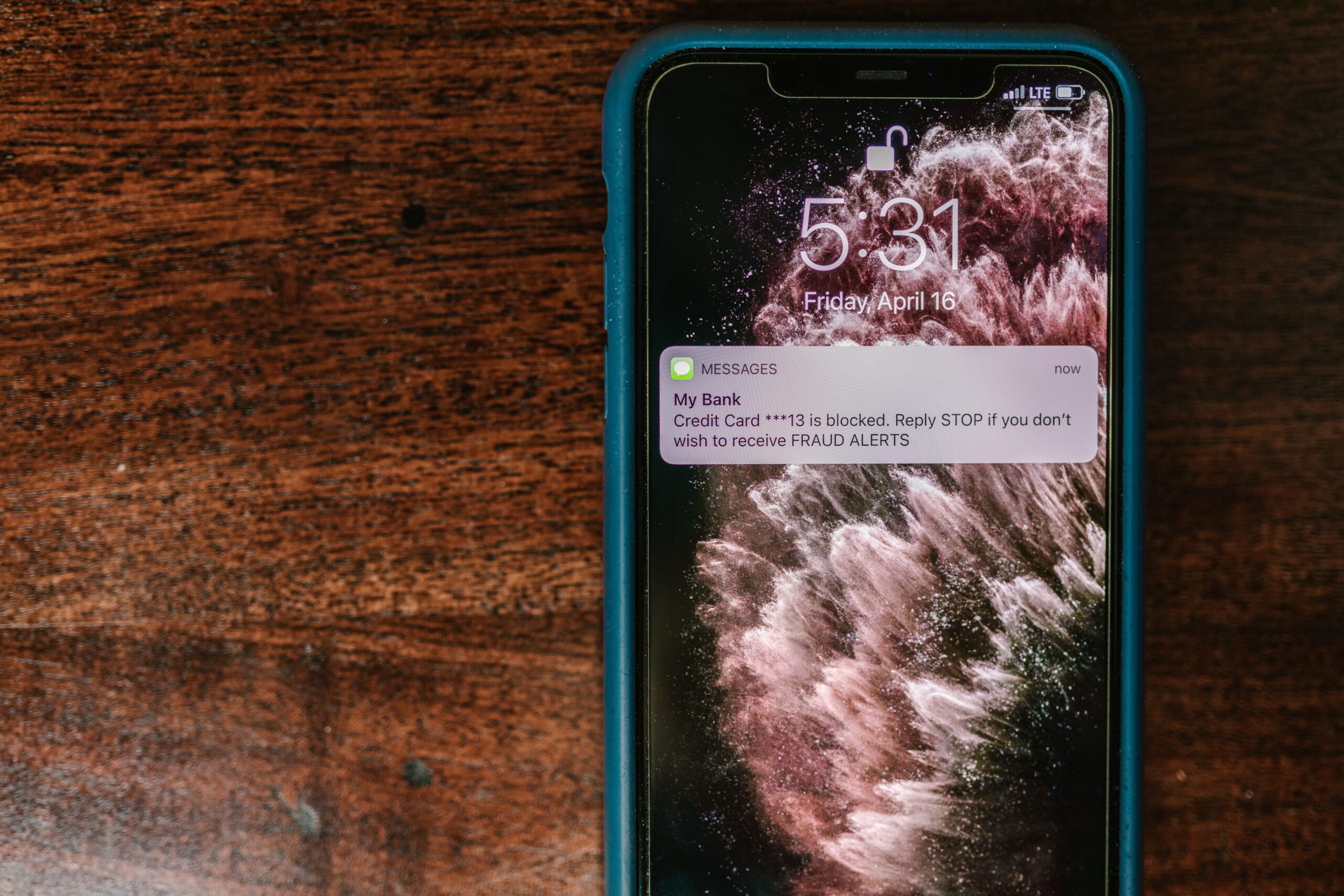
Malicious notifications — fake delivery alerts, bogus security warnings, “your account is locked” prompts — are one of the fastest-growing scam vectors on Android. Google’s notification scam alerts, previously a Pixel-only feature, are now expanding to hundreds of millions of users later this year through partnerships with phone manufacturers.
That scale matters. Scammers target whatever is most common, and Android’s biggest advantage over scammers has always been breadth: the more phones running Android scam protection, the harder each scam campaign becomes to run profitably.
4. Screen-Sharing Privacy Comes to Chrome and Android WebView
Here is a scam tactic you may not know about: criminals call victims and ask them to share their screen during the call, then watch as the victim types login credentials or opens a banking app. Google is now extending screen-sharing privacy protections to Chrome and Android WebView, so sensitive fields — login credentials and payment information — are automatically hidden during live screen sharing.
This is a quiet but genuinely clever layer of Android scam protection. Even if a scammer talks you into sharing your screen, your passwords and card numbers stay masked. Combine it with feature 5 below and you cover both halves of the trick.
5. Call-Forwarding Safeguards Arriving Early December 2026
Another real-world scam: a criminal persuades you to dial a call-forwarding code, silently routing your calls — and your two-factor authentication texts — to the scammer’s number. Android will now block apps from secretly enabling call forwarding, and it will warn you directly if you try entering a call-forwarding code after a scammer’s instruction.
Per reporting from Unite.ai and The Outpost, this one is rolling out in early December 2026 on Pixel and select devices. Mark your calendar: this closes one of the nastiest interception attacks in circulation.
6. Verified Financial Calls: Android Checks Whether Your Bank Actually Called
The “bank fraud department” call is a classic. You get a call that looks like your bank, the caller sounds professional, and they urgently need you to confirm a transfer. Now Android will check incoming calls in real time with participating banks to verify the bank actually initiated the call. If the caller cannot be verified, Android ends the call and alerts you.
This turns the tables completely: instead of you trying to judge whether the caller is real, your phone asks the bank directly. For an Android scam protection feature set, this is the one with the most dramatic potential payoff, because bank-impersonation scams cause some of the largest individual losses. Worth noting: it depends on participating banks, so coverage will grow over time rather than arriving everywhere on day one.

7. On-Device Gemma Scam Detector from Google DeepMind and Singapore GovTech
On the very same day, Google DeepMind and Singapore’s GovTech announced a separate on-device scam detector built on the Gemma model, as reported by TechRepublic. It works in two stages: a lightweight classifier screens messages first, and a fine-tuned Gemma model analyzes only the suspicious ones. Everything runs locally on the device, it requires user consent, and it was trained on anonymized Singapore scam material.
Why include it in an Android scam protection roundup? Because it shows where Google’s whole strategy is headed: more on-device AI, less data leaving your phone, and models small enough to run in real time. Expect ideas from this project to flow into the main Android defenses over the next year. If you want more background on Google’s latest model families, our Gemini 4 Argon guide breaks down what these models can do.
Which Phones Get the New Android Scam Protection Features?
Not every Android phone gets everything, and Google published clear device lists. Here is the breakdown based on reporting from GadgetHacks:
| Feature | Devices | Rollout |
|---|---|---|
| Enhanced protection (Messages, cloud AI) | Pixel 10 and newer; Galaxy S26 series; Galaxy Z Flip8 and Z Fold8; other select devices | Coming weeks |
| Gemini Nano link safety checks | Phones with on-device Gemini Nano support | Rolling out |
| Notification scam alerts | Expanding beyond Pixel to hundreds of millions of users via manufacturer partners | Later this year |
| Screen-sharing privacy (Chrome, WebView) | Chrome and Android WebView broadly | Rolling out |
| Call-forwarding safeguards | Pixel and select devices | Early December 2026 |
| Verified financial calls | Android devices, with participating banks | Rolling out |
| Standard Scam Detection (on-device) | Pixel 6 and newer | Since March 2025 (initial US, Canada, UK rollout) |
A few honest notes: Google published no per-country availability map for the newest features, and no US-specific dates for several of them. The existing on-device Scam Detection launched first in the United States, Canada, and the United Kingdom back in March 2025, so US users are likely to be early in line again — but Google has not confirmed that. If you are outside the US, expect a wait.
How to Turn On the New Android Scam Protection Defenses
Most of these features are either automatic or opt-in. Here is how to activate every new Android scam protection defense available to you today, plus what to watch for as the rest roll out:
- Make sure Google Messages is your default texting app. Open Settings, then Apps, then Default apps, and set Google Messages as the default SMS app. The strongest new Android scam protection features live inside Messages.
- Enable spam and scam detection. In Google Messages, tap your profile icon, go to Message settings, then Spam protection, and make sure it is switched on. In the Phone app, open Settings, then Caller ID and spam, and enable spam filtering and verified calls.
- Watch for the Enhanced protection prompt. Because this is an opt-in mode rolling out in the coming weeks, look for a banner or setting inside Google Messages labeled Enhanced protection. Turn it on the moment it appears if you use a Pixel 10 or newer, Galaxy S26, Galaxy Z Flip8, or Z Fold8.
- Keep your phone updated. Gemini Nano link checks, notification scam alerts, and the screen-sharing privacy protections arrive through app and system updates. Open the Play Store, tap your profile, then Manage apps and device, and update everything pending.
- Do not hand out screen shares or dial codes to strangers. Until the December call-forwarding safeguards arrive on your device, treat any caller asking you to share your screen or dial a code as suspicious by default. As CNBC TV18 reported on the announcement, these social-engineering tricks are exactly what the new features are designed to stop.
If you are interested in how Google’s latest AI models actually work under the hood, our deep review of Google’s newest model release walks through the capabilities that power features like these.

Android vs iPhone: Independent Tests Say Android Leads on Scam Protection
Google commissioned the Leviathan Security Group to evaluate built-in, no-cost scam protections across four phones in October 2026: the Pixel 11 Pro, the iPhone 18 Pro, the Galaxy S26, and the Motorola Razr 2026. The result: Android had the strongest default scam protections and outperformed iOS on proactive call screening, fake call detection, and Circle to Search threat warnings. (Leviathan noted some features are not available in all countries.)
That lines up with the YouGov survey mentioned earlier: iPhone users were significantly more likely to say they had fallen victim to a scam and that their device was not effective at stopping fraud. Two independent data points now point the same way: on the specific battlefield of scam defense, Android scam protection currently has the edge.
Does that mean iPhones are unsafe? No — Apple’s built-in protections are real, and this evaluation was commissioned by Google, so take the framing with a grain of salt. But the gap is wide enough that scam-conscious buyers in the US should weigh it. If you already own a compatible Android phone, the practical takeaway is simple: make sure the built-in defenses are actually switched on, because this independent testing suggests they are better than most people assume.
What 5 Million Flags Per Month Really Means
Google says its AI scam-detection tools in Phone by Google and Google Messages flag more than five million suspected scam calls and texts per month. That number deserves context.
- It is a floor, not a ceiling. It counts flags from Google’s own detection tools only — the true volume of attempted scams is certainly higher, since some get through and many targets use other apps.
- Five million a month is roughly 165,000 a day. Every one of those is a moment where someone did not lose money, did not hand over a password, or did not install a malicious app. Scale is the point: Android scam protection works because it is on by default for hundreds of millions of people.
- It explains the AI upgrade. Scammers adapt to whatever filters exist. The jump to intent-reading Gemini models and on-device Gemma analysis is Google’s answer to the next generation of scams, the patient, human-sounding ones.
One more perspective: the features announced on October 14 are designed to push that number up while pushing successful scams down. Flags are good; fewer victims is the real metric to watch over the next year.
Honest Limitations of the New Android Scam Protection
No honest guide to Android scam protection would skip the caveats. Here they are:
- Rollout is phased. Enhanced protection arrives “in the coming weeks,” notification alerts land “later this year,” and call-forwarding safeguards come in early December 2026. Some of this will not be on your phone tomorrow.
- It is device-gated. The most advanced features require a Pixel 10 or newer, a Galaxy S26, or a Galaxy Z Flip8 or Z Fold8. Older phones keep the existing on-device Scam Detection, which is still useful but not the full package.
- Enhanced protection is opt-in. The smartest new layer of Android scam protection does nothing until you switch it on. Most users never change defaults, which will blunt its real-world impact.
- No detector is infallible. AI models catch patterns; determined scammers invent new ones. Google has not published false-positive or miss rates. Treat every protection layer as a seatbelt, not an autopilot: stay skeptical of urgent requests for money, codes, or remote access, no matter what your phone says.
- Google gave no US-specific dates for some features, and no per-country availability map. US users are likely early, given the March 2025 precedent, but it is not confirmed.
Even with those limits, this is the most serious anti-scam upgrade Android has ever shipped. The direction — on-device AI, intent detection, verified bank calls — is exactly right. For a sense of how fast Google’s consumer AI tooling is moving in general, our Google Playground guide covers another corner of the same ecosystem.

Frequently Asked Questions About Android Scam Protection
Is Android scam protection free?
Yes. Every feature announced on October 14, 2026 is free and built into Android, Google Messages, or the Phone app. There is no subscription, no premium tier, and no extra charge. The price of the newest hardware is the only real cost, since the top features need recent Pixel or Samsung devices.
Do I need to turn anything on?
Mostly, the on-device defenses work automatically once spam protection is enabled. The big exception is Enhanced protection in Google Messages, which is opt-in. When the prompt appears in the coming weeks, switch it on.
Does Google read my messages to detect scams?
On-device features analyze messages on your phone without sending them anywhere. The new Enhanced protection mode uses cloud Gemini models through Private AI Compute, and Google says your data stays encrypted and inaccessible to others, including Google. If that still makes you uneasy, skip the opt-in mode — the on-device Android scam protection layers keep working.
Which Android phones get the new features first?
Pixel 10 and newer, the Galaxy S26 series, and the Galaxy Z Flip8 and Z Fold8 are first in line for Enhanced protection. Pixel 6 and newer already have standard on-device Scam Detection. Notification scam alerts are expanding beyond Pixel to hundreds of millions of users later this year through manufacturer partnerships.
Will these features work outside the United States?
Google has not published a per-country map. The original on-device Scam Detection launched first in the US, Canada, and the UK in March 2025, so the US is likely early again, but Google has not confirmed dates or country lists for the newest features.
Can scammers still get through?
Yes. No AI detector catches everything, and scammers constantly adapt. The new tools dramatically raise the bar — especially against fake bank calls and call-forwarding tricks — but your own skepticism remains the last line of defense. Never share one-time codes, screen access, or payment details with anyone who contacted you first.
Verdict: Should You Switch On Everything?
Yes — and it will cost you nothing. The October 14, 2026 announcement makes Android scam protection the strongest it has ever been: intent-reading cloud AI in Messages, on-device Gemini Nano link checks, notification alerts for hundreds of millions, hidden credentials during screen sharing, blocked call-forwarding tricks, and real-time bank call verification. The independent Leviathan evaluation and the YouGov survey both suggest Android currently leads iPhone on built-in scam defense, which makes this upgrade land on already-strong ground.
The practical move is simple: set Google Messages as your default texting app, enable spam protection everywhere, accept the Enhanced protection prompt when it arrives, and keep your phone updated through the end of 2026. Scammers are patient and creative — now your phone is too.