
ChatGPT Wallet Explained: AI Agents Can Now Pay for You
ChatGPT Wallet is OpenAI’s new way to let an AI agent spend your money without ever seeing your card number. Launched on November 13, 2026, it gives OpenAI’s always-on agents, known as dots, the ability to complete purchases on your behalf — but only after you review the order and approve it with a security check such as Face ID or a fingerprint. The feature was built in partnership with American Express, Mastercard and Visa, and it is rolling out first to ChatGPT Pro subscribers in the United States. In plain terms, ChatGPT Wallet turns the chatbot from a shopping adviser into a shopping assistant that can actually check out — while keeping your real card details locked away from both the agent and the merchant. This guide explains what ChatGPT Wallet is, how a purchase works step by step, who can use it, what it costs, how safe it really is, and where it fits in the fast-growing race to let AI agents buy things for us.
Table of Contents
- What Is ChatGPT Wallet?
- How ChatGPT Wallet Works
- Who Can Use ChatGPT Wallet?
- How to Set Up ChatGPT Wallet
- Is ChatGPT Wallet Safe?
- What Does ChatGPT Wallet Cost?
- ChatGPT Wallet vs the Agentic Shopping Race
- What ChatGPT Wallet Can’t Do Yet
- Should You Use ChatGPT Wallet?
- FAQs About ChatGPT Wallet
What Is ChatGPT Wallet?
ChatGPT Wallet is a payment feature inside ChatGPT that lets an AI agent pay for something you asked it to buy. It is not a bank account, and it is not a crypto wallet. It does not hold a balance, and OpenAI does not hold your purchase funds. Instead, it is a secure way to connect a card you already own to an agent that already works for you — so the agent can finish a purchase instead of stopping at the checkout page and asking you to take over.
OpenAI describes ChatGPT Wallet as “the first wallet that lets agents pay without access to users’ actual card details and that requires a security check for every purchase.” That sentence captures the two ideas the whole product is built on. First, the agent never receives your real card number. Second, nothing is ever charged without your explicit approval, confirmed with a biometric check on your own device. The wallet is the missing piece between two things OpenAI already had: agents that can browse the web, compare products and fill a cart, and a checkout system that still needed a human to type in card details.
The feature works only through dots, OpenAI’s always-on AI agents. Dots were introduced at OpenAI’s developer conference on September 29, 2026, and they are a different kind of ChatGPT experience from an ordinary chat. A dot runs on its own cloud computer, keeps working on a task in the background, connects to more than 4,000 apps through plugins, and can be reached through ChatGPT, Slack or Microsoft Teams. You can give a dot standing instructions — Custom Rules that permit, block or require approval for specific actions — and it will keep going until the job is done or it needs you. We covered dots in depth in our guide to OpenAI Dots, and ChatGPT Wallet is best understood as the payment layer on top of that system: dots could already find things and fill carts; now they can pay, too.
It is important to be clear about what ChatGPT Wallet is not. It is not available in a regular ChatGPT conversation, in the Work workspace, or in a standalone Codex thread. It is not a way to send money to friends, split a bill, or pay in a shop by tapping your phone. And it is not a subscription or a new card: the money still comes from the card you choose, the merchant is still the seller, and your existing card rewards and dispute protections still apply. OpenAI’s own terms are explicit that the company is neither the bank, the card issuer, the payment network, the lender nor the merchant in a wallet purchase. The wallet is a bridge, not a bank.
The launch also matters because of its timing. ChatGPT Wallet arrived just seven weeks after dots themselves, and in the middle of a crowded race to define how agents pay. Walmart opened its stores to agents in October 2026, Google is building AI-assisted shopping into Search and Gemini, Perplexity lets its assistant buy things, and the card networks have all published their own agent-payment plans. OpenAI’s answer is deliberately narrow and cautious: start with a small group of paying users, require approval for every single purchase, and let the system learn from real transactions before widening the net. That caution is a feature of the launch, not a footnote to it.
How ChatGPT Wallet Works
A ChatGPT Wallet purchase follows the same shape as any online order, with one difference: the hands doing the clicking belong to an agent, and the card details never leave the payment network. Here is the full flow, from setup to delivery.
ChatGPT Wallet purchase flow: four steps from request to payment
Step 1: You add a card once. You save an eligible payment card to ChatGPT Wallet, either by asking your dot to set it up or through the Wallet section in ChatGPT settings. Card numbers, expiry dates and security codes are entered through a secure form — never typed into a chat message. The card is then linked to your account, and the agent is told it exists without ever being shown the details.
Step 2: You ask your dot to buy something. You describe what you want in ordinary language, just as you would to a personal assistant: find a replacement for a specific product, order a gift within a budget, or restock something you buy regularly. The dot searches, compares options, and brings back a proposal — the merchant, the item, the total price and the card it plans to use. You can set Custom Rules in advance, for example requiring approval for anything over a certain amount, or blocking particular kinds of purchases entirely.
Step 3: You review and approve with a security check. Before anything is charged, you see the merchant, the items, the total amount, the selected card, and any shipping or recurring-payment terms. Then you approve the purchase with a biometric check on a supported device — Face ID or a fingerprint scan. This is the step that makes ChatGPT Wallet different from a saved card in a browser: the agent cannot skip it, and it happens for every single purchase, with no option to turn it off at launch.
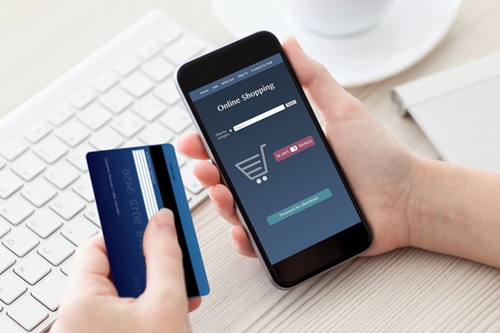
Step 4: The payment network issues a one-time token. Once you approve, the payment network generates a substitute credential — a payment token — that stands in for your real card. The token carries its own card number, security code and expiry date, and it is valid for that one purchase only. The merchant charges the token, the money comes from your selected card, and neither the agent nor the merchant ever sees your actual card details.
What a ChatGPT Wallet payment token actually is
The token is the clever part of the design, and it is worth understanding because it answers the most common worry about the product: what happens if the agent, or the website it buys from, is compromised? A payment token is a stand-in card number issued by the card network — American Express, Mastercard or Visa — for a single transaction. It looks like a card to the merchant’s checkout system, so existing payment infrastructure accepts it without any special integration. But it is useless on its own: it cannot be reused for a second purchase, and it reveals nothing about your real card.
This is a well-established technique, not a new invention. The same tokenisation idea already protects Apple Pay and Google Pay, where your real card number is never handed to a shop. What is new here is who holds the token. In a normal mobile payment, you are the one tapping the phone. With ChatGPT Wallet, the agent is the one at the checkout — and the token is what makes that safe, because the agent handles a disposable credential instead of your permanent one. Even if the agent’s session were somehow intercepted, or the merchant’s systems were breached, the token alone could not be used to charge your card again.
There is one more detail worth knowing. OpenAI cautions that approving a purchase does not necessarily mean the order has been placed. The approval authorises the payment; the merchant still has to confirm the order on its own side. That means you should always check for a confirmation from the merchant — an order number, a confirmation email, a delivery estimate — before assuming the item is on its way. It is a small habit, but it matters when a machine is doing the buying and you are not watching the screen.
Who Can Use ChatGPT Wallet?
At launch, ChatGPT Wallet is deliberately limited. OpenAI says it is starting small so it can learn from real-world use before opening the feature more widely, and it has not announced a date for a broader rollout. Here is the eligibility picture as it stands.
| Requirement | What you need |
|---|---|
| ChatGPT plan | ChatGPT Pro (dots are a Pro feature and are not available on the Free, Go or Plus plans) |
| Country | United States, with a US billing address |
| Age | 18 or older |
| Payment card | Eligible US-issued American Express, Chase, Mastercard or Visa card |
| Where it works | Only inside conversations with a dot — not in regular Chat, Work or standalone Codex threads |
| Approval | Biometric security check (Face ID or fingerprint) on a supported device, for every purchase |
The Pro requirement is the biggest practical barrier. ChatGPT Pro comes in three monthly tiers — Pro 100 at $100, Pro 200 at $200 and Pro 500 at $500 — and dots are included with Pro, which means ChatGPT Wallet is effectively a feature for OpenAI’s highest-paying subscribers. That is a small audience, and OpenAI knows it. The company has said access will expand based on early use, but it has given no timetable, and nobody outside OpenAI can say when Plus users, free users or customers outside the US will get it.
The US-only restriction is equally important for readers elsewhere. The wallet needs a US billing address and a card issued by a US financial institution, and the feature is not available in other countries at launch. That is a familiar pattern for OpenAI’s payments features — new commerce tools tend to start in the US, where the company’s card-network partnerships and merchant integrations are deepest — but it means most of the world can only watch for now. If you are outside the US, the honest advice is to wait for an official expansion announcement rather than trying to work around the restriction, which would put your account and your payments at risk.
Even inside the US, availability is gradual. OpenAI says the wallet is rolling out to eligible Pro subscribers in waves, so two Pro users may not get it on the same day. If you are eligible and do not see it yet, the Wallet section in ChatGPT settings is the place to check — and the rollout itself is a reminder that this is a first version, not a finished product.
How to Set Up ChatGPT Wallet
Setting up ChatGPT Wallet takes a few minutes, and most of the work is the part you should not rush: entering your card details correctly and deciding what your dot is allowed to do. OpenAI’s Help Center lays out the process, and the steps below follow it.
- Set up a dot first. Wallet only works inside a dot conversation, so you need an active dot before the Wallet section will do anything useful. Pro subscribers can create one from ChatGPT; if you have not used dots before, start with a simple ongoing task — something like tracking a price or managing a repeating errand — so you get a feel for how a dot works before you hand it a card.
- Open the Wallet section in ChatGPT settings. This is where you add and manage cards. Alternatively, you can ask your dot to set up Wallet and it will point you to the same place. Either route ends at the same secure form.
- Add an eligible card through the secure form. Enter the card number, expiry date and security code in the form provided. Do not type card details into a chat message — the form exists precisely so that sensitive details never enter the conversation history. OpenAI says the full card number is collected by its payment provider, not stored in the chat.
- Set your Custom Rules. Before your dot buys anything, decide what it may do without asking and what always needs your say. You can require approval for specific kinds of purchases, block categories entirely, or set a standing instruction that every purchase above a certain amount needs a second look. These rules are your safety net, and they are worth setting before the first order, not after a surprise charge.
- Make a small test purchase. For your first order, pick something cheap and low-risk — a household item you would buy anyway. Watch the whole flow: the dot’s proposal, the review screen, the biometric approval, and the merchant’s confirmation. If anything looks wrong, you will find out on a $12 order, not a $400 one.
One practical note: approval requires biometric verification on a supported device. If you usually use ChatGPT on a desktop without Face ID or a fingerprint reader, you will need your phone nearby to approve purchases. That is a deliberate design choice — the check is meant to prove that a real person, holding a real device, said yes — but it is worth knowing before you ask a dot to buy something while your phone is in another room.
Is ChatGPT Wallet Safe?
The honest answer is that ChatGPT Wallet is designed to be safer than handing your card to a website yourself in some ways, and riskier in others — and the balance depends on how you use it.

On the safety side, the design has three genuine strengths. The first is tokenisation. Your real card number never reaches the agent or the merchant, so the most common form of card theft — a breached merchant database or a compromised checkout page — yields a useless one-time token instead of your permanent details. The second is the biometric check on every purchase. There is no “remember this device and skip approval next time” option at launch, which means a runaway agent cannot quietly rack up charges while you are away. The third is that your existing protections travel with the purchase: OpenAI says card rewards are preserved, and eligible dispute protections still apply, because the underlying charge is a normal card transaction. If a merchant fails to deliver, you can still dispute it with your card issuer in the usual way.
There are also real limits to be aware of. The first is the agent itself. A dot can misunderstand a request, pick the wrong size, colour or seller, or misread a price — and once you approve the purchase, the payment goes through. The biometric check proves that you approved something; it does not prove that you approved the right thing. That is why the review screen matters more than the approval itself: read the merchant, the items and the total every time, even for small orders, because the check is your last chance to catch a mistake.
The second limit is privacy. ChatGPT Wallet’s privacy notice says OpenAI collects purchase, contact and device information, while its payment provider collects the full card number. That is a reasonable division — OpenAI needs to know what you bought to show it in your history and help your dot, and the provider needs the card number to process the payment — but it does mean your purchase history becomes part of the data OpenAI holds about you. If you are uncomfortable with an AI company knowing what you buy, this feature is not for you, whatever its security design.
The third limit is the merchant side. OpenAI has acknowledged that some websites may block purchases made by agents, and that payment-risk systems can flag legitimate agent transactions as suspicious. A blocked purchase is annoying rather than dangerous — the order simply fails — but a flagged one could, in theory, trigger a fraud alert on your card. It is also worth remembering that the merchant, not OpenAI, is the seller: if something goes wrong with the goods, your dispute is with the shop, and the usual consumer-protection rules apply. OpenAI is not taking a cut of transactions at launch, which is good for prices, but it also means OpenAI has no financial stake in resolving a dispute between you and a merchant.
The overall picture is a careful one. ChatGPT Wallet removes the single most dangerous part of agent shopping — the agent holding your card — and replaces it with a token and a biometric gate. What it cannot remove is the risk that the agent buys the wrong thing, or that a merchant’s systems treat an agent purchase as fraud. Used with Custom Rules set, small orders first, and a habit of actually reading the review screen, it is a reasonable way to let an agent shop for you. Used carelessly, the same feature could turn a misunderstood instruction into a charge you did not want.
What Does ChatGPT Wallet Cost?
There is no separate price for ChatGPT Wallet itself. OpenAI says it is not taking a cut of transactions at launch, and there is no fee listed for adding a card or making a purchase through the wallet. The cost, in practice, is the cost of the subscription you need to reach it.
Because dots are a Pro feature, the entry price is a ChatGPT Pro plan. Pro currently comes in three monthly tiers: Pro 100 at $100 a month, Pro 200 at $200 a month, and Pro 500 at $500 a month. The tiers differ mainly in usage allowances — how much heavy model use, Codex work and deep research you get — rather than in which features you can open. For most people reading this, the honest maths is that ChatGPT Wallet alone does not justify $100 a month. It becomes interesting only if you already pay for Pro for other reasons — heavy coding with Codex, deep research, or the higher model limits — and the wallet arrives as a bonus on top of a subscription you already value.
What you pay for the goods themselves is the normal price. The dot buys at the merchant’s listed price, and your card is charged that amount — there is no OpenAI markup, and no special “agent price”. Card rewards still apply, so if your card gives you cashback or points on online purchases, an agent purchase should earn them in the same way, because the underlying transaction is an ordinary card payment. Delivery charges, taxes and any recurring-payment terms are shown on the review screen before you approve, so the total you see is the total you pay — or at least, that is the promise, and it is worth checking the merchant’s confirmation against it.
The comparison that matters is not with other wallets, but with the cost of the time it saves. If a dot regularly restocks household goods, tracks prices and reorders at the right moment, the value is the hours you do not spend shopping. If you only buy online occasionally, the same feature is a curiosity. There is no free tier, no trial, and no way to test ChatGPT Wallet without a Pro subscription, which means most people will first meet it through someone else’s experience — or not at all, until OpenAI widens access.
ChatGPT Wallet vs the Agentic Shopping Race
ChatGPT Wallet did not arrive in a vacuum. It is the latest move in a race that has accelerated sharply in the last two months, as every major platform tries to answer the same question: when an AI agent buys something for you, who handles the money, and who is responsible when it goes wrong? The answers so far are very different, and comparing them shows why OpenAI chose the design it did.
Walmart, Google and Perplexity: the platforms that opened their doors
The most direct comparison is Walmart. In October 2026, the retailer launched its Agent Gateway, letting AI assistants from OpenAI, Google and Meta connect directly to Walmart and Sam’s Club systems to search products and complete purchases, alongside Agent Profiles that let shoppers authorise individual agents, set spending limits, and track agent purchases separately. Our guide to Walmart’s AI shopping agents covers that launch in detail, and the contrast with ChatGPT Wallet is instructive. Walmart built the store side: the rules, the spending limits and the agent profiles live with the retailer. OpenAI built the wallet side: the card, the token and the biometric approval live with the assistant. The two approaches are complementary, and they will meet in practice — a dot paying at Walmart through ChatGPT Wallet is exactly the kind of transaction both announcements were preparing for.
Google is moving on a parallel track. Its Universal Cart, which rolled out in the US in October 2026, lets AI-assisted shopping flow across Search and Gemini, and Google has been clear that Gemini itself cannot make transactions with Google Wallet — a deliberate limit that keeps the payment step separate from the assistant. Perplexity, by contrast, has pushed furthest toward the agent doing everything: its assistant can already buy things on a user’s behalf, and its “Buy with Pro” feature has been live for over a year. Amazon, meanwhile, has sued Perplexity over agent shopping, arguing that agents should not buy on its site without permission — a reminder that not every retailer wants agents at its checkout.
The card networks’ own plans: Visa, Mastercard and Amex
The three networks behind ChatGPT Wallet have their own agent-payment products, and OpenAI’s wallet sits on top of their infrastructure. Visa launched Intelligent Commerce in April 2025, Mastercard launched Agent Pay around the same time, and American Express has built its Agentic Commerce Experiences platform — with ChatGPT Wallet as its first integration, according to Amex’s head of global innovation, Luke Gebb. The networks’ role is the plumbing: they issue the tokens, set the rules for agent transactions, and decide what counts as a legitimate purchase. OpenAI’s role is the experience: the dot, the review screen, the biometric approval.
That division of labour explains why the launch partners matter. A wallet built with only one network would work at only some checkouts; a wallet built with all three covers most US online shopping. It also explains why the token design looks the way it does: the networks already knew how to issue single-use tokens, because they had been doing it for mobile wallets for years. ChatGPT Wallet is, in that sense, less a new invention than a new application of a proven mechanism — which is reassuring, because proven mechanisms are the ones that survive contact with real fraud.
The websites that say no: the other side of agentic shopping
Not everyone is welcoming agents to the checkout. In October 2026, The Verge reported that Yelp, Delta Air Lines, JPMorgan Chase and Charles Schwab were actively blocking agents from OpenAI, Meta, xAI and others — Yelp wants agents to pay for data licensing, Delta does not want agents booking tickets, and the banks cite security and liability. Amazon’s lawsuit against Perplexity sits on the same fault line. The tension is simple: an agent is either your proxy, doing what you asked, or it is a bot, scraping a site and spending your money without the site’s consent. Different companies have answered that question differently, and the answers are still changing month by month.
OpenAI has addressed the merchant side directly. Alongside ChatGPT Wallet, it published a Commerce Partner Playbook for businesses, explaining how to accept agent payments and warning merchants to make sure their sites do not inadvertently block AI agents, and that their payment and risk systems can recognise legitimate agent-initiated transactions. That is a telling detail: the biggest obstacle to agentic shopping may not be consumer trust, but merchant infrastructure that treats every agent like a fraudster. Until that changes, some ChatGPT Wallet purchases will simply fail at checkout — not because the wallet is broken, but because the shop’s defences do not yet know what a legitimate agent looks like.
The wider picture, then, is a market splitting into two camps. One camp — Walmart, Shopify, the card networks, OpenAI — is building the rails for agents to buy. The other — Yelp, Delta, the banks, Amazon in its lawsuit — is building the walls. ChatGPT Wallet is firmly in the first camp, but its cautious design — small rollout, approval for every purchase, no preauthorised spending — reads as an acknowledgement that the second camp has a point, and that trust has to be earned one approved purchase at a time.
What ChatGPT Wallet Can’t Do Yet
For all its promise, ChatGPT Wallet is a first version with clear boundaries. Knowing them now will save you frustration later.

It only works in dot conversations. If you spend most of your time in ordinary ChatGPT chats, you will not see the wallet there. It is not in the Work workspace, and it is not in standalone Codex threads. That is a deliberate restriction — dots are the agents with the background-running capability and the Custom Rules that make agent shopping manageable — but it means the feature lives in a corner of ChatGPT that many Pro users have not yet explored.
There are no standing permissions or spending limits yet. Every purchase needs your approval, which is good for safety, but there is no way to preauthorise a repeating order — say, a monthly restock of coffee or pet food — and let the dot handle it on its own. OpenAI says it expects such controls over time, and has said it plans to allow preauthorised transactions within spending limits eventually, but it has announced no date. Until then, the wallet is a tool for one-off purchases, not for fully automated shopping.
Some merchants will block it. OpenAI acknowledges that some websites may block purchases through Wallet or other agentic payment products, and that payment-risk systems could flag legitimate agent purchases. A blocked purchase is not a failure of your card; it is a failure of the merchant’s systems to recognise an agent transaction as legitimate. Expect this to improve as more merchants adopt the Commerce Partner Playbook, and expect it to be annoying until it does.
Approval is not a confirmation. As noted above, approving a payment authorises the charge; it does not guarantee the order was placed. Always check for the merchant’s confirmation. If you do not receive one, check your card statement and the merchant’s site before asking the dot to try again — a second attempt could mean a second charge.
It is US-only, Pro-only, and gradual. No international rollout date, no Plus or free tier, and a phased rollout even among eligible Pro users. If you are waiting for it, the wait is indefinite, and OpenAI has been careful not to promise anything it has not yet built.
Should You Use ChatGPT Wallet?
The answer depends on who you are, and it splits neatly into three groups.
If you already pay for ChatGPT Pro and already use dots, ChatGPT Wallet is worth trying — carefully. Set your Custom Rules first, start with a small test purchase, and read the review screen every time. The token design and the biometric gate are genuinely good, and the convenience of a dot that can finish a purchase is real. The main risk is not theft but misunderstanding, and that risk falls sharply once you learn how precisely a dot needs to be told what to buy.
If you pay for Pro but have never used a dot, learn dots first. A wallet attached to an agent you do not yet understand is a fast way to buy the wrong thing. Spend a week giving a dot ordinary tasks — research, scheduling, price tracking — and only add a card once you trust how it interprets your instructions. Our Dots guide is a good place to start.
If you do not pay for Pro, do not subscribe for the wallet alone. At $100 a month for the cheapest Pro tier, it would take a lot of saved shopping time to break even, and the feature is not available to you yet anyway. Watch how the rollout develops instead. The interesting moment will be the first expansion — to Plus users, to other countries, or to preauthorised recurring orders — because that is when ChatGPT Wallet stops being a Pro perk and starts being a normal way to shop. Until then, it is a preview of a future that is arriving in stages.
There is also a broader reason to pay attention even if you never use it. ChatGPT Wallet is the clearest sign yet that the companies building AI agents have decided the next frontier is not answering questions but completing transactions. The assistant that can only recommend is a research tool; the assistant that can pay is a participant in the economy. That shift raises questions no single product can answer — who is liable when an agent buys the wrong thing, how merchants should treat agent traffic, whether a biometric check is enough when the buyer is a machine acting on your behalf — and the answers will be written over the next year, in lawsuits, in terms of service, and in products like this one. Watching ChatGPT Wallet’s rollout is watching those answers take shape.
For now, the verdict is measured but positive. ChatGPT Wallet is a careful, well-designed first step: a wallet that keeps your card number away from the agent, demands your approval for every purchase, and charges no fee for the privilege. Its limits are real — US-only, Pro-only, dots-only, no recurring orders, some merchants blocking — but they are the limits of a product that is starting small on purpose. If you are in the small group that can use it today, try it on something cheap, read every review screen, and decide for yourself whether the convenience is worth the attention it demands. And if you are outside that group, keep an eye on it: the wallet your agent uses tomorrow will probably look a lot like this one.
FAQs About ChatGPT Wallet
What is ChatGPT Wallet?
ChatGPT Wallet is a payment feature that lets OpenAI’s dots agents complete purchases on your behalf. You save an eligible card once, review each order, approve it with a biometric check such as Face ID or a fingerprint, and the payment network issues a one-time token so the agent and the merchant never see your real card details. It launched on November 13, 2026, for ChatGPT Pro subscribers in the US.
How does ChatGPT Wallet work?
You add a card through a secure form in ChatGPT settings, then ask your dot to find and buy something. The dot brings back a proposal — merchant, items, total and card — and you review it before approving with Face ID or a fingerprint. After approval, the payment network generates a single-use payment token with its own card number, security code and expiry date, and the merchant charges that token. The token cannot be reused, and your real card number stays hidden.
Who can use ChatGPT Wallet?
At launch, ChatGPT Wallet is available to ChatGPT Pro subscribers in the United States who are 18 or older, have a US billing address, and hold an eligible US-issued American Express, Chase, Mastercard or Visa card. It works only inside conversations with a dot, and the rollout is gradual, so eligible users may not all get it on the same day.
Is ChatGPT Wallet safe?
Its design has strong protections: your real card number is replaced by a one-time token, every purchase needs a biometric approval, and your card’s rewards and dispute protections still apply. The main risks are different from theft — a dot misunderstanding your request and buying the wrong thing, a merchant’s fraud systems flagging an agent purchase, and OpenAI collecting purchase data. Setting Custom Rules and reading the review screen before every approval are the two habits that matter most.
Does ChatGPT Wallet cost anything?
OpenAI takes no cut of transactions at launch, and there is no separate fee for the wallet. The practical cost is the ChatGPT Pro subscription needed to use dots — Pro 100 at $100, Pro 200 at $200 or Pro 500 at $500 a month. The goods themselves are charged at the merchant’s normal price, with taxes and delivery shown before you approve.
Can ChatGPT Wallet make purchases without my approval?
No. At launch, every purchase requires your explicit approval with a security check such as Face ID or a fingerprint. There are no standing permissions or spending limits yet, and OpenAI has not announced a date for preauthorised transactions. If you approve a purchase, the approval authorises the payment — but always check for the merchant’s order confirmation, because approval alone does not guarantee the order was placed.
When will ChatGPT Wallet be available outside the US?
OpenAI has not announced a date. It says access will expand based on early use, starting with US Pro subscribers. There is no published timetable for other countries, for Plus or free users, or for availability outside dot conversations.
Sources: OpenAI, “Introducing ChatGPT Wallet” (November 13, 2026) — openai.com/index/introducing-chatgpt-wallet; OpenAI Help Center, “Making purchases with ChatGPT Wallet” — help.openai.com; CNBC’s launch report, November 13, 2026. Prices and availability were checked on November 15, 2026 and may change as the rollout expands.