
Google SynthID Detector: The Free Tool That Reveals If a Photo, Video, or Audio Clip Is AI-Generated
Not long ago, spotting a fake photo was simple. The hands looked wrong, the text in the background melted into gibberish, and something about the lighting just felt off. In 2026, that game is over. AI-generated faces now look like real passport photos, synthetic videos move with natural motion, and cloned voices carry real emotion. That is exactly why the Google SynthID Detector matters: it is a free, browser-based tool from Google DeepMind that checks whether an image, video, or audio file carries an invisible AI watermark — and it tells you the answer in under a minute.
Launched to the public on 7 October 2026, the Google SynthID Detector takes a file you upload and scans it for a hidden digital signature called SynthID. If the signature is there, the media was made — or at least touched — by an AI system that plays by Google’s watermarking rules. If it is not there, the answer is less certain, and understanding that difference is the whole point of this guide. Below, we explain how the Google SynthID Detector works, walk through it step by step, list every format it accepts, name the AI tools it covers, and — just as importantly — spell out what it cannot do, so you never read more into a result than it actually says.
Table of Contents
- What Is the Google SynthID Detector?
- How the Google SynthID Detector Actually Works
- How to Check If a Photo or Video Is AI-Generated (Step by Step)
- Which AI Tools the Google SynthID Detector Covers
- What the Google SynthID Detector Cannot Do
- Google SynthID Detector vs Other Fake-Checking Options
- Who Should Actually Use It
- Frequently Asked Questions
- Final Verdict: Is the Google SynthID Detector Worth Bookmarking?
What Is the Google SynthID Detector?
The Google SynthID Detector is a public verification website at synthid.com where anyone can upload a media file and find out whether it carries an invisible watermark showing it was made with AI. Google DeepMind announced the public launch on 7 October 2026, opening a tool that had previously been available only to a small test group of journalists, media professionals, and researchers since Google I/O in 2025.

Think of it as a barcode scanner for synthetic media. You drop in a suspicious photo from your group chat, a video clip that seems too dramatic to be real, or a voice note that sounds almost — but not quite — like your boss. The Google SynthID Detector examines the file’s hidden signals and returns a verdict: watermark detected or watermark not detected. There is no score, no percentage, and no hedging. It is binary, which makes it fast, but also means you need to understand exactly what a “no” result means. (Spoiler: it does not mean “this is definitely real.”)
Three things make this launch notable. First, it is free, with no paid tier announced. Second, it is no longer Google-only: the detector now also reads watermarks from partner companies, including OpenAI, NVIDIA, and Kakao, with Apple support announced as coming soon. Third, it arrives at a moment of genuine need — Google says its verification systems already handle around 1 million requests per day across Google Search, the Gemini app, and Google Chrome. The standalone Google SynthID Detector simply puts that checking power directly into your browser.
How the Google SynthID Detector Actually Works
To use the Google SynthID Detector well, you need a basic picture of what it is looking for. SynthID is a watermarking technology Google introduced in 2023. Unlike the visible logos you sometimes see stamped in the corner of AI videos, SynthID embeds a signal that is imperceptible to human eyes and ears — but readable by software — directly into the content at the moment it is created.
For images and video, the signal is woven into the pixel values themselves. For audio, it is embedded into the waveform’s frequencies. For text, large language models generate one token at a time, and SynthID nudges the token probabilities in a subtle, statistically detectable way without changing how the text reads to a person. The Google SynthID Detector simply hunts for that embedded pattern when you hand it a file.
The watermark is designed to survive the rough treatment files get online. According to Google’s technical description, the mark in photos survives cropping, colour filters, contrast changes, resolution reduction, and aggressive JPEG compression. In video, the marks are woven into individual frames. In audio, the code survives conversion to MP3, playback-speed changes, and added background noise. In other words, re-uploading a screenshot of an AI image or forwarding a compressed WhatsApp video does not automatically erase the evidence.
The scale of this system is staggering. Since launching SynthID in 2023, Google says it has watermarked more than 180 billion images and videos, plus the equivalent of 240,000 years of audio content. That is the ocean of marked media the Google SynthID Detector can potentially recognise — provided the file you check still carries its mark intact.
One crucial nuance: the Google SynthID Detector does not guess whether something looks AI-generated. It does not analyse faces, lighting, or physics. It searches for a specific digital signature, and only that signature. No signature, no alert. Keep that sentence in mind; it is the key to reading every result correctly.
How to Check If a Photo or Video Is AI-Generated (Step by Step)
Using the Google SynthID Detector is deliberately simple — Google designed it for ordinary people, not forensics experts. Checking a file takes well under a minute. Here is the full walkthrough.
Step 1 — Open the portal and sign in
Go to synthid.com in your browser. The site currently works globally but only in English. You will need to sign in with a Google, OpenAI, or Apple account before you can upload anything — anonymous checks are not allowed. One word of caution: whenever a hyped new tool launches, copycat sites appear within days. Make sure you are on the real portal before you sign in or upload personal files.
Step 2 — Upload your file: images the detector accepts
Drag and drop your file into the upload area or select it from your device. For images, the Google SynthID Detector accepts: JPG, JPEG, PNG, BMP, WEBP, AVIF, HEIC, HEIF, TIFF, TIF, and GIF. That covers essentially every photo format a phone, camera, or social app will hand you.

A practical tip from people who test these tools for a living: always upload the highest-quality original you can find. A photo that has been screenshotted three times, recompressed by a chat app, and re-saved as a tiny thumbnail gives the detector far less signal to work with. Start from the source file whenever possible — the file as it first reached you, not a copy of a copy.
Step 2 — Video formats the detector checks
For video, the supported formats are MP4, MOV, and WEBM. This is where the Google SynthID Detector gets particularly useful: viral clips are exactly the kind of media that spreads fastest and gets fact-checked slowest. For video and audio files, the detector can go beyond a simple yes-or-no and show which segments of the file carry the watermark — handy when only part of a clip was AI-generated or AI-edited.

If you work with AI video tools yourself — from quick FLUX 3 Image Klein experiments to full video pipelines — running your own outputs through the detector is a smart habit. It confirms your files carry their provenance marks before you publish them.
Step 2 — Audio formats the detector scans
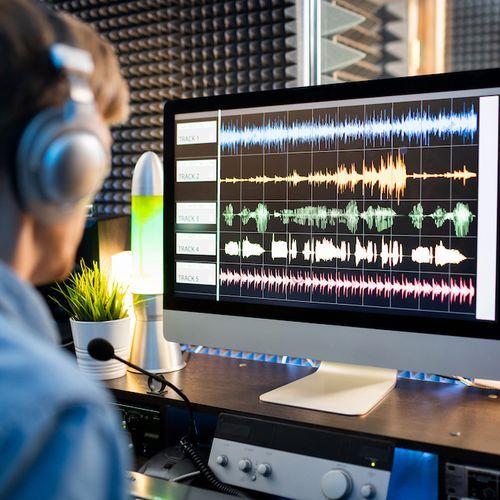
For audio, the Google SynthID Detector accepts WAV, MP3, OGG, FLAC, AAC, and M4A. Voice cloning is one of the fastest-growing scam vectors in the US — fake CEO calls, fake family emergencies, fake customer voices — so an audio check can be genuinely protective. ElevenLabs, one of the biggest names in AI voice, has committed to bringing SynthID marking to more of its generated audio, which should steadily widen what the detector can catch.
Step 3 — Read the result correctly
The result is binary: “SynthID was detected” or no watermark found. A positive result means the file was, in the portal’s own FAQ wording, “likely edited or generated by a SynthID-enabled AI model.” Note the word edited — and this is important — the detector cannot tell the difference between a fully AI-generated fake and a real photo that was merely touched up with an AI tool. Both produce the same verdict. A positive hit is strong evidence of AI involvement, but it does not tell you how AI was involved.
A negative result is weaker still. It means no SynthID watermark was found — which could mean the file is genuinely human-made, or that it was made by a tool that does not use SynthID at all, or that heavy editing stripped the mark. Treat a “not detected” result as inconclusive, never as proof of authenticity.
Step 4 — Respect the daily check limit
The Google SynthID Detector is free, but not unlimited. Each signed-in user gets roughly 10 checks per day across images, video, and audio combined. Google says the cap exists to stop anyone hammering the detector repeatedly to train watermark-removal tools — a sensible guardrail. Uploads are processed in real time, the file itself is deleted right after analysis, and only a digital signature is kept for 24 hours to enforce the quota. For most people checking the odd suspicious forward, ten checks a day is plenty.
Which AI Tools the Google SynthID Detector Covers
The detector’s real power comes from its coverage. On Google’s side, it reads watermarks from the company’s headline generative models and tools: Nano Banana (Google’s image model), Veo (video), Lyria (music/audio), plus Gemini, Flow, ProducerAI, and Vids. If content was generated or edited with any of these, the Google SynthID Detector should flag it.

The bigger story is the partner list. The detector now also recognises SynthID watermarks from:
- OpenAI — starting with images generated through ChatGPT, Codex, and the OpenAI API. This is significant: it makes SynthID the first watermarking standard adopted across multiple major AI labs.
- NVIDIA — whose generative media tools also embed the mark.
- Kakao — the South Korean tech giant, extending coverage into Asian AI ecosystems.
- Apple — announced as “coming soon” by Google (no date given, and so far it is Google’s word rather than Apple’s).
That cross-vendor coverage is what separates the Google SynthID Detector from the single-company checkers that came before it, such as OpenAI’s own site for checking its content. Instead of visiting a different portal per AI lab, one upload checks multiple vendors at once — and the partner list is expected to keep growing as more providers adopt the standard.
What the Google SynthID Detector Cannot Do
An honest review has to spend as much time on the limits as on the features, because this is where most people will misread the tool. Here is what the Google SynthID Detector cannot do:
- It cannot detect AI media from companies that do not use SynthID. Microsoft and Meta run their own watermarking standards, and countless smaller tools use none at all. A file from any of those sources will sail through the Google SynthID Detector with a clean result. Reporting at launch noted that even the big labs’ own detectors have sometimes failed to identify content created by their makers’ own models — no detector is infallible.
- A “not detected” result is not proof a file is real. This is the single most misunderstood point. The detector answers one narrow question — “does this file carry a SynthID watermark I can read?” — not the broad question “is this file authentic?” Never treat a clean result as a certificate of authenticity.
- It cannot distinguish “fully AI-generated” from “AI-edited.” A real photograph that had its background swapped by an AI editor and a 100% synthetic portrait receive the same verdict. The tool tells you AI was involved somewhere; it cannot tell you where or how much.
- Heavy manipulation can weaken or remove the mark. The watermark survives everyday abuse — cropping, compression, screenshots, filters — but aggressive re-encoding, heavy filtering, or deliberate regeneration can degrade it beyond detection. Determined bad actors still have routes around it.
- It does not analyse text claims or context. A real photo with a false caption will pass the detector cleanly, because the pixels are genuine even though the story is not. Media literacy still matters more than any tool.
None of this makes the Google SynthID Detector useless — far from it. It makes it one strong clue rather than a final answer. Use it the way a detective uses a fingerprint kit: a positive hit is powerful evidence, but the absence of a hit does not close the case.
Google SynthID Detector vs Other Fake-Checking Options
The Google SynthID Detector does not exist in a vacuum. Here is how it compares with the alternatives:
- OpenAI’s own checker: OpenAI maintains its own site for verifying its watermarked content, but it is limited to OpenAI’s marks. The Google SynthID Detector folds OpenAI’s images into a multi-vendor check, which is simply more convenient.
- Microsoft and Meta standards: Both companies have their own watermarking and verification approaches, but their detectors have a documented history of missing content from their own models. Google’s bet is that an open, cross-industry standard (SynthID) beats a patchwork of proprietary ones.
- Built-in checks in Search, Gemini, and Chrome: Google has already baked SynthID verification into these products, which together handle the reported 1 million daily verification requests. The standalone Google SynthID Detector is for the cases where you want to check a specific file deliberately, rather than relying on automatic background checks.
- Manual inspection and reverse image search: Old-school methods — zooming into hands and text, running a reverse image search — still catch plenty of fakes, especially from tools that watermark nothing. The Google SynthID Detector complements these; it does not replace them.
Coverage of the launch, including TechCrunch’s launch report, consistently lands on the same takeaway: this is the most practical consumer-facing provenance tool released so far, with the honest caveat that provenance only works when the creator participated in marking.
Who Should Actually Use It
The Google SynthID Detector is aimed at everyone, but a few groups will get the most value from bookmarking it:
- Journalists and fact-checkers: the original audience. Verifying user-generated photos and clips before publication is now a one-minute step instead of a forensic project.
- Teachers and parents: a quick, visual way to show students what AI-generated media looks like — and to check the viral “photos” circulating in school chats.
- Online buyers and daters: suspiciously perfect product photos, rental listings, or profile pictures can be run through the Google SynthID Detector before money or trust changes hands. If you create profile photos with an AI headshot generator, remember the reverse applies too — your own polished headshot may well carry a watermark.
- Content creators: if you enhance photos with AI — for instance running them through an AI image upscaler before publishing — check the output so you know exactly what provenance signal travels with your files.
- Anyone forwarded something shocking: the classic use case. Before you forward that unbelievable video to the family group, spend 30 seconds checking it. The internet will thank you.
Frequently Asked Questions
Is the Google SynthID Detector free?
Yes. There is no charge and no paid tier has been announced. You do need to sign in with a Google, OpenAI, or Apple account, and usage is capped at roughly 10 checks per day per user.
What does “watermark not detected” actually mean?
It means the Google SynthID Detector found no readable SynthID watermark in the file. That is not the same as “this file is real.” The file may be human-made, made by a non-participating AI tool, or stripped of its mark by heavy editing. Treat it as inconclusive.
Can the Google SynthID Detector check screenshots and memes?
Yes, as long as the file is in a supported format. The watermark is designed to survive screenshots, cropping, and compression. But each round of recompression degrades the signal a little, so always check the highest-quality version you can find.
Does it work on AI-generated text?
SynthID as a technology also covers text generated by large language models, but the public Google SynthID Detector portal is built for images, video, and audio files. There is no “paste a paragraph” box — upload a media file instead.
Does Google keep my uploaded files?
According to launch reporting, uploads are processed in real time and the file is deleted immediately afterwards. Only a digital signature is retained for 24 hours to enforce the daily quota. Still, avoid uploading anything truly sensitive — that is good practice with any free web tool.
Will it catch deepfakes made with tools outside Google and its partners?
No — and this is the honest limit. The Google SynthID Detector only reads the SynthID standard. Media from Microsoft’s or Meta’s ecosystems, open-source models, or tools with no watermarking at all will not be flagged. It is one layer of defence, not a complete one.
Final Verdict: Is the Google SynthID Detector Worth Bookmarking?
Yes — with the right expectations. The Google SynthID Detector is free, fast, cross-vendor, and built on a watermarking standard with genuinely massive deployment behind it: 180 billion marked images and videos and a quarter-million years of marked audio is not a pilot project. For the everyday question — “was this made with AI?” — it is now the quickest credible first check available to the public, and its October 2026 launch could not be better timed, as synthetic media floods every feed that matters.
Just remember its two golden rules. A positive result is strong evidence of AI involvement, though it cannot say how the AI was used. A negative result proves nothing at all. Keep those straight, combine the Google SynthID Detector with old-fashioned scepticism and a reverse image search, and you will be far harder to fool than almost anyone in your contacts list.
Have you tried the Google SynthID Detector on a suspicious file? The portal is live now at synthid.com — and if this guide saved you from forwarding one fake, it has done its job.