
Meta Muse Spark Open: The 816B Open Model That Runs on Your Desk
Muse Spark Open arrived on 15 October 2026, and it may be the most important AI release of the month. In a single announcement, Meta shipped the weights of what it calls the most capable American open-weight model to date — and, in an alliance nobody saw coming, teamed up with longtime rival Apple to make it run on two Mac Studios sitting on an ordinary desk. If you care about AI tools, open models, or the future of coding assistants, Muse Spark Open deserves your full attention.
In this guide, we break down everything that matters: the specifications, the benchmarks, the unusual Meta–Apple partnership, the licensing rules, what it costs to run, and how you can actually start using Muse Spark Open today. Whether you are a developer eyeing local inference or simply curious about where frontier AI is heading, this is the complete picture.
Table of Contents
What Is Muse Spark Open?
Muse Spark Open is Meta’s new open-weight large language model, built for coding, software engineering, and long-running agentic work. Instead of keeping the model locked behind an API, Meta released the model’s weights publicly on 15 October 2026, so anyone can download them, inspect them, fine-tune them, and run them on their own hardware.
The name is worth understanding. Muse Spark is the model family that powers Meta’s own AI products — the proprietary Muse Spark debuted in April 2026, followed by Muse Spark 1.2 in August. Muse Spark Open is the open-weight sibling of that line, based on Muse Spark 1.2 with additional safety post-training applied. Meta says the model cleared the release thresholds of its Meta Superintelligence Scaling Framework before the weights were published.
The “open-weight” part matters, but it is not the same as fully open source. The weights are free to download, and the Muse Model License allows limited commercial use — but there are conditions, which we cover in the licensing section below. What makes Muse Spark Open special is not just openness: it is scale. At 816 billion total parameters with a 1-million-token context window, this is a frontier-class model that, until now, only ran inside massive data centres.
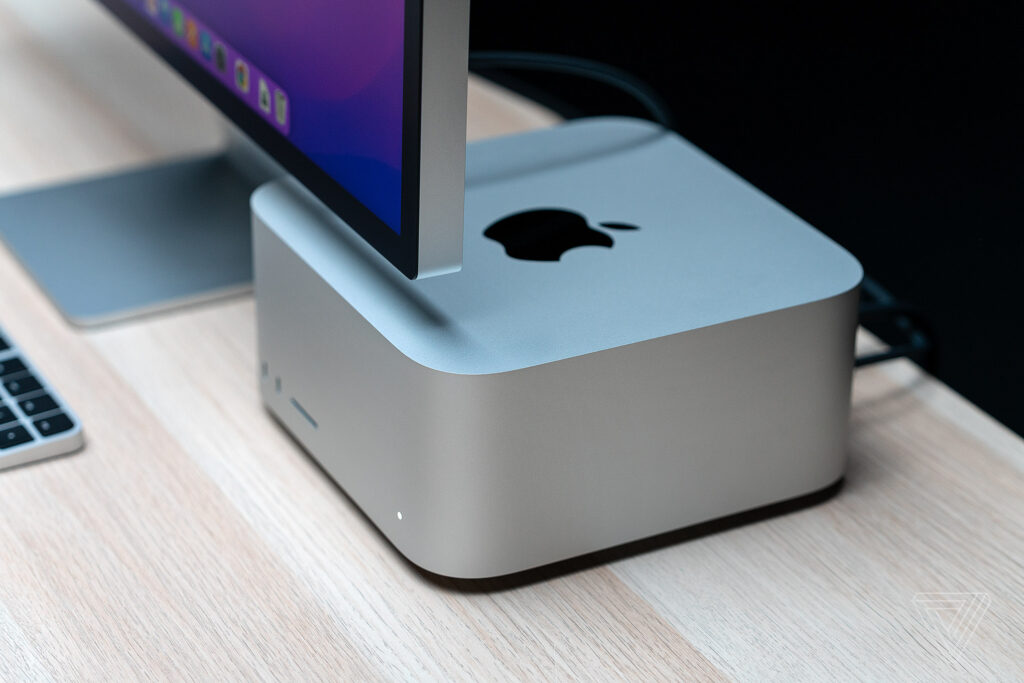
What truly sets Muse Spark Open apart from every other open model, however, is the hardware story. Meta worked directly with Apple to optimise the model for the Mac Studio, so a pair of M5 Ultra Mac Studios can hold and run the entire model on a desk — no cloud servers, no rented GPUs, no data leaving the room.
Key Specifications of Muse Spark Open

Before we look at benchmarks and use cases, here are the headline numbers that define Muse Spark Open:
- 816 billion total parameters — with 42 billion active parameters per token, using a mixture-of-experts architecture that activates only a small slice of the network for each token
- 1 million-token context window — enough to hold entire codebases, long legal documents, or hours of conversation in a single session
- Natively multimodal — the model reads text, images, video, and audio natively, and generates text
- Built for coding and agentic work — optimised for long-horizon tasks, multi-step reasoning, and tool use rather than short chat answers
- Safety post-training — additional alignment work on top of Muse Spark 1.2, with Meta reporting that the model passed its internal safety framework
The mixture-of-experts design is a big part of the story. An 816-billion-parameter model sounds impossible to run outside a data centre, but because only 42 billion parameters activate per token, the computational cost of each token is far lower than the total parameter count suggests. This is the same efficiency trick behind several recent frontier models, and it is what makes the Mac Studio deployment even conceivable.
How Muse Spark Open Runs on Two Mac Studios
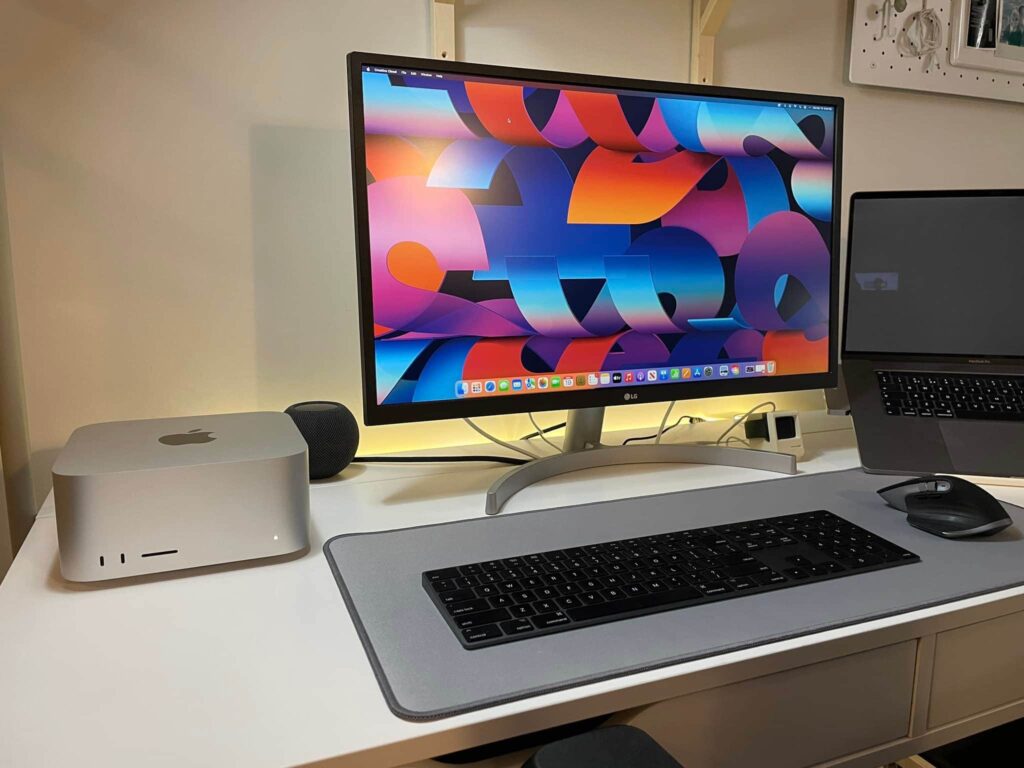
The headline trick — a frontier model on a desk — works because of Apple’s unified memory architecture. On a Mac Studio with the M5 Ultra chip, the GPU can use up to 512 GB of the machine’s unified memory. Link two of those machines, and the model sees roughly one terabyte of usable memory, which Meta describes as behaving “like one supercomputer with a terabyte of unified memory.”
Apple’s open-source MLX machine learning framework distributes inference across the connected Macs, which talk to each other over Thunderbolt 5. Each Mac Studio’s chip delivers around 1.2 TB/s of memory bandwidth — fast enough to read the small slice of the model each token needs, keeping generation speeds practical.
Here is what the setup looks like in practice:
- Two M5 Ultra Mac Studios with 512 GB of unified memory each — the headline configuration
- Or four machines with 256 GB each — the same 1 TB total, and this configuration works today
- NVFP4 quantised weights — the compressed version of Muse Spark Open, roughly 530 GB, is what fits in this memory envelope
- Full-precision BF16 weights — the uncompressed version is about 1.6 TB, far beyond desktop hardware
In Apple’s own tests, four M5 Ultra Mac Studios generated 36.73 tokens per second on the model — genuinely usable speeds for coding and agent workloads. Meta calls this combination “the best way to run a powerful model on your own desktop,” and published developer guidance explaining how researchers can replicate the setup.
There are honest caveats. The 512 GB unified-memory Mac Studio was not yet shipping at launch — it is scheduled for late October 2026 — so the two-machine configuration is aspirational for now. And the price is eye-watering: the 256 GB Mac Studio already costs over $10,000, so two 512 GB machines will run well into five figures. Independent analysts have noted the model needs at least 700 GB of graphics memory depending on the format, and smaller quantised builds — including roughly 2-bit versions from community optimisers that reportedly run on a 256 GB machine with llama.cpp — trade accuracy for accessibility. Still, the direction of travel is clear: frontier models are getting closer to the desk.
Benchmarks: How Does Muse Spark Open Compare?
Meta published benchmark figures alongside the release, and they tell an interesting story — strong in some areas, honest in others. Remember that these are vendor-reported numbers, not independently re-run tests, so treat them as indicative rather than gospel.
On JobBench, an agent-oriented benchmark, Muse Spark Open scored 61.8 — more than double the score of Inkling, Thinking Machines’ American open model (31.1), and NVIDIA’s Nemotron 3 Ultra (27.2). That is a genuine lead in the agentic category Meta cares most about.
On Terminal-Bench 2.1, a coding benchmark, the model scored 76.4. That is a respectable result, but here the picture is more nuanced: Chinese open models still sit above it, including Kimi K3 at 85, GLM 5.3, and Qwen3.8-Max. And on the Artificial Analysis Intelligence Index, Xiaomi’s MiMo-V2.6-Pro scored 46 against 39 for Meta’s model.
What should you take from this? Muse Spark Open appears to be the strongest American open-weight model for agentic coding work — Meta’s “most capable U.S. open-weight model to date” claim rests mostly on that JobBench result — while the global open-model crown, at least on pure coding scores, still belongs to Chinese labs. For a deeper look at how frontier models stack up, see our guides to GPT-6.1 Sol and Claude Haiku 5.5.
Muse Spark Open vs Muse Wonder: What’s the Difference?
If the names blur together, you are not alone — Meta launched two major models within three days. Here is the clean distinction:
- Muse Wonder, released 12 October 2026, is Meta’s proprietary frontier model. It is closed: you access it through Meta’s products and APIs, and the weights are not public.
- Muse Spark Open, released 15 October 2026, is the open-weight sibling. The weights are free to download, you can run it yourself, and you can build on it — under the terms of the Muse Model License.
Think of Muse Wonder as the flagship you visit, and Muse Spark Open as the engine you can take home. They serve different audiences: Wonder for consumers and developers who want the best model with zero setup, Spark Open for developers, researchers, and companies that need control, privacy, or customisation. For the full story on the closed flagship, read our guide to Meta Muse Wonder.
Pricing, License, and Download Options
Muse Spark Open Pricing: What Does It Cost?
The model weights themselves are free to download — there is no purchase price for Muse Spark Open. Your costs come from wherever you run it:
- Local hardware — the two-Mac-Studio setup runs well into five figures (each 256 GB unit is already over $10,000), so self-hosting the full model is a serious investment
- Cloud weights — download the weights from Hugging Face, Amazon SageMaker AI, Google Cloud Model Garden, or Microsoft Foundry Models, then run them on rented GPUs
- Hosted APIs — pay-per-token access through Baseten, Fireworks AI, Groq, Modal, Nebius, OpenRouter, or Together AI, with each provider setting its own rates
For most individuals, a hosted API is by far the cheapest way to experiment with Muse Spark Open. The local Mac Studio route only makes sense for teams with serious budgets and strong privacy requirements — companies that do not want sensitive code leaving the office.
The Muse Model License: Rules You Must Know
Muse Spark Open is open-weight, not open source, and the license has teeth. The key terms:
- Limited commercial use is allowed — you can build products on the model, but read the license carefully before shipping
- “Built with Muse Spark Open” label — products or services using the model must display a prominent attribution label
- $20 million revenue threshold — if you (and your affiliates) have aggregate gross revenue above $20 million over any consecutive 12-month period and offer the model or its derivatives as a service, you must notify Meta and sign a separate agreement first
These terms are friendlier than a closed API but stricter than a permissive open-source license. Startups and indie developers can generally build freely; large companies offering model-as-a-service need a conversation with Meta.
Real-World Demos: What Muse Spark Open Can Actually Do

Benchmarks are abstract; demos are concrete. Meta showed Muse Spark Open doing real work on the Mac Studio setup, and the two headline demonstrations are worth describing in detail.
First, agentic coding with Muse Code. Meta’s AI coding terminal, powered by Muse Spark Open, shipped real changes to Ice Cubes — an open-source Mastodon client for iOS — including bug fixes and new features, completing a full build entirely on-device. This is the long-horizon task the model was built for: not writing a single function, but carrying a multi-step engineering job from issue to tested result.
Second, video editing in DaVinci Resolve. The model drove the editing software end-to-end, reviewing footage frame by frame, finding the strongest moments, and cropping vertical clips — again, all on local hardware. Natively multimodal input (video in, decisions out) combined with agentic tool use is exactly the workload class Meta designed Muse Spark Open for.
Both demos ran without sending data to the cloud, which is the deeper point. For studios handling unreleased footage, or development teams working on proprietary code, a frontier model that never phones home is not a luxury — it is a requirement. That is the market Muse Spark Open is really aimed at.
The Meta–Apple Partnership: Why It Matters
Step back from the specs for a moment, because the business story may be the biggest part of this launch. Meta and Apple have clashed for years over privacy, advertising, and platform control. Now they have cooperated closely: Meta CEO Mark Zuckerberg publicly thanked Apple CEO John Ternus, who replied with congratulations and noted that “Mac Studio keeps pushing the boundaries of on-device AI.”
Apple went further than a handshake — it published an article on its Machine Learning Research site showing exactly how researchers and developers can run this frontier-class model from their desk using the version of MLX released the same day. That is a meaningful endorsement: Apple is telling its pro users that Mac Studio is now a legitimate AI workstation.
For the industry, the signal is clear. The future of powerful AI is not only giant cloud data centres — it is increasingly local, private, and personal. When two of the world’s largest technology companies align around that idea, developers should pay attention.
Who Should Use Muse Spark Open?
Muse Spark Open is not for everyone, and Meta does not pretend otherwise. Here is who gets the most value:
- Software developers — agentic coding, bug fixing, and multi-step engineering tasks, via API or local deployment
- Research labs — open weights mean full inspection, fine-tuning, and reproducible experiments
- Enterprises with privacy requirements — healthcare, finance, legal, and defence teams that cannot send data to third-party clouds
- Indie developers and startups — free weights plus cheap hosted APIs make frontier-class agentic AI accessible without enterprise contracts
- Mac-based creative teams — the DaVinci Resolve demo hints at on-device multimodal workflows for video and media production
If you just want a smart chatbot, you do not need Muse Spark Open — Meta’s own consumer products already serve that. This model is for people who want to build with and run frontier AI themselves.
Limitations You Should Know
No honest guide would skip the downsides. Here are the real limitations of Muse Spark Open:
- Extreme hardware requirements — running the full model locally needs around 1 TB of memory, which means five-figure hardware. This is not a laptop model.
- Not fully open source — the Muse Model License restricts commercial use at scale and requires attribution. Check the terms before building a business on it.
- Still trails top Chinese models on some coding benchmarks — the Terminal-Bench numbers show Kimi K3, GLM 5.3, and Qwen3.8-Max ahead.
- Vendor-reported benchmarks — Meta’s figures have not been independently re-run at launch, so treat comparisons as preliminary.
- Safety is Meta-tested, not community-verified — the model passed Meta’s internal framework, but the open-weights community will form its own verdict over time.
How to Get Started with Muse Spark Open
Ready to try it? Here is the practical path, from easiest to most ambitious.
Step 1: Try Muse Spark Open Through a Hosted API
The fastest route is a hosted API provider — Baseten, Fireworks AI, Groq, Modal, Nebius, OpenRouter, or Together AI. Sign up, grab an API key, and you can call the model within minutes. This is the best option for experimenting, prototyping, and small projects, since you pay only for what you use.
Step 2: Download the Weights for Serious Work
If you need control, fine-tuning, or offline operation, download the weights from Hugging Face, Amazon SageMaker AI, Google Cloud Model Garden, or Microsoft Foundry Models. Choose the quantised NVFP4 build (around 530 GB) unless you have data-centre-scale memory for the full BF16 version (about 1.6 TB).
Step 3: Set Up Local Inference on Mac Studio
For the full on-device experience, you need the MLX-based setup across linked Mac Studios — either two 512 GB M5 Ultra machines (shipping late October 2026) or four 256 GB machines today. Follow Apple’s Machine Learning Research guide for the exact configuration. Budget carefully: this is a professional workstation investment, not a weekend project.
Step 4: Build Agentic Coding Workflows
The model’s strength is long-horizon work. Connect it to your toolchain — Meta’s own demo used Muse Code as the agentic terminal — and give it multi-step jobs: fixing bugs across a repository, refactoring modules, or reviewing and editing media. Start with hosted APIs to learn its behaviour before committing to hardware.
Frequently Asked Questions
Is Muse Spark Open free?
Yes — the weights are free to download from Hugging Face and other hubs. You only pay for the compute: rented GPUs, hosted API usage, or your own hardware.
Can Muse Spark Open run on a normal laptop?
Not the full model. It needs roughly 1 TB of memory in its standard quantised form. Community-built smaller quantisations may run on high-memory machines, but a typical laptop cannot handle it.
What license does Muse Spark Open use?
The Muse Model License. It permits limited commercial use with a required “Built with Muse Spark Open” attribution label, and companies with over $20 million in annual revenue offering it as a service must notify Meta and sign a separate agreement.
How is Muse Spark Open different from Muse Wonder?
Muse Wonder (released 12 October 2026) is Meta’s closed frontier model, accessed through Meta’s products and APIs. Muse Spark Open (released 15 October 2026) is the open-weight model you can download and run yourself.
Does Muse Spark Open beat Chinese open models?
On Meta’s reported JobBench agent scores, it leads American open models by a wide margin. On pure coding benchmarks like Terminal-Bench 2.1, Chinese models such as Kimi K3 still score higher. Independent testing will clarify the picture.
Final Verdict
Muse Spark Open is a landmark release for three reasons. First, it is genuinely capable — a frontier-class open model with a 1-million-token context and strong agentic coding performance. Second, it is genuinely usable — free weights, broad API availability, and a clear path to local deployment. Third, and perhaps most importantly, it signals a shift in where AI lives: from distant data centres to the desk in front of you.
The Meta–Apple partnership gives the story extra weight. When two historic rivals cooperate to put frontier AI on personal hardware, it tells you where the industry thinks the next wave of value is: private, local, agentic computing. Muse Spark Open is the first serious step in that direction — and for developers who have been waiting to run frontier models without the cloud, it is a very exciting week indeed.
For the original announcements, see the Reuters report on the launch and TechCrunch’s coverage of the Mac deployment.