
Contents:
- What Apple Announced on October 27, 2026
- The M6 Chip at the Heart of the Apple M6 MacBook Pro
- Apple M6 MacBook Pro: Design, Display, Battery and Ports
- The New M6 iMac: Prices, Colours and Configurations
- Apple M6 MacBook Pro On-Device AI: What Actually Gets Faster
- Apple M6 MacBook Pro vs M5, M4 and Intel Macs
- Who Should Buy the Apple M6 MacBook Pro, and Who Should Wait
- US Pricing, Configurations and Pre-Order Dates
- What Apple Did Not Change, and What to Watch Next
- Verdict: Is the Apple M6 MacBook Pro Worth It?
- Frequently Asked Questions
What Apple Announced on October 27, 2026
The Apple M6 MacBook Pro arrived on October 27, 2026, alongside a refreshed 24-inch iMac, as Apple put its first 2-nanometer chip into two of its most popular Macs. The headline is deliberately simple: the same 14-inch MacBook Pro design, the same colourful iMac design, but a faster, more AI-focused chip inside, longer battery life on the laptop, and modern wireless on both machines. Pre-orders for both computers open on October 28, 2026, at 10:10 a.m. Pacific Time, with availability starting on November 6, 2026, in the United States and 35 countries and regions. If you were waiting for a reason to pay attention to Apple’s Mac lineup before the holiday season, this is it, because the Apple M6 MacBook Pro is the machine most buyers will actually consider.
There is an important framing point worth stating plainly. This is a chip refresh, not a redesign. Apple has kept the chassis, the display, the camera, the speakers and the port layout of the previous models, and poured the engineering effort into the silicon, the wireless chips and the battery story instead. That is a familiar Apple pattern: change what changes the experience, leave alone what already works. For buyers, it means there are no surprises in how these machines look or feel, and the entire buying decision comes down to performance, battery, AI capability and price. The Apple M6 MacBook Pro therefore deserves to be judged on those four things, and this guide does exactly that, using Apple’s own launch figures and flagging them as such, because independent reviews have not had time to verify them yet.
Why does this launch matter beyond Apple fans? Because the Apple M6 MacBook Pro is Apple’s clearest statement yet that the laptop you buy in 2026 should be judged as an AI computer, not just a fast computer. Apple is pitching on-device AI performance, faster local language-model processing, and privacy-preserving AI features that run on your machine rather than in a data centre. That pitch lands in a year when every major platform is making the same argument, from Copilot+ PCs to Chromebooks with local models. Apple’s advantage is that its chip, its operating system and its AI features are designed together, so the AI story is not a sticker on the box but a property of the whole machine. Whether that advantage is worth $1,999 is the question this guide answers.
The M6 Chip at the Heart of the Apple M6 MacBook Pro
Everything about the Apple M6 MacBook Pro starts with the M6 chip, Apple’s first processor built on a 2-nanometer manufacturing process. Smaller transistors generally mean more performance for the same power, or the same performance for less power, and Apple is claiming both directions at once. The 14-inch MacBook Pro’s version of the M6 carries a 12-core CPU and a 12-core GPU, two more cores on each side than the M5 it replaces. The CPU is arranged as two super cores, four performance cores and six efficiency cores: the heavy cores handle demanding single-threaded work, the performance cores spread multi-threaded jobs, and the efficiency cores quietly look after background tasks without draining the battery. It is a sensible division of labour, and it is one reason the battery story below is as strong as it is.
The graphics side of the Apple M6 MacBook Pro deserves attention too, because Apple claims up to 30 percent faster graphics than the M5, along with hardware-accelerated ray tracing. Ray tracing is the technique that makes light, shadows and reflections look realistic in 3D scenes and games, and accelerating it in hardware matters for Blender artists, game developers and anyone rendering 3D content. Apple also quotes up to 30 percent faster ray-traced rendering in Blender specifically, and about 25 percent faster project compilation in Xcode, its developer tool. Those are Apple’s own benchmark claims, not independently verified results, so treat them as a direction of travel rather than a promise. Still, a 30 percent graphics jump in a single generation is meaningful, especially for a base-model laptop that is not sold as a workstation.
Memory is the third leg of the chip story. The Apple M6 MacBook Pro starts with 16GB of unified memory, configurable to 24GB or 32GB, with memory bandwidth up to 170GB/s. Unified memory means the CPU and GPU share one pool instead of copying data back and forth between separate memories, which is faster and simpler, and higher bandwidth means large projects and local AI models move through the system more quickly. The practical advice here is straightforward: 16GB is fine for everyday work, writing, browsing, video calls and light creative work, but if you plan to run local AI models, edit large video projects or keep dozens of heavy apps open, the step up to 32GB is worth the extra $400. Memory cannot be upgraded later on Apple silicon Macs, so this is the one configuration decision you cannot fix after purchase.
Apple M6 MacBook Pro Neural Engine and On-Device AI Hardware
The AI hardware inside the Apple M6 MacBook Pro is where Apple has made its boldest claims. The M6 includes a Dual 16-core Neural Engine, which Apple says is up to 1.9 times faster than the Neural Engine in the M5, plus a Neural Accelerator inside every GPU core. The Neural Engine is the dedicated block that runs machine-learning calculations, and doubling it up is Apple’s way of saying that AI workloads are no longer a side job for the chip but a central one. Apple also says the new MacBook Pro delivers up to 25 percent faster AI performance than its M5 predecessor overall, and up to 1.3 times faster language-model prompt processing in local testing. Again, these are Apple’s figures, and independent testing will show how they translate to real apps, but the hardware direction is unambiguous: more of the chip is devoted to AI with every generation.
What does that hardware actually do for you? In practice, it accelerates the AI features built into macOS 27, including the Siri AI features Apple highlights for the new machines, on-device writing and image tools, live transcription, and the ability to run capable local language models without sending your data to the cloud. Local models matter for two groups in particular: developers and writers who work with sensitive material, and anyone who wants AI assistance on a plane, in a rural area or anywhere with unreliable internet. A laptop that can run a useful model locally is a laptop that stays useful offline, and the Apple M6 MacBook Pro is Apple’s most affordable route to that capability in a Pro machine. It is not a replacement for frontier cloud models, and Apple does not claim it is, but it is a genuine step toward AI that works privately and instantly.
Apple M6 MacBook Pro: Design, Display, Battery and Ports
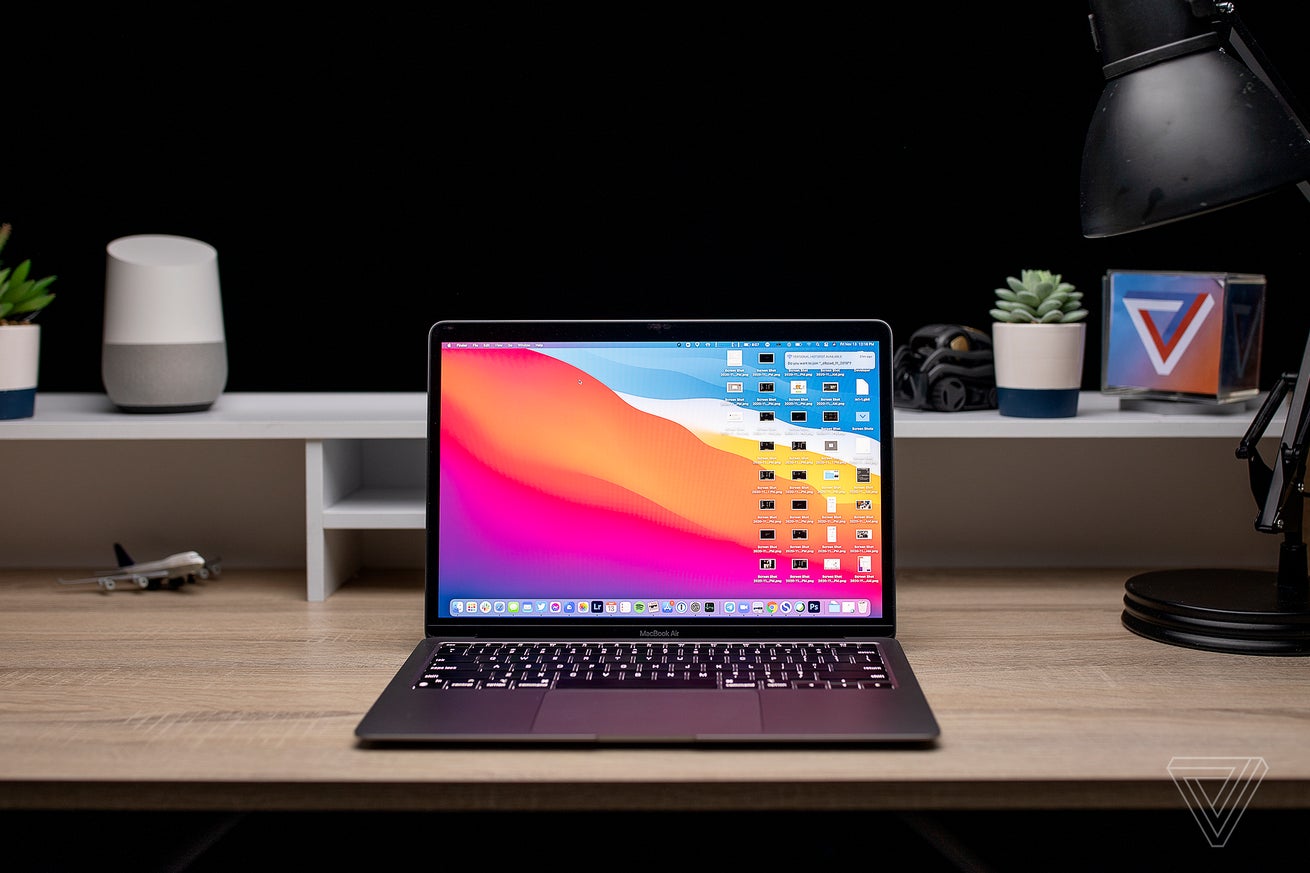
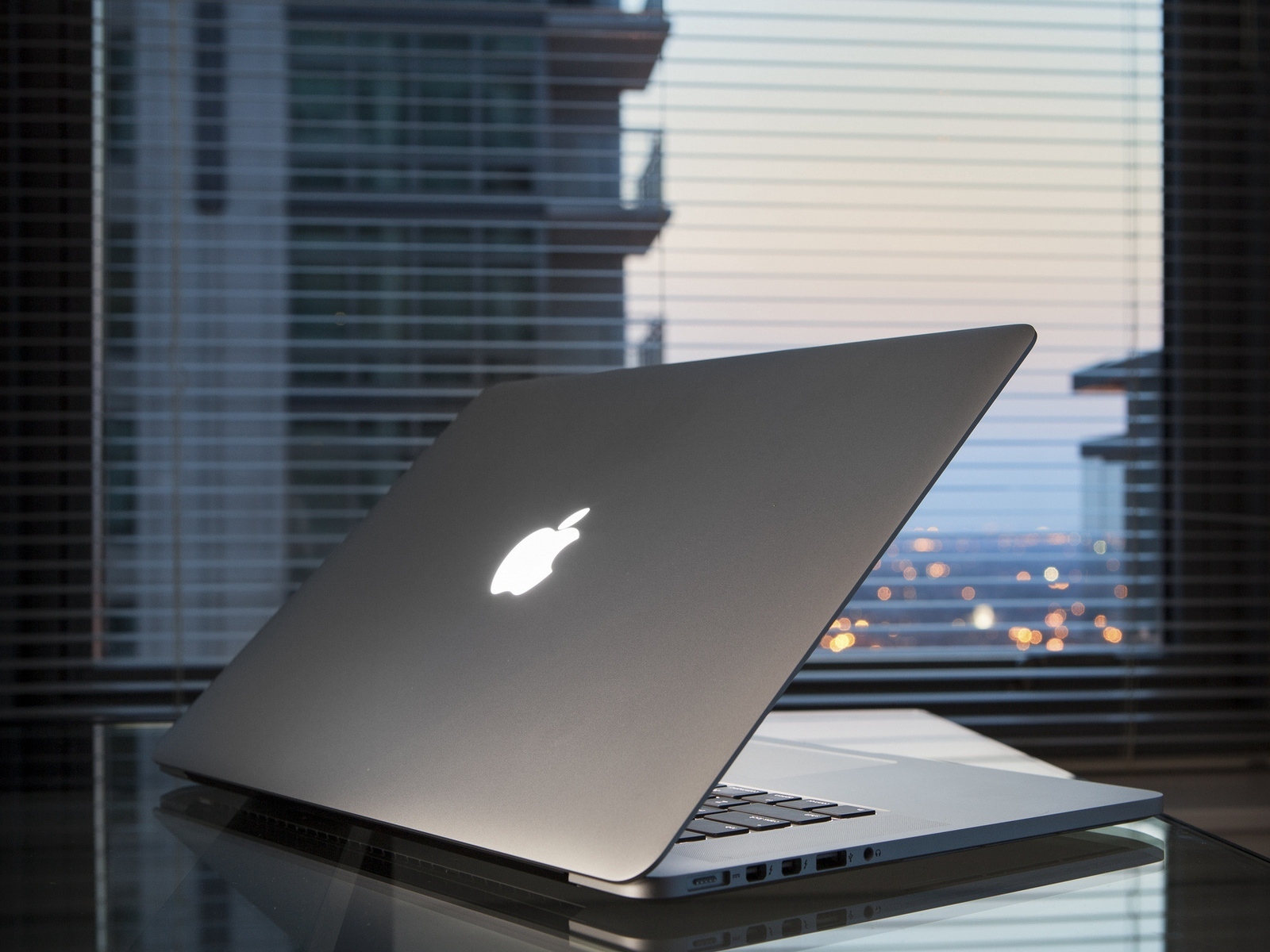
If you have seen a recent 14-inch MacBook Pro, you have seen the Apple M6 MacBook Pro, because the design is unchanged. It keeps the same aluminium enclosure in Silver and Space Black, the same backlit Magic Keyboard with Touch ID, and the same 14.2-inch Liquid Retina XDR display with ProMotion up to 120Hz, 1,000 nits of sustained brightness and 1,600 nits of peak brightness for HDR content. There is also an optional nano-texture display finish that cuts glare, which is worth considering if you work near windows or under harsh office lighting. The 12MP Center Stage camera keeps you framed on video calls, Desk View shows your desk from above when you need it, and the six-speaker system with Spatial Audio and Dolby Atmos support remains one of the best sound systems on any laptop. None of this is new, but all of it was already excellent, and there is no penalty for familiarity here.
Battery life is the Apple M6 MacBook Pro upgrade that will matter most to the largest number of buyers. Apple rates the new machine at up to 24 hours of video playback, or up to 16 hours of wireless web browsing, which it describes as the longest battery life ever in a Mac. That is a full working day and then some, and it changes how you use a laptop: chargers become something you pack just in case rather than something you hunt for by mid-afternoon. Apple also says buyers upgrading from an M1-era 13-inch MacBook Pro gain up to four extra hours of battery life. Fast charging is supported with a 96W or higher adapter, reaching about 50 percent in around 30 minutes. For students, travellers and anyone who works away from a desk, this battery claim alone may justify the upgrade more than any benchmark.
Connectivity on the Apple M6 MacBook Pro gets a quiet but useful modernisation. The machine now supports Wi-Fi 7 and Bluetooth 6 through Apple’s N1 wireless chip, which was previously limited to M5 Pro and M5 Max configurations. Wi-Fi 7 brings faster real-world speeds and lower latency on compatible routers, which matters for large file transfers, cloud backups and video calls, while Bluetooth 6 improves the reliability of wireless headphones, mice and keyboards. The port selection is unchanged and remains generous: three Thunderbolt 4 ports, an HDMI port, an SDXC card slot for photographers, a 3.5mm headphone jack and MagSafe 3 charging. You can drive up to two external displays. In a year when many thin laptops have stripped ports to the bone, the MacBook Pro’s full complement still feels like a professional tool rather than a fashion accessory.
The New M6 iMac: Prices, Colours and Configurations
Launched on the same day, the new M6 iMac is the colourful counterpart to the Apple M6 MacBook Pro, and it is the first iMac update in two years. The design is unchanged: a slim 24-inch all-in-one with a 4.5K Retina display at 4480 by 2520 resolution, 500 nits of brightness and P3 wide colour, available in blue, green, pink, yellow, purple, orange and silver, with colour-matched accessories. What changes is everything inside. The M6 chip brings faster graphics, a Dual 16-core Neural Engine and up to 170GB/s of memory bandwidth, and Apple claims up to 5 times faster on-device AI performance than the previous M4 iMac, along with more than twice as fast graphics for intensive photo work. For anyone still using an Intel-based iMac, Apple claims up to 18 times faster overall performance, which is the kind of leap that makes a decade-old machine feel like a different species.
The iMac lineup comes in two main configurations, and the difference between them matters more than the $200 price gap suggests. The $1,499 base model uses a 10-core CPU and 10-core GPU version of the M6, with two Thunderbolt ports, 16GB of unified memory and 256GB of storage. The $1,699 model steps up to the full 12-core CPU and 12-core GPU, four Thunderbolt 4 ports, and the option of up to 32GB of memory and 2TB of storage, plus nano-texture glass and a 2.5-gigabit Ethernet port in the power adapter. Education pricing starts at $1,449 and $1,599 respectively. The honest buying advice is that the $1,699 model is the better long-term purchase for most households and small offices, because the extra ports, the higher memory ceiling and the better display option are all things you cannot add later to an all-in-one. The base model is fine for a family computer or a reception desk, but the mid-tier model is the one that will still feel fast in five years.
Connectivity on the M6 iMac mirrors the laptop: Wi-Fi 7 and Bluetooth 6 through the N1 chip, Thread networking for smart-home devices, and a 12MP Center Stage camera with Desk View, a six-speaker system and a studio-quality three-microphone array. The 10-core model supports one external display up to 6K, while the 12-core model supports up to two 6K displays or a single 8K display. The iMac also gains Apple’s Visual Intelligence feature with a dedicated keyboard shortcut, letting you ask questions about what is on your screen, and the full set of Siri AI and Apple Intelligence features across macOS. For a home office, a classroom or a small studio, the combination of a beautiful display, a capable chip and a complete set of peripherals in the box remains the iMac’s strongest argument. You unbox one thing, plug in one cable, and you have a complete computer.

Apple M6 MacBook Pro On-Device AI: What Actually Gets Faster
It is worth slowing down on the AI story, because marketing language around on-device AI often promises more than it delivers. The Apple M6 MacBook Pro makes three concrete AI promises that you can check against your own work. First, Apple’s own AI features in macOS 27, including Siri AI and Apple Intelligence tools, should feel faster and more responsive, because the Neural Engine and GPU accelerators are substantially quicker than the M5’s. Second, local language models, the kind developers run through tools such as LM Studio, should process prompts noticeably faster: Apple quotes up to 5 times faster on-device AI prompt processing on the iMac versus the M4, and up to 1.3 times faster language-model prompt processing on the MacBook Pro versus the M5. Third, creative AI tasks, such as image processing in Affinity and similar apps, benefit from the faster GPU and its per-core Neural Accelerators. These are three different kinds of work, and the M6 improves all three, which is a stronger claim than a single benchmark number.
Privacy is the other half of the on-device AI argument, and it is the half Apple leans on hardest. When AI runs on your Apple M6 MacBook Pro, your documents, photos and prompts do not need to leave the machine, which matters for lawyers, doctors, researchers, journalists and anyone handling confidential material. Cloud AI will always be more powerful, because data centres have vastly more computing power than any laptop, but cloud AI also means trusting someone else’s servers with your data. The sensible way to think about the M6 is as a two-tier system: everyday AI tasks, drafting, summarising, transcribing, searching your own files and light image work, run locally, quickly and privately, while the heaviest tasks still go to the cloud when you choose to send them. That division is already how most professionals will use AI in 2026, and the M6 makes the local tier genuinely useful rather than a demo.
One caution belongs in any honest AI discussion. Apple’s performance figures are Apple’s own, measured under Apple’s own test conditions, and independent reviewers have not yet published verified results for the Apple M6 MacBook Pro. Early buyers should expect the direction of the claims to hold, faster AI, longer battery, better graphics, while treating the exact percentages as approximate. If your purchase decision depends on a specific number, such as whether local model inference is 25 percent or 40 percent faster, wait for independent benchmarks before buying. If your decision depends on the overall package, a fast, long-lasting, private AI-capable laptop at a known price, the launch figures are enough to act on, and the November 6 availability date gives reviewers a week to publish their first tests before most orders ship.
Apple M6 MacBook Pro vs M5, M4 and Intel Macs
Upgrade decisions are rarely about one machine in isolation, so here is how the Apple M6 MacBook Pro stacks up against the machines people actually own. Against the M5 MacBook Pro it replaces, the gains are solid but not dramatic: two more CPU cores, two more GPU cores, up to 30 percent faster graphics, up to 25 percent faster AI, a faster Neural Engine, Wi-Fi 7 and Bluetooth 6, and the same design, display and ports. If you bought an M5 machine in the last year, there is no urgent reason to upgrade, and your laptop remains excellent. Against the M4 generation, the jump is bigger, because you gain two generations of chip improvements, the newer wireless standards and, on the iMac, a leap from M4 to M6 that skips a generation entirely. Against M1 machines, Apple claims up to 2.5 times faster Xcode builds, up to 11 times faster graphics in some tests and up to 13 times faster AI performance, plus up to four extra hours of battery. Those are Apple’s numbers, but even discounted heavily, they describe a machine that feels new in every way.
Against Intel Macs, the comparison is not close at all. Apple claims the new iMac is up to 18 times faster than the most popular Intel-based iMac, and the Apple M6 MacBook Pro brings the same generation of advantages to laptop buyers: silent, cool operation under normal loads, instant wake, all-day battery and modern software support, including the latest macOS and Apple Intelligence features that Intel machines cannot run. If you are still on an Intel Mac in late 2026, this launch is the clearest upgrade signal Apple has sent in years, and the only real question is whether you choose the laptop or the desktop. Against Windows alternatives, the honest answer is that Copilot+ laptops and high-end Windows machines offer strong AI performance and often more configuration flexibility, but none match the MacBook Pro’s combination of battery life, display quality, speaker quality and silent operation at this size. The Apple M6 MacBook Pro competes on the whole package, not on any single specification.
There is also a pricing comparison worth making. The Apple M6 MacBook Pro starts at $1,999, which is the same territory as the machine it replaces. That ladder matters: the M6 model is the entry point to the Pro lineup, not the top of it, and buyers who regularly render 3D scenes, compile huge codebases or edit multi-cam 8K video should look at the higher-end Pro and Max configurations instead. For everyone else, students, writers, developers, photographers, designers and general professionals, the base M6 model is the sweet spot, and the $400 step from 16GB to 32GB of memory is the single most valuable upgrade in the configurator. Storage starts at 1TB on the laptop, which is generous, and steps up to 2TB or 4TB for those who need it.
Who Should Buy the Apple M6 MacBook Pro, and Who Should Wait
The Apple M6 MacBook Pro is an easy recommendation for several groups. Students and researchers who need a machine that lasts all day, runs local AI tools and survives four years of daily use will find the battery life and the 32GB memory option compelling. Developers will appreciate the faster Xcode compilation, the local model performance and the full port selection, and the fact that the machine stays quiet under sustained loads. Photographers and video editors get a superb display, fast storage and a GPU that handles real creative work without needing a desktop. Writers and general professionals get the best keyboard, trackpad, speakers and webcam combination in a 14-inch laptop, plus AI features that work offline. If you work with a Mac every day and your current machine is more than three years old, this is a confident buy.
It is equally important to say who should wait. If you bought an M5 MacBook Pro in the last twelve months, the Apple M6 MacBook Pro is an incremental upgrade, and your money is better kept for a future generation. If you need workstation-class graphics or regularly push a laptop to its thermal limits, wait for the M6 Pro and M6 Max models, which Apple has not announced for this 14-inch machine yet. If your purchase depends on a touchscreen MacBook Pro, note that reports ahead of Apple’s October 28 event in Los Angeles suggest a touchscreen model may be discussed, but Apple has not announced one, and buying on the basis of a rumour is a poor strategy. And if you are price-sensitive, the MacBook Air remains the better value for everyday work, while refurbished M4 and M5 machines will become more affordable as the M6 lineup rolls out. The Apple M6 MacBook Pro is excellent, but excellent does not mean right for everyone.
For readers of this site, there is a practical angle that ties the Apple M6 MacBook Pro to the AI tools we cover every day. A laptop that runs local models well changes which tools make sense: you can experiment with open-weight models, run coding assistants locally, and use visual-prompting workflows without worrying about per-token costs or data leaving your machine. If you use a Mac annotation workflow for AI agents, for example, the kind of screen-marking workflow covered in our guide to the Lasso Mac app, the M6’s faster local processing makes that loop feel instant rather than merely workable. Similarly, creators comparing AI video tools in our best AI video generator guide will find the M6’s GPU and Neural Engine useful for previewing and editing generated clips locally. And if you are thinking about how AI agents fit into everyday work, our explainer on why websites block AI agents is a useful companion read, because on-device AI is part of the answer to the trust and control questions that article raises.
US Pricing, Configurations and Pre-Order Dates
Here are the confirmed US prices and dates for the Apple M6 MacBook Pro and the new M6 iMac, all announced on October 27, 2026. Pre-orders open on October 28, 2026, at 10:10 a.m. Pacific Time through Apple’s website and the Apple Store app, and availability begins on November 6, 2026. The 14-inch MacBook Pro with M6 starts at $1,999, with 16GB of unified memory, 1TB of storage, a 12-core CPU and a 12-core GPU, in Silver or Space Black. Memory upgrades to 24GB or 32GB cost extra, with the 16GB to 32GB step adding $400, and storage can be configured to 2TB or 4TB. The M6 iMac starts at $1,499 for the 10-core model with two Thunderbolt ports, and $1,699 for the 12-core model with four Thunderbolt ports, both with 16GB of memory and 256GB of storage as standard, and education pricing of $1,449 and $1,599 respectively. Both machines are available in 35 countries and regions at launch, including the United States.
- 14-inch MacBook Pro with M6: from $1,999; 12-core CPU, 12-core GPU, 16GB to 32GB memory, 1TB to 4TB storage, up to 24 hours of battery, Wi-Fi 7 and Bluetooth 6.
- 24-inch iMac with M6, 10-core: from $1,499; 10-core CPU, 10-core GPU, two Thunderbolt ports, 16GB memory, 256GB storage, seven colours.
- 24-inch iMac with M6, 12-core: from $1,699; 12-core CPU, 12-core GPU, four Thunderbolt 4 ports, up to 32GB memory and 2TB storage, nano-texture glass option.
- Pre-orders: October 28, 2026, at 10:10 a.m. Pacific Time.
- Availability: November 6, 2026, in stores and for delivery.
A few buying tips will save you money and regret. First, buy the memory you will need in three years, not the memory you need today, because Apple silicon memory cannot be upgraded later. Second, think carefully about storage: 256GB on the base iMac is tight once macOS, apps and a photo library are accounted for, and an external SSD is a cheaper fix than Apple’s storage upgrades if you are willing to keep a drive attached. Third, the nano-texture display option is worth the money only if glare is a real problem in your workspace; it slightly softens the image, and most buyers are happier with the standard glossy display. Fourth, check education pricing if you are a student, teacher or parent buying for a student, because the iMac discount is real and the MacBook Pro line has its own education offers at different times of year. Finally, if you can wait a week, independent reviews landing before November 6 will confirm or correct Apple’s battery and AI claims, and that information is free.

What Apple Did Not Change, and What to Watch Next
Honest coverage should also list what the Apple M6 MacBook Pro does not do. It does not introduce a new design, a new display technology or a touchscreen, and it does not bring the M6 Pro or M6 Max chips to the 14-inch lineup yet. The webcam, speakers, keyboard and trackpad are carried over, which is fine because they were already class-leading, but buyers hoping for a visible redesign will be disappointed. The laptop still starts at 16GB of memory in a year when some competitors start at 32GB, and Apple’s storage upgrade prices remain steep. The iMac still starts at 256GB of storage, which feels ungenerous at $1,499, and the base iMac’s two-port configuration means most buyers will need a hub. None of these are deal-breakers, but they are the compromises Apple chose, and a guide that hides them is not a guide worth trusting.
What to watch next is almost as interesting as the launch itself. Apple is hosting an event in Los Angeles on October 28, 2026, the same day pre-orders open, which reports describe as a product launch experience covering touchscreen MacBooks, a new iPad mini and M6 Macs. A touchscreen MacBook Pro would be a historic change for Apple, which has resisted touchscreens on Macs for over a decade, and it is worth watching even if you have no intention of buying one, because it would signal a shift in how Apple thinks about the Mac. Separately, the M6 chip itself first appeared in the Mac mini in August 2026, so the Mac lineup’s transition to M6 is now well underway, and further M6 Pro, M6 Max and desktop announcements are a reasonable expectation for the coming months. If you are not in a hurry, the Mac lineup will only get more interesting from here, but if you need a machine now, the Apple M6 MacBook Pro does not ask you to wait for a rumour.
Verdict: Is the Apple M6 MacBook Pro Worth It?
The Apple M6 MacBook Pro is the best 14-inch laptop Apple has made, and it earns that title without a redesign, because the improvements are in the places that matter daily: a faster 2nm chip, meaningfully better graphics, a much faster Neural Engine for on-device AI, the longest battery life ever in a Mac, and modern Wi-Fi 7 and Bluetooth 6 connectivity, all at a familiar $1,999 starting price. It is not a revolution, and buyers coming from an M5 machine can safely skip it, but for anyone on an M1, M2 or Intel Mac, or buying their first MacBook Pro, it is a confident, easy recommendation. Pair it with 32GB of memory if you run local AI models or heavy creative apps, and you have a machine that should stay fast and useful for years.
The new M6 iMac deserves a similar verdict for a different buyer. At $1,499, or $1,699 for the far better-equipped 12-core model, it remains the simplest complete computer Apple sells: display, computer, camera, speakers and peripherals in one beautiful box, now with a chip that makes local AI genuinely fast. Between the two, the choice is about how you work. Choose the Apple M6 MacBook Pro if you move around, travel, or work in more than one place. Choose the iMac if you have one desk, want the biggest screen for the money, and like the idea of a computer that disappears into your room. Either way, pre-order on October 28 if you want one on November 6, and keep an eye on independent reviews in the week between announcement and availability. The M6 generation is here, and on-device AI just became a normal part of buying a Mac rather than a premium extra.
Frequently Asked Questions
How much does the Apple M6 MacBook Pro cost?
The Apple M6 MacBook Pro starts at $1,999 in the United States for the 14-inch model with a 12-core CPU, 12-core GPU, 16GB of unified memory and 1TB of storage. Memory can be configured up to 32GB and storage up to 4TB, with the 16GB to 32GB memory step adding $400. Prices vary by configuration and region.
When can I buy the Apple M6 MacBook Pro?
Pre-orders for the Apple M6 MacBook Pro open on October 28, 2026, at 10:10 a.m. Pacific Time, and availability begins on November 6, 2026, in the United States and 34 other countries and regions. The new M6 iMac follows the same pre-order and availability dates.
How long does the Apple M6 MacBook Pro battery last?
Apple rates the Apple M6 MacBook Pro at up to 24 hours of video playback and up to 16 hours of wireless web browsing, which it describes as the longest battery life ever in a Mac. Real-world battery life will vary with screen brightness, apps used and network conditions, and independent testing will confirm the figures.
Should I upgrade from an M5 MacBook Pro?
Most M5 owners should not rush to upgrade to the Apple M6 MacBook Pro, because the gains, while real, are incremental for a one-generation jump. The upgrade case is much stronger for M1, M2, M4 and Intel Mac owners, who gain several generations of chip, battery and AI improvements at once.
Is the Apple M6 MacBook Pro good for AI work?
Yes, within the limits of a laptop. The Apple M6 MacBook Pro has a Dual 16-core Neural Engine and a Neural Accelerator in every GPU core, which Apple says delivers up to 25 percent faster AI performance than the M5 and faster local language-model processing. It is well suited to on-device AI features, local models and creative AI tasks, while the most demanding frontier models still run in the cloud.
Sources: Reuters coverage of Apple’s October 27, 2026 launch; MacRumors coverage of M6 iMac pre-orders; Digital Trends and other launch-day specification reports. All performance figures quoted are Apple’s own claims and have not yet been independently verified. For Apple’s official announcements, see Reuters: Apple launches M6 MacBook Pro and iMac and MacRumors: M6 iMac pre-orders and release date.