
Kimi K3.1 Pro Weights Are Out: How to Download and Run the 1.56TB Model (2026 Guide)
Moonshot AI kept its promise. On 4 November 2026, the company published the Kimi K3.1 Pro weights on Hugging Face, exactly on the deadline it set when it launched the model on 23 October. Anyone can now download the full 2.8-trillion-parameter model and run it on their own hardware — no access request, no waitlist, no gate of any kind.
The catch is the size of the prize: the download is 1.56 terabytes, split across 96 files, and the simplest working setup needs eight data-centre GPUs. This guide covers only what is new since the launch — the Kimi K3.1 Pro weights themselves, the licence that comes with them, the hardware they genuinely need, and the honest maths on whether downloading them beats simply using the API. If you want the full story of the model — its launch, its benchmarks, and how it compares with Claude Opus 5.5 and GPT-6 Astra — start with our Kimi K3.1 Pro explainer from 25 October, then come back here for the download.

Table of Contents
- Kimi K3.1 Pro Weights at a Glance
- What Changed on 4 November
- What Is Actually Inside the Kimi K3.1 Pro Weights Download
- The Licence: What You Can and Cannot Do
- What It Takes to Run Kimi K3.1 Pro Weights
- How to Download the Kimi K3.1 Pro Weights
- How Good Is It? The Benchmarks, Honestly Labelled
- What Moonshot Took Out Before Releasing the Weights
- What It Costs: API, Membership, and Self-Hosting
- Five Ways to Use Kimi K3.1 Pro Weights in a Coding Agent
- The Distillation Report Moonshot Has Not Answered
- Who Should Download the Kimi K3.1 Pro Weights — and Who Should Not
- What Happens Next for Kimi K3.1 Pro Weights
- Frequently Asked Questions
- The Bottom Line
Kimi K3.1 Pro Weights at a Glance
| Detail | Figure |
|---|---|
| Release date | 4 November 2026 |
| Repository | moonshotai/Kimi-K3.1-Pro on Hugging Face |
| Access | Public, no access request needed |
| Download size | 1.56 TB across 96 safetensors files |
| Total parameters | 2.8 trillion |
| Active parameters per token | 104 billion (about 3.7% of the total) |
| Experts | 896, with 16 routed per token |
| Context window | 1,048,576 tokens (about 1 million) |
| Weight precision | MXFP4 weights, MXFP8 activations |
| Inputs | Text and images |
| Licence | Kimi K3.1 Pro License (custom, not a standard open-source licence) |
| Recommended engines | vLLM, SGLang, TokenSpeed |
| Simplest GPU setup | Eight data-centre GPUs (one NVIDIA B300 node or two GB300 trays) |
| API price (unchanged) | $2 per million input tokens, $10 per million output tokens |
| GGUF build | None published as of 5 November 2026 |
The headline numbers tell you most of what you need to know before you download the Kimi K3.1 Pro weights. The Kimi K3.1 Pro weights are genuinely open — free to fetch, free to run, free to fine-tune — but they are also genuinely enormous. A 1.56TB checkpoint is not a file you casually pull onto a laptop. It is a data-centre artefact, and Moonshot has been unusually honest about that.
The model card gives no minimum hardware figure of its own; instead it points you to the serving engines, and their recipes do the talking. Understanding that split — open weights, closed-door hardware — is the whole story of this release.
What Changed on 4 November
When Moonshot announced Kimi K3.1 Pro on 23 October, it made a specific promise: the full weights would follow by 4 November. Twelve days later, on that exact date, the company posted “Releasing the model weights of Kimi K3.1 Pro” and the repository appeared on Hugging Face at moonshotai/Kimi-K3.1-Pro. There was no access gate to apply for, no form to fill in, and no approval queue. Hugging Face lists 96 files totalling 1.56TB, and Artificial Analysis updated its model page the same day to read: “The model weights are publicly available and can be downloaded for self-hosting.”
What changed depends entirely on how you use the model. If you use Kimi through its apps, through Kimi Code, or through the API, nothing changed at all — the prices stayed exactly where they were, and the hosted model is the same one you were already using. If you run models on your own hardware, everything changed: a frontier-class coding model that was previously available only through Moonshot’s servers is now the Kimi K3.1 Pro weights — a set of files you can hold, inspect, fine-tune, and serve yourself.
And if you build products on top of models, a third thing changed: you can now embed K3.1 Pro in something you sell, subject to the two scale conditions in its licence, which we cover in detail below.
Two details from the release are worth noting because they are easy to get wrong. First, the Kimi K3.1 Pro weights cover the standard model only. The faster sibling, Kimi K3.1 Pro Highspeed — which Moonshot says runs at two to three times the speed — has no repository of its own, and the model card does not mention it. If you want Highspeed, you still have to use Moonshot’s hosted service.
Second, the repository was created on 2 November, two days before the announcement, which is why at least one copycat repository using the model’s name dates from 23 October — before any weights existed. Download only from Moonshot’s own account. Within an hour of the announcement, Hugging Face already listed re-uploads from other accounts, and there is no reason to trust a copy when the original is free and ungated.
The release also closes a small piece of unfinished business from the launch. At announcement time, Moonshot had not named the repository or the licence. Both questions are now answered: the repository holding the Kimi K3.1 Pro weights is moonshotai/Kimi-K3.1-Pro, and the licence is a custom text called the Kimi K3.1 Pro License. It is, apart from the model’s name, word for word the same licence that covered Kimi K3 — a point that matters because it means the community already knows roughly how Moonshot’s terms behave in practice.
What Is Actually Inside the Kimi K3.1 Pro Weights Download
Open the model card for the Kimi K3.1 Pro weights and the first thing you see is the scale. Kimi K3.1 Pro is a mixture-of-experts model with 2.8 trillion parameters in total, of which 104 billion are active for any given token. The router picks 16 experts out of 896 for each token, so only about 3.7% of the model is doing work at any moment. That is the design trick that makes a 2.8-trillion-parameter model affordable to run at all: you store the whole thing, but you only compute with a slice of it.
The Kimi K3.1 Pro weights themselves are stored in 4-bit MXFP4 precision, with activations in 8-bit MXFP8 — the result of quantisation-aware training, which means the precision cut was built into training rather than applied afterwards as a compression step.
Hugging Face’s own accounting puts it this way: about 2.72 trillion parameters are packed as 8-bit MXFP4 storage, with roughly 0.06 trillion held in BF16 for the parts the quantisation config leaves untouched — the attention layers, shared experts, router, and vision tower. The practical consequence is a checkpoint of 1.56TB (1.42 TiB) instead of the roughly 5.6TB a 16-bit copy would need. That still leaves the Kimi K3.1 Pro weights as an enormous download, but less than a third of what the same model would weigh in full precision.
The context window is 1,048,576 tokens — about a million — and the model behind the Kimi K3.1 Pro weights takes text and images as input. That million-token window is the same one the hosted model offers, and it is the feature that makes the open weights interesting for long-horizon work: whole codebases, long documents, and extended agent sessions fit inside a single context. One caveat from the model card is worth repeating: Kimi K3.1 Pro only works in thinking mode. Requests with thinking switched off are rejected, so any tool you point at the weights has to keep reasoning enabled.
There is also one structural change from Kimi K3 that explains why the tooling around the new weights is still catching up. According to the model card, Moonshot replaced K3’s full-attention Gated MLA layers with Gated DeepSeek Sparse Attention (Gated DSA) layers. That single architectural swap is the reason the engines that already ran K3 do not automatically run K3.1 Pro — each engine needs new code for the new attention pattern, and that code is landing at different speeds.
It is also why there is no GGUF build yet, and why llama.cpp has no support for the model as of 5 November. If you were hoping to run K3.1 Pro on a home machine through llama.cpp, the honest answer is that nobody has published a path to do it yet.

The Licence: What You Can and Cannot Do
The Kimi K3.1 Pro weights are free to download, but they are not open source in the usual sense. They ship under Moonshot’s own named licence — the Kimi K3.1 Pro License — not under Apache 2.0, MIT, or any other standard open-source licence. For most people, the practical effect is close to a permissive licence: you may use the weights, copy them, modify them, fine-tune them, redistribute them, and even sell products built on them, as long as you keep the copyright notice attached.
Two conditions apply at scale, and both are worth reading carefully before you build a business on the model.
First, hosting it for others. If your business offers third parties “language model inference or fine-tuning” with “meaningful control over the inputs, parameters, or training data,” and your group’s revenue passes $20 million over any 12-month period, you “must enter into a separate agreement with Moonshot AI” before commercial use. Features embedded in an end-user product do not count as that kind of service — so a coding tool that happens to use K3.1 Pro inside it is not automatically caught, but a company whose business is reselling access to the model is.
Second, credit at very large scale. A product with more than 100 million monthly active users, or more than $20 million in monthly revenue, must prominently display “Kimi K3.1-Pro” in its interface. This is an attribution requirement, not a payment — but it is a hard requirement at that scale, and it is the kind of clause that is easy to miss until a lawyer finds it.
Neither condition applies to internal use, which the licence defines as “any use that does not make the Software, its outputs, or its underlying capabilities available to third parties.” Internal research, internal tooling, and private experiments are all clear.
Use through Moonshot’s own products or its “certified inference partners” is also exempt — although the model card does not name who those partners are. For everyone else, the rule of thumb is simple: if you are an individual, a small team, or a company using the model inside your own walls, the licence stays out of your way. If you are a large host reselling inference, or a very large product, read the licence text itself before you commit.
The full text is on the Hugging Face repository, and it is short enough to read in one sitting — which is more than can be said for most model licences.
One more licence detail matters for the open-weights community. Moonshot says it removed cyber-related content from the mid-training and reinforcement-learning data before opening the weights. That is a deliberate safety decision, and it means the downloadable model is not identical in capability to the hosted one in every respect — a point we return to in the section on what Moonshot took out. For licence purposes, though, the removal changes nothing: the Kimi K3.1 Pro weights you download are the weights Moonshot chose to release, under the terms above.
What It Takes to Run Kimi K3.1 Pro Weights
Here is the part of the story that separates enthusiasm from planning. The model card for the Kimi K3.1 Pro weights gives no memory or GPU figures of its own. It recommends three inference engines — vLLM, SGLang, and TokenSpeed — and leaves the hardware to their recipes. Those recipes are blunt. vLLM calls the eight-GPU layout “the simplest working setup on NVIDIA” and adds, honestly, that “throughput was not tuned.”
| Requirement | Figure | Source |
|---|---|---|
| Download | 1.56 TB, 96 safetensors files | Hugging Face |
| Simplest NVIDIA setup | 8 GPUs — one B300 node or two GB300 trays | vLLM recipes |
| AMD setup | One MI355X node | vLLM recipes |
| vLLM version | 0.34.0 or later | vLLM recipes |
| An 8-GPU B300 system | 2.1 TB of GPU memory, about 14 kW of power | NVIDIA |
| Renting 8 B300 GPUs | $71.92 an hour at $8.99 per GPU — about $52,500 for a 730-hour month | Runpod |
| GGUF build | None published as of 5 November 2026 | Hugging Face search |
| llama.cpp support | None in master as of 5 November 2026 | llama.cpp project |
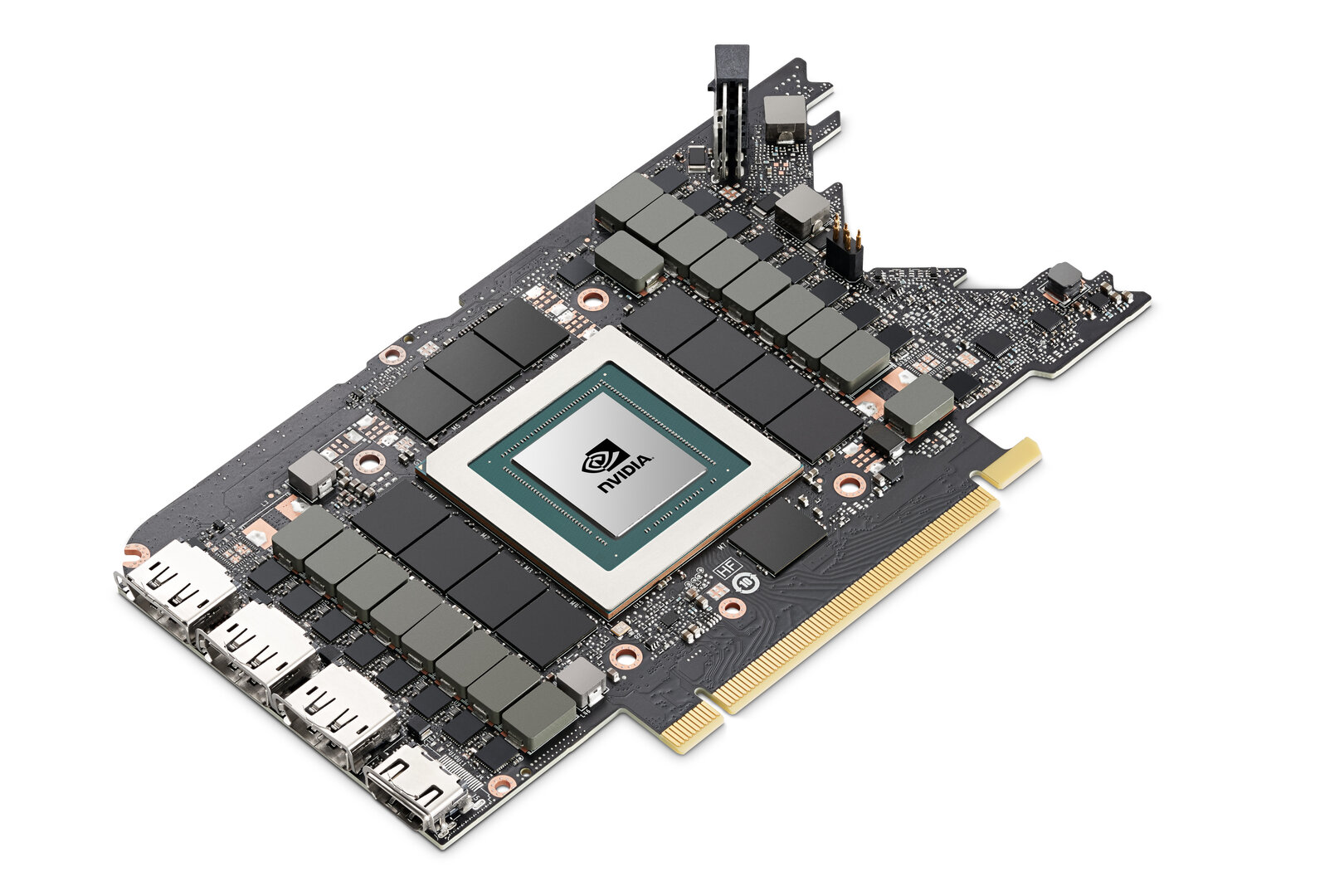
A laptop will not do it. A gaming PC will not do it. Even a serious workstation with two high-end consumer GPUs will not do it — the checkpoint alone is 1.56TB of Kimi K3.1 Pro weights, and the serving recipes assume data-centre hardware with the interconnect bandwidth to split a 2.8-trillion-parameter model across eight accelerators. An 8-GPU B300 system carries about 2.1TB of GPU memory and draws roughly 14 kilowatts, which is more power than most homes can deliver to a single room. This is a model you rent a slice of a data centre to run, or you do not run it at all.
The engine situation is moving fast, and it is worth checking the current state before you rent anything, because it changed daily in the first week. As of 5 November: vLLM has published a recipe and Docker images (vllm/vllm-openai:kimi-k31 for CUDA 13, pushed 4 November, plus a ROCm image), though the main pull request was still open and no installable wheel had been released; SGLang support was being tracked in a GitHub issue opened 4 November, with verification still in progress;
and TokenSpeed is the third recommended engine on the model card. The community project llama.cpp, which is how most home users run open models, has no code for K3.1 Pro in master and no pull request had been found by 5 November.
For Kimi K3, the previous model of the same size, the community route exists — Unsloth publishes a 594GB build that its guide says “will require at least 610GB RAM” — but a K3.1 Pro build, if one comes, is unlikely to be much smaller, and nobody has published one yet.
There is one security detail in the setup that deserves emphasis. vLLM’s serving command includes the flag --trust-remote-code, which runs Python code from the model repository on your own machines. That is normal for models with custom architectures, but it means the repository you download from matters enormously.
Pull it from Moonshot’s own Hugging Face account — moonshotai/Kimi-K3.1-Pro — and nowhere else. A re-upload from an unknown account could carry modified code, and the flag would run it. This is not a theoretical risk: within an hour of the release, copycat repositories were already appearing, and at least one predates the weights entirely.
For most readers, the practical conclusion is the one the numbers force. Self-hosting Kimi K3.1 Pro is possible, and for the first time it is possible at all — but it is a data-centre project, not a weekend project. If you do not already have access to eight data-centre GPUs, the hosted API is the way you will actually use this model, and the next section on costs explains why that is not a bad deal.
How to Download the Kimi K3.1 Pro Weights
If you have the hardware — or you are preparing for the day you do — the download itself is straightforward. The repository is public and ungated, so there is no token dance and no approval wait. The steps below use Hugging Face’s own command-line tools, and they assume you have already decided where 1.56TB of files will live. Check your disk space first: the download is 1.56TB, and you will want headroom on top of that for the serving engine, logs, and the key-value cache the model builds while it runs.
Step 1: Install the Hugging Face tools. If you do not already have them, install the Hugging Face Hub client (pip install huggingface_hub) and the transfer tool (pip install hf_transfer). The transfer tool matters at this size — it parallelises the download and resumes cleanly if a connection drops, which, across 96 files and 1.56TB, it probably will at least once.
Step 2: Fetch the small files first. Before pulling the full checkpoint, download only the configuration and licence files so you can confirm you are looking at the real repository:
hf download moonshotai/Kimi-K3.1-Pro --include "*.json" --include LICENSE --local-dir ~/k31
Then inspect the configuration — jq -c ‘{model_type, architectures}’ ~/k31/config.json — and read the LICENSE file. If the repository name is anything other than moonshotai/Kimi-K3.1-Pro, stop. You are not looking at Moonshot’s release.
Step 3: Download the weights. The full download is the 96 safetensors shards, named model-00001-of-000096.safetensors through model-00096-of-000096.safetensors. Use the transfer tool and let it run — on a fast connection this still takes hours, and on a slow one it takes the better part of a day. Do not download from a mirror or a re-upload, however convenient it looks.
Step 4: Serve with vLLM. vLLM’s recipe is the most complete path as of 5 November. It needs vLLM 0.34.0 or later and the Docker image vllm/vllm-openai:kimi-k31 (CUDA 13) for NVIDIA hardware, or the ROCm image for AMD. The recipe serves the model over an OpenAI-compatible endpoint, which is how a coding agent connects to it — you point the agent at your server’s address instead of at Moonshot’s API. Expect the first setup to need care: this is a brand-new recipe for a brand-new architecture, and the recipe itself warns that throughput was not tuned.
Step 5: Connect a coding agent. Once the server is up, OpenCode can use it as a custom provider with the OpenAI-compatible SDK and your server’s address as the base URL. Claude Code and Codex can also be pointed at a self-hosted endpoint, though both need their base URLs reconfigured — the hosted setup for those tools is covered in the “Five Ways” section below.
Two honest warnings belong here. First, the 1.56TB figure is the size of the Kimi K3.1 Pro weights download, not the GPU memory needed at runtime — the two are related but not the same, and the runtime memory depends on the serving setup and the context you actually use. Second, there is no cheap route yet. No GGUF build, no quantised community release, and no single-GPU path had appeared by 5 November. If someone offers you a “lightweight” Kimi K3.1 Pro weights download, treat it with the same suspicion as any other unofficial re-upload.
How Good Is It? The Benchmarks, Honestly Labelled
The Kimi K3.1 Pro weights are only worth downloading if the model inside them is good, so the benchmarks matter — but they need their labels attached. Nearly all the headline numbers come from Moonshot itself, and they have not been independently re-run on the downloadable Kimi K3.1 Pro weights. Independent testers have run the hosted model, and their numbers are close enough to Moonshot’s to be encouraging, but the downloadable Kimi K3.1 Pro weights are new, and the community has not yet had time to verify them end to end.
Moonshot ran most of its coding tests inside Claude Code’s harness, with reasoning effort set to maximum. Here are its own figures against Claude Opus 5.5 and GPT-6 Astra, taken from the model card:
| Benchmark | Kimi K3.1 Pro | Claude Opus 5.5 | GPT-6 Astra |
|---|---|---|---|
| Terminal-Bench 4.0 | 65.7% | 66.4% | 58.2% |
| SWE Marathon | 51.7% | 46.3% | 42.5% |
| Kimi Code Bench 3.0 (long-horizon) | 61.2% | 58.5% | 66.5% |
| Terminal-Bench Science 0.1 | 38.1% | 63.3% | 68.1% |
Read that table carefully, because it is not a clean win. Kimi K3.1 Pro sits within a point of Claude Opus 5.5 on Terminal-Bench 4.0 — 65.7% against 66.4% — and it beats both rivals on SWE Marathon. But it loses badly on Terminal-Bench Science, where it scores 38.1% against 63.3% for Opus 5.5 and 68.1% for GPT-6 Astra. And Kimi Code Bench is Moonshot’s own internal test, on which GPT-6 Astra still leads. The honest summary is that this is a very strong coding model with a real weakness in scientific reasoning, not a model that beats the frontier everywhere.
The independent testers tell a similar story with slightly different numbers. Artificial Analysis ranked K3.1 Pro fourth at launch, at 55 on version 4.3 of its Intelligence Index, and measured 67% on Terminal-Bench 4.0 — which it called “the highest score of any model” on that test at the time.
On 27 October it replaced that index with version 5, built mostly on private tests, and on the current leaderboard (version 5.0.1) K3.1 Pro scores 46, against 59 for Opus 5.5 and 60 for Gemini 4 Carbon at their top efforts. That is still the highest score of any open-weights model there: DeepSeek V4.1 Flash 1017 follows at 33 and GLM-5.3 at 32.
Vals AI gives it 62.52% on its Vals Index — ninth of 32 models, and what its update calls “the top open-weights model” — and 63.64% on Terminal-Bench 4.0, third of 59. It also scored below Kimi K3 on Vals’s legal research and tax tests, so the gains are not across the board.
One more independent measurement is worth knowing, because it affects the hosted experience rather than the weights: speed. Artificial Analysis measures 32 tokens per second on Moonshot’s own API, with 146 seconds to the first answer token and 37.1 minutes for a full index task. That is slow — the price of a model that thinks hard before it answers — and it is one reason some users will prefer to serve the weights themselves, where they control the hardware and the batching.
The takeaway for anyone deciding whether to download the Kimi K3.1 Pro weights is straightforward. If your work is long-horizon coding — the multi-step agent tasks this model was built for — the Kimi K3.1 Pro weights give you a model that trades blows with the best proprietary systems at a fraction of their price. If your work is scientific research or legal analysis, the benchmarks say to test carefully before you commit, because this is where the model is weakest. Either way, test on the hosted API first. The weights will still be there when you have decided.
What Moonshot Took Out Before Releasing the Weights
The most unusual thing about this release is not what Moonshot included, but what it deliberately removed. For the open-weight release, Moonshot says it stripped cyber-related content from the mid-training and reinforcement-learning data. The company is unusually direct about why: it says K3.1 Pro’s cyber capability “remains behind that of frontier proprietary models that have been publicly available for at least three months,” and that “we aim not to release open weights that would extend the absolute frontier of cyber capability.”
The cost of that decision is measurable, and Moonshot published it. On xdev-bench-hard, its internal vulnerability-research test, K3.1 Pro solves 81.0% of problems, against 90.5% for the same training without the cuts — a nine-and-a-half-point drop. On the ExploitBench figures carried on the model card, it scores 74.7, against 100 for GPT-6 Astra and 91.0 for Opus 5.5, with each score coming from the respective company’s own reports. In plain terms, the downloadable Kimi K3.1 Pro weights are weaker at offensive security work than the hosted model would have been without the cuts, and weaker than the frontier proprietary models in the same area.
That is a deliberate trade, and it is worth understanding on its own terms rather than treating it as a defect. Open weights cannot be recalled: once the files are public, anyone can run them, fine-tune them, and build on them without Moonshot’s involvement. A company releasing a frontier model as open weights has to decide, in advance, what capabilities it is comfortable putting beyond its own control forever.
Moonshot’s answer is that it is comfortable releasing a model that is nearly as good as Claude Opus 5.5 at general coding, but not one that pushes the frontier of cyber capability. Whether you agree with that line, it is a clear one — and it is the reason the Kimi K3.1 Pro weights exist at all. A company unwilling to make that cut might have kept the weights private entirely.
For legitimate security professionals, the practical consequence is narrow. Defensive security work — reading code for vulnerabilities in your own systems, reviewing configurations, understanding attack patterns in order to prevent them — is still well within what the model does. What the cuts target is the offensive edge: the vulnerability-research capability that would let an open model match or beat the best closed systems. If your work is offensive security research, be aware that the downloadable Kimi K3.1 Pro weights are not the full-strength model in this area, and the hosted frontier models remain ahead.
What It Costs: API, Membership, and Self-Hosting
The Kimi K3.1 Pro weights are free to download, but free to download is not the same as free to run. Here is the full cost picture, because the right choice depends on how much you actually use the model.
On the API, per million tokens, the prices are unchanged since launch:
| Model | Input | Output |
|---|---|---|
| Kimi K3.1 Pro | $2 | $10 |
| Kimi K3.1 Pro Highspeed | $4 | $20 |
| Kimi K3 | $3 | $15 |
| Claude Sonnet 5.5 | $2 | $10 |
| Claude Opus 5.5 | $4 | $20 |
| GPT-6.1 Sol | $2 | $10 |
Cached input costs $0.20 per million tokens on both K3.1 models, which matters for agent work where the same context is re-read many times. Note what the table really says: K3.1 Pro is a third cheaper than its predecessor K3, but on price per token it matches Claude Sonnet 5.5 and GPT-6.1 Sol rather than undercutting them. The value is not that it is the cheapest model on the market — it is that it performs near Opus 5.5 levels on coding benchmarks while charging Sonnet 5.5 prices.

If you would rather not pay per token, there is the membership route. Kimi Code — Moonshot’s own coding agent — is available on the Plus, Pro, Max, and Ultra memberships, at $180, $372, $948, and $1,908 a year when billed annually. Pro and above add the Highspeed model and the million-token context.
For new members, the membership guide says the weekly quota limit is removed and only a rolling five-hour rate window remains, though a monthly total still applies — and when it runs out, the Kimi Code quota is frozen until the monthly quota resets or you upgrade. Moonshot does not publish how much either allowance actually is, so treat the membership as a convenience purchase rather than an unlimited one.
There is also a cheaper subscription path through OpenCode Go, OpenCode’s subscription for open models, which includes K3.1 Pro. On the $10-a-month Go plan, the model has a monthly limit of $15 of use at API prices, which OpenCode estimates at about 147 requests every five hours, 368 a week, or 735 a month. Go Plus, at $40 a month, raises the limit to $60. For a hobbyist or a casual user, that is the lowest-friction way to try the model inside a real coding agent.
Now the self-hosting maths. Renting eight B300 GPUs costs about $71.92 an hour at $8.99 per GPU — roughly $52,500 for a 730-hour month. At the API’s prices, that same $52,500 buys about 13.1 billion input tokens and 2.6 billion output tokens (at five input tokens for each output token, with no caching), before you count storage, networking, or staff time.
Self-hosting is not how you save money at small scale. The case for it is keeping your data in your own hands, or running steady traffic at a volume where the fixed cost of rented hardware beats the per-token meter. Other hosts have not undercut Moonshot so far: OpenRouter lists Moonshot, Together, and Phala at the same $2 and $10, and Together’s own page still carried a “Launching soon” banner on 4 November. If you are choosing between the API and self-hosting, the honest threshold is volume and privacy — not price.
Five Ways to Use Kimi K3.1 Pro Weights in a Coding Agent
The Kimi K3.1 Pro weights are only useful if you can put them to work, and the coding-agent ecosystem already has five practical routes. The first four use Moonshot’s hosted service, so they work today with no hardware at all; the fifth is the self-hosted path the Kimi K3.1 Pro weights unlock.
1. Kimi Code. Moonshot’s own agent comes as a command-line tool, a desktop app, and a VS Code extension. The documentation installs the CLI with a single curl command from code.kimi.com; run kimi, sign in with /login, and choose K3.1 Pro with /model. It needs the Plus membership or above, which is the catch — the tool is free to install, but the model access is not.
2. Claude Code. Kimi publishes a guide for pointing Claude Code at its service instead of Anthropic’s. Set the base URL to the Kimi coding endpoint, set your API key to a Kimi Code membership key, and set the model variables to k3.1-pro — or k3.1-pro[1m] for the million-token context. Every request then goes to Kimi instead of Anthropic. One hard requirement: thinking has to stay on, because K3.1 Pro rejects requests without it.
3. Codex. Kimi’s Codex guide adds a provider to the Codex configuration file with the Moonshot API base URL and the responses wire format, and reads a Kimi API key from an environment variable. You pay per token on this route, with no membership needed.
4. OpenCode. Run /connect, choose Moonshot AI, enter a key from Kimi’s API platform, and pick the model with /models. OpenCode Go subscribers get the model inside their subscription instead. This is the simplest route for most people: one login, and K3.1 Pro appears in the model picker alongside every other model OpenCode supports.
5. Your own server. Once vLLM or SGLang is serving the weights, OpenCode can use them as a custom provider, with the OpenAI-compatible SDK and your server’s address as the base URL. This is the route the Kimi K3.1 Pro weights release actually creates — the other four existed before the weights came out. It is also the route that needs the eight-GPU setup, the serving recipe, and the patience to run a brand-new engine configuration. For a team with steady, high-volume agent traffic and strict data rules, it is the payoff for the whole download. For everyone else, routes one to four are the way to use this model this week.
The Distillation Report Moonshot Has Not Answered
No honest account of this release can skip the report that has shadowed it since 28 October. On that date, The Information reported that Moonshot and DeepSeek “relied heavily” on OpenAI’s GPT-6 Astra to train their latest models, citing people with direct knowledge of the matter. The models named were Kimi K3.1 Pro and the 17 October update of DeepSeek’s V4.1 Flash. The report is paywalled, and the details in public accounts come from Reuters’ and The Next Web’s summaries of it. The Next Web says it “has not independently verified the report,” and that is the right label: this is an unconfirmed report, not an established fact.
The context is a dispute that predates the model. Training one model on another’s outputs is called distillation. It is common practice, and a September 8 advisory from the NSA, CISA, and FBI calls it “a legitimate and useful technique in AI research.” What is disputed is collecting a rival’s outputs at scale against its terms. That same advisory accused six China-based companies — Moonshot AI and DeepSeek among them — of “aggressive, malicious, and targeted distillation activities at an industrial scale” against American models, including Claude, GPT, Gemini, and Grok. China’s foreign ministry rejected the advisory as unfounded.
OpenAI has also made its own claim. In a post on 30 September, it said it had stopped a campaign, begun on 1 July, to extract its models’ hidden reasoning, peaking on 24 and 25 July at 16,000 requests from over 4,000 users, and that “we attribute a core cluster of the activity to individuals associated with Moonshot AI, the developer of Kimi.” It added that “it is unclear whether all operators we observed during the relevant time period originated from a single actor,” and said it had shut the campaign down by 28 July.
What the new report does not establish matters as much as what it claims. Moonshot, DeepSeek, and OpenAI did not respond to Reuters, and by 4 November there was no public comment from any of them. Moonshot’s announcement credits K3.1 Pro’s gains to “substantially larger post-training compute” and does not mention distillation. The public accounts do not say how many Astra outputs were used, how they were obtained, or how much of K3.1 Pro’s training they made up. And there has been no announced change for users: the apps, Kimi Code, and the API all work as before, and the weights came out on the promised day.
For most readers, the practical question is the one it already was: whether K3.1 Pro does your work well enough at its price. If where a model’s training data came from matters to your company — and for some companies, in regulated industries or with strict vendor policies, it genuinely does — ask the vendor before you build on it. That is the responsible step, and it is the only one available until someone with first-hand evidence says more.
Who Should Download the Kimi K3.1 Pro Weights — and Who Should Not
After all of that, the decision comes down to three questions. Answer them honestly and the right choice is usually obvious.
Download the Kimi K3.1 Pro weights if: you run a team or a service with steady, high-volume coding-agent traffic; you have data-residency or privacy rules that forbid sending code to a third-party API; you already rent data-centre GPUs, or you can justify eight of them; or you want to fine-tune a frontier-class coding model on your own data, which only the weights allow. For these users, the 1.56TB download of Kimi K3.1 Pro weights is the beginning of a real project, and the licence is permissive enough to build on.
Use the API or a membership instead if: you are an individual developer, a small team, or anyone whose usage is bursty rather than constant. At $2 per million input tokens and $10 per million output tokens, with cached input at $0.20, the hosted model is cheaper than rented hardware until your volume is very large — and it needs no setup, no maintenance, and no 14-kilowatt power budget. The OpenCode Go plan at $10 a month is the cheapest way to try the model inside a real agent.
Wait if: you were hoping to run this on a home machine. There is no GGUF build, no llama.cpp support, and no single-GPU path as of 5 November. The community may produce a quantised build — Kimi K3 has one — but nothing has appeared yet, and a K3.1 Pro build is unlikely to be much smaller than K3’s 594GB version. Check back in a few weeks; the situation is moving fast, and the first community quantisation will change the answer for home users completely.
One more group deserves a mention: researchers and evaluators. For them, the Kimi K3.1 Pro weights are valuable regardless of hardware, because they make the model inspectable. Independent labs can now re-run Moonshot’s benchmarks on the actual checkpoint, probe the cyber-content removal, and test the model in ways that were impossible while it lived only behind an API. That verification work is how the open-weights ecosystem earns its trust, and it starts the moment the download finishes.
What Happens Next for Kimi K3.1 Pro Weights
The release is two days old, and several things are already in motion. The most important is engine support: vLLM’s recipe is live, SGLang’s verification is in progress, and the community will decide quickly whether the model serves well in practice. Watch for the first independent benchmark re-runs on the downloadable checkpoint — they will confirm or challenge Moonshot’s numbers, and they are the real test of whether the Kimi K3.1 Pro weights match the hosted model.
The second thing to watch is whether a community quantisation appears. A GGUF build would open the model to a much wider audience, even if it still needed a machine with hundreds of gigabytes of RAM. Kimi K3’s Unsloth build shows the pattern: a 594GB file that needs at least 610GB of RAM. A K3.1 Pro equivalent would be a serious download, but it would be a home-server download rather than a data-centre one — and that is a meaningful difference.
The third is the Highspeed question. The faster variant has no repository and no mention on the model card, so for now it remains a hosted-only product. If Moonshot releases its weights too, the value of the open release grows again — but there is no promise and no date, so do not plan around it.
Finally, watch the wider open-weights race. K3.1 Pro arrived in a month crowded with open releases — Tencent’s Hy4, which we covered on 5 November, is the most recent, and the pattern is clear: the best open models are now close enough to the best closed ones on coding that the choice between them is about price, privacy, and control rather than raw capability.
The Kimi K3.1 Pro weights are the strongest evidence yet for that shift. They are also a reminder of its limits: the download is 1.56TB, the hardware is eight data-centre GPUs, and the model you get is deliberately not the strongest version Moonshot could have released. Open weights are getting better fast — and getting easier to use is the next race to win.

Frequently Asked Questions
Where can I download the Kimi K3.1 Pro weights?
From the official Hugging Face repository, moonshotai/Kimi-K3.1-Pro. The download is 1.56TB across 96 safetensors files, and there is no access gate. Download only from Moonshot’s own account — copycat repositories appeared within an hour of the release.
Can I run Kimi K3.1 Pro weights on my laptop?
No. The simplest working setup needs eight data-centre GPUs, such as one NVIDIA B300 node. There is no GGUF build and no llama.cpp support as of 5 November 2026, so there is currently no home-machine path at all.
Are the Kimi K3.1 Pro weights free for commercial use?
Mostly, yes. The Kimi K3.1 Pro License allows use, modification, redistribution, and selling products built on the model. Two conditions apply at scale: businesses reselling inference with over $20 million in group revenue over 12 months need a separate agreement with Moonshot, and products with over 100 million monthly active users or $20 million in monthly revenue must display “Kimi K3.1-Pro” prominently.
How much do the Kimi K3.1 Pro weights cost to run?
The download is free. Running the Kimi K3.1 Pro weights is not: renting eight B300 GPUs costs about $71.92 an hour, or roughly $52,500 a month. The hosted API charges $2 per million input tokens and $10 per million output tokens, and for most users it is far cheaper than self-hosting.
Is Kimi K3.1 Pro better than Claude Opus 5.5?
On Moonshot’s own numbers, it is nearly as good at coding — 65.7% against 66.4% on Terminal-Bench 4.0 — and better on SWE Marathon. But it is much weaker on scientific reasoning, and independent indexes rank it below Opus 5.5 overall. It is the strongest open-weights model on the Artificial Analysis and Vals leaderboards, which is a different and still impressive claim.
What is the difference between Kimi K3.1 Pro and Kimi K3.1 Pro Highspeed?
Highspeed is a faster variant that Moonshot says runs at two to three times the speed of the standard model, and it costs twice as much on the API ($4 input and $20 output per million tokens). The weights release covers the standard model only — Highspeed has no repository and remains hosted-only.
The Bottom Line
The Kimi K3.1 Pro weights are out, on time, ungated, and exactly as large as promised. For a small group of users — teams with data-centre GPUs, strict privacy rules, or very high steady volume — they are a genuinely important release: a model that trades blows with Claude Opus 5.5 on coding, now available to run, inspect, and fine-tune without asking Moonshot’s permission.
For everyone else, the release changes less than the headlines suggest. The API price is unchanged, the hosted apps are unchanged, and the hardware bar is high enough that most developers will keep using K3.1 Pro the way they already do — through Kimi Code, Claude Code, Codex, or OpenCode — while the weights sit on a server somewhere, waiting for the day the community makes them runnable on smaller machines.
That is not a disappointment. It is what an honest open-weights release looks like in 2026: the best model Moonshot was willing to put beyond its control, with the safety cuts it chose to make, under a licence that is generous to small users and careful at scale. Download it if you have the hardware and the reason. Use the API if you do not. And whichever route you take, test it on your own work first — because the benchmarks, impressive as they are, are Moonshot’s numbers, and the only score that matters is the one your code gets.
Previously on Tool Minds AI: our Kimi K3.1 Pro explainer covers the launch and the model itself; our Cerebras serving guide covers the fastest hosted route; and our quota-reset follow-up explains how Kimi Code’s monthly limits work. For the wider open-weights picture, see our Drex Max open-weights explainer.